
스마트시대
DISCOVER 9.1 Light Navigation 9.2 TabBar 9.3 GridView 9.4 Grid Item 9.5 CupertinoSearchTextField 본문
Programing/Flutter
DISCOVER 9.1 Light Navigation 9.2 TabBar 9.3 GridView 9.4 Grid Item 9.5 CupertinoSearchTextField
스마트시대 2023. 5. 19. 18:51728x90
9.1 Light Navigation
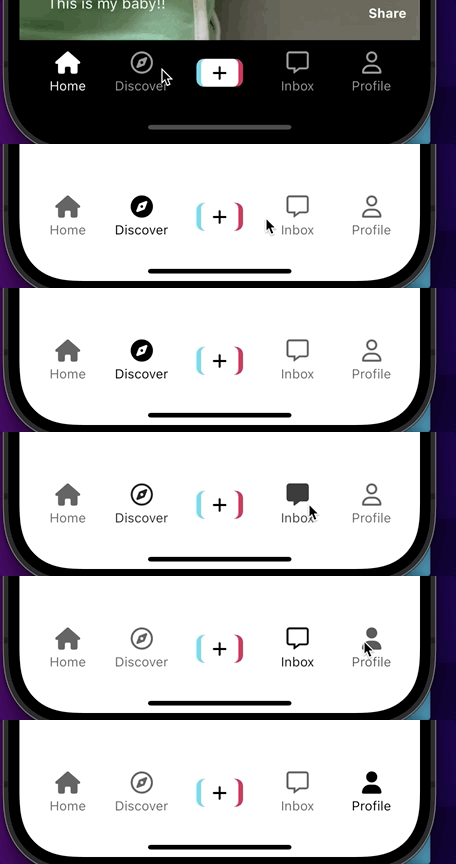
여기서 홈 탭 이외에는 흰색으로 바뀌게 하고


              NavTab(
                  text: "Home",
                  isSelected: _selectedIndex == 0,
                  icon: FontAwesomeIcons.house,
                  selectedIcon: FontAwesomeIcons.house,
                  onTap: () => _onTap(0),


                  --------------------------
                  selectedIndex: _selectedIndex),
                  --------------------------
              NavTab(
                  text: "Discover",
                  isSelected: _selectedIndex == 1,
                  icon: FontAwesomeIcons.compass,
                  selectedIcon: FontAwesomeIcons.solidCompass,
                  onTap: () => _onTap(1),
                  --------------------------
                  selectedIndex: _selectedIndex),
                  --------------------------
              Gaps.h24,

              // Event listener
              GestureDetector(
                onTap: _onPostVideoButtonTap,
                child: const PostVideoButton(),
              ),

              Gaps.h24,
              NavTab(
                  text: "Inbox",
                  isSelected: _selectedIndex == 3,
                  icon: FontAwesomeIcons.message,
                  selectedIcon: FontAwesomeIcons.solidMessage,
                  onTap: () => _onTap(3),

                  --------------------------
                  selectedIndex: _selectedIndex),
                  --------------------------

              NavTab(
                  text: "Profile",
                  isSelected: _selectedIndex == 4,
                  icon: FontAwesomeIcons.user,
                  selectedIcon: FontAwesomeIcons.solidUser,
                  onTap: () => _onTap(4),

                  --------------------------
                  selectedIndex: _selectedIndex),
                  --------------------------
            ],
          ),
        ),
      ),
    );
  }
}
import 'package:flutter/material.dart';
import 'package:font_awesome_flutter/font_awesome_flutter.dart';

import '../../../constants/gaps.dart';

class NavTab extends StatelessWidget {
  const NavTab({
    super.key,
    required this.text,
    required this.isSelected,
    required this.icon,
    required this.onTap,
    required this.selectedIcon,

    ---------------
    required this.selectedIndex,
        ---------------
  });

  final String text;
  final bool isSelected;
  final IconData icon;
  final IconData selectedIcon;
  final Function onTap;

      ---------------
  final int selectedIndex;
      ---------------

  @override
  Widget build(BuildContext context) {
    // 누를 수 있는 범위 늘려주기 위젯
    return Expanded(
      child: GestureDetector(
        onTap: () => onTap(),
        // 누를 수 있는 범위 늘려주기 위젯, 여기는 컨테이너로 감싸줌
        child: Container(

            ---------------
          color: selectedIndex == 0 ? Colors.black : Colors.white,
              ---------------


          child: AnimatedOpacity(
            duration: const Duration(milliseconds: 300),
            opacity: isSelected ? 1 : 0.6,
            child: Column(
              // 이걸 씀으로써 Columndprp children공간 만큼만 차지하라고 함.
              mainAxisSize: MainAxisSize.min,
              children: [
                FaIcon(
                  isSelected ? selectedIcon : icon,

                      ---------------
                  color: selectedIndex == 0 ? Colors.white : Colors.black,
                      ---------------

                ),
                Gaps.v5,
                Text(
                  text,
                  style: TextStyle(
                      ---------------
                    color: selectedIndex == 0 ? Colors.white : Colors.black,
                        ---------------
                  ),
                ),
              ],
            ),
          ),
        ),
      ),
    );
  }
}

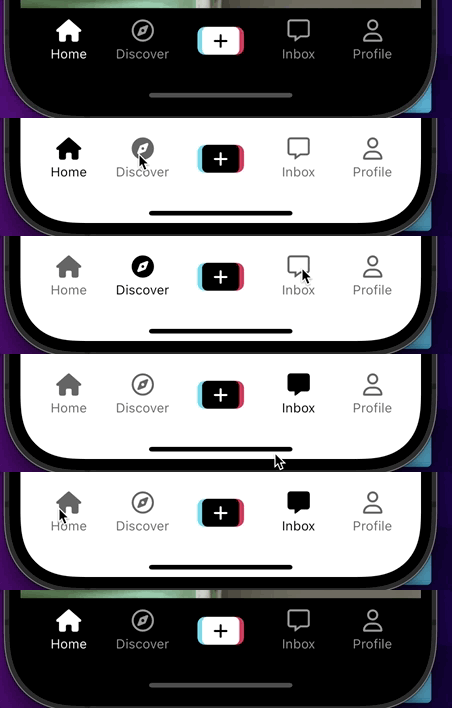
              // Event listener
              GestureDetector(
                onTap: _onPostVideoButtonTap,


                ---------------
                child: PostVideoButton(inverted: _selectedIndex != 0),
                                ---------------
              ),
class PostVideoButton extends StatelessWidget {

--------------------
  const PostVideoButton({super.key, required this.inverted});

  final bool inverted;
--------------------

  @override
  Widget build(BuildContext context) {


                borderRadius: BorderRadius.circular(
                Sizes.size8,
              ),
            ),
          ),
        ),
        Container(
          height: 30,
          padding: const EdgeInsets.symmetric(
            horizontal: Sizes.size12,
          ),
          decoration: BoxDecoration(


          --------------------
            color: !inverted ? Colors.white : Colors.black,
            --------------------


            borderRadius: BorderRadius.circular(
              Sizes.size6,
            ),
          ),
          child: Center(
            child: FaIcon(
              FontAwesomeIcons.plus,

              --------------------
              color: !inverted ? Colors.black : Colors.white,
              --------------------

              size: 18,
            ),
          ),
        )
      ],
    );
  }
}
9.2 TabBar
  State<MainNavigationScreen> createState() => _MainNavigationScreenState();
}

class _MainNavigationScreenState extends State<MainNavigationScreen> {
----------------
  //제일 먼저 표시되는 _selectedIndex 화면
  int _selectedIndex = 1;
----------------
// //offStage쓸 땐 이거 필요 없음
//   final screens = [
//     StfScreen(key: GlobalKey()),
//     StfScreen(key: GlobalKey()),
//     Container(),
//     StfScreen(key: GlobalKey()),
//     StfScreen(key: GlobalKey()),
//   ];

  void _onTap(int index) {
    setState(() {
      _selectedIndex = index;
    });
  }

  //event listener 함수
  void _onPostVideoButtonTap() {
    Navigator.of(context).push(
      MaterialPageRoute(
          builder: (context) => Scaffold(
                appBar: AppBar(
                  title: const Text("Record Video"),
                ),
              ),
          // 전체화면으로 만들어주기
          fullscreenDialog: true),
    );
  }

  @override
  Widget build(BuildContext context) {
    return Scaffold(
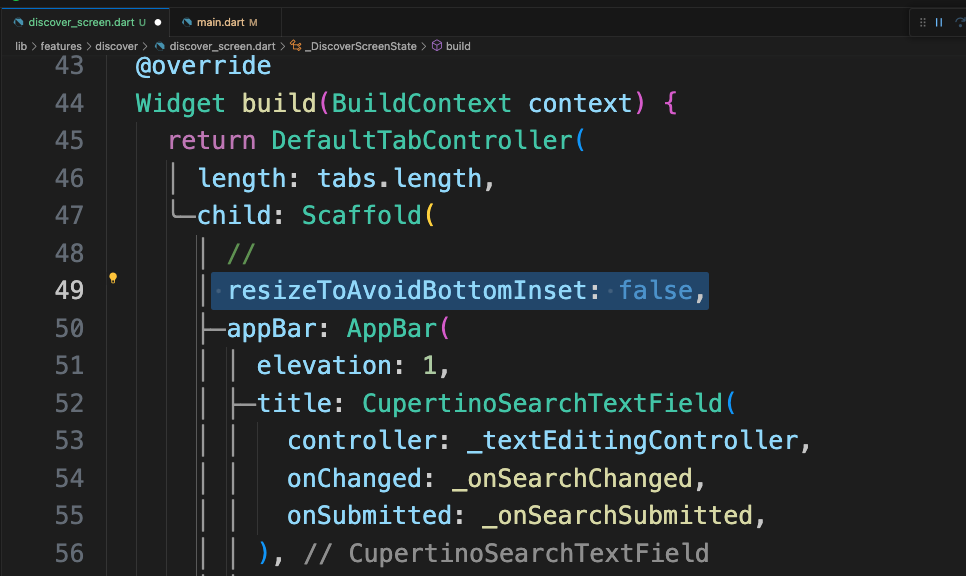
      //입력창의 키보드등이 열리면 플러터는 디폴트로 화면을 자동 조정해줌:그걸 false
      resizeToAvoidBottomInset: false,

      backgroundColor: _selectedIndex == 0 ? Colors.black : Colors.white,
      // // 선택된 탭의 페이지만 보여주기: 항상 새로운 페이지로써 표시됨
      // body: screens.elementAt(_selectedIndex),
      // offStage: 해당 위젯을 안 보이게 하면서 계속 존재하게 해주는 위젯
      body: Stack(
        children: [
          Offstage(
            offstage: _selectedIndex != 0,
            child: const VideoTimelineScreen(),
          ),
          Offstage(
            offstage: _selectedIndex != 1,

            ----------------
            child: const DiscoverScreen(),
            ----------------
          ),

import 'package:flutter/material.dart';
import 'package:tiktok_clone/constants/sizes.dart';

final tabs = [
  "Top",
  "Users",
  "Videos",
  "Sounds",
  "LIVE",
  "Shopping",
  "Brands",
];

class DiscoverScreen extends StatelessWidget {
  const DiscoverScreen({super.key});

  @override
  Widget build(BuildContext context) {
    return DefaultTabController(
      length: tabs.length,
      child: Scaffold(
        appBar: AppBar(
          elevation: 1,
          title: const Text("Discover"),
          bottom: TabBar(
            splashFactory: NoSplash.splashFactory,
            padding: const EdgeInsets.symmetric(
              horizontal: Sizes.size16,
            ),
            isScrollable: true,
            labelStyle: const TextStyle(
              fontWeight: FontWeight.w600,
              fontSize: Sizes.size16,
            ),
            indicatorColor: Colors.black,
            labelColor: Colors.black,
            unselectedLabelColor: Colors.grey.shade500,
            tabs: [
              for (var tab in tabs)
                Tab(
                  text: tab,
                ),
            ],
          ),
        ),
        body: TabBarView(children: [
          for (var tab in tabs)
            Center(
              child: Text(
                tab,
                style: const TextStyle(fontSize: 28),
              ),
            )
        ]),
      ),
    );
  }
}
9.3 GridView
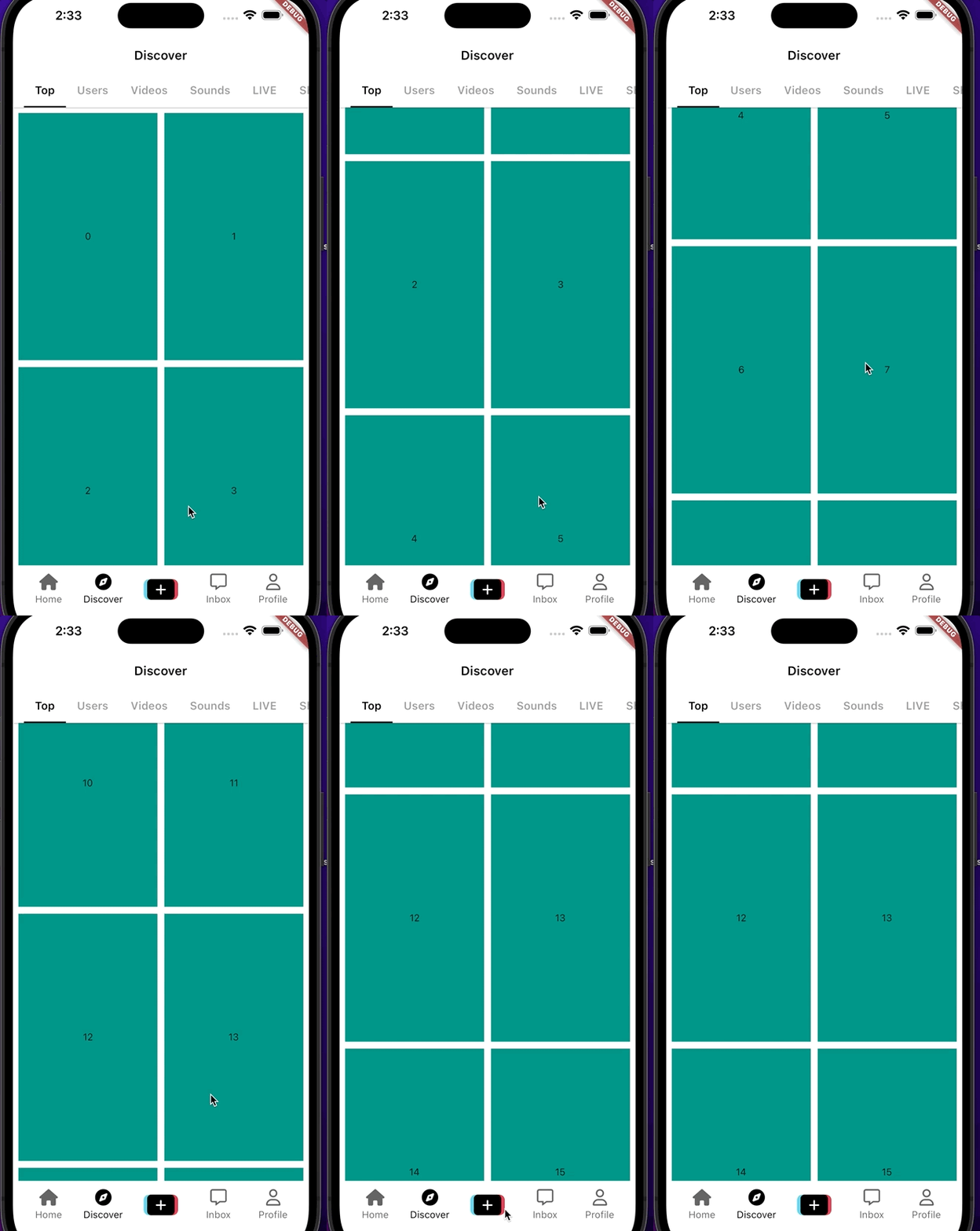
make the grid(상품 하나하나)
        body: TabBarView(children: [

        -----------------------
          GridView.builder(
            itemCount: 20,
            padding: const EdgeInsets.all(
              Sizes.size8,
            ),
            gridDelegate: const SliverGridDelegateWithFixedCrossAxisCount(
              crossAxisCount: 2,
              crossAxisSpacing: Sizes.size10,
              mainAxisSpacing: Sizes.size10,
              childAspectRatio: 9 / 16,
            ),
            itemBuilder: (context, index) => Container(
              color: Colors.teal,
              child: Center(
                child: Text("$index"),
              ),
            ),
          ),
          for (var tab in tabs.skip(1))
            Center(
              child: Text(
                tab,
                style: const TextStyle(fontSize: 28),
                        -----------------------
              ),
            )
        ]),
      ),
    );
  }
}
9.4 Grid Item
            itemBuilder: (context, index) =>

            ------------------
                // 네트워크에 있는 이미지 가지고 오는 동안 로컬에 저장되어 있는 이미지 가져오기
                FadeInImage.assetNetwork(
              placeholder: "assets/images/image.jpeg",
              image:
                  "https://plus.unsplash.com/premium_photo-1683880731792-39c07ceea617?ixlib=rb-4.0.3&ixid=M3wxMjA3fDB8MHxwaG90by1wYWdlfHx8fGVufDB8fHx8fA%3D%3D&auto=format&fit=crop&w=687&q=80",
            ),
          ),
                      ------------------

          for (var tab in tabs.skip(1))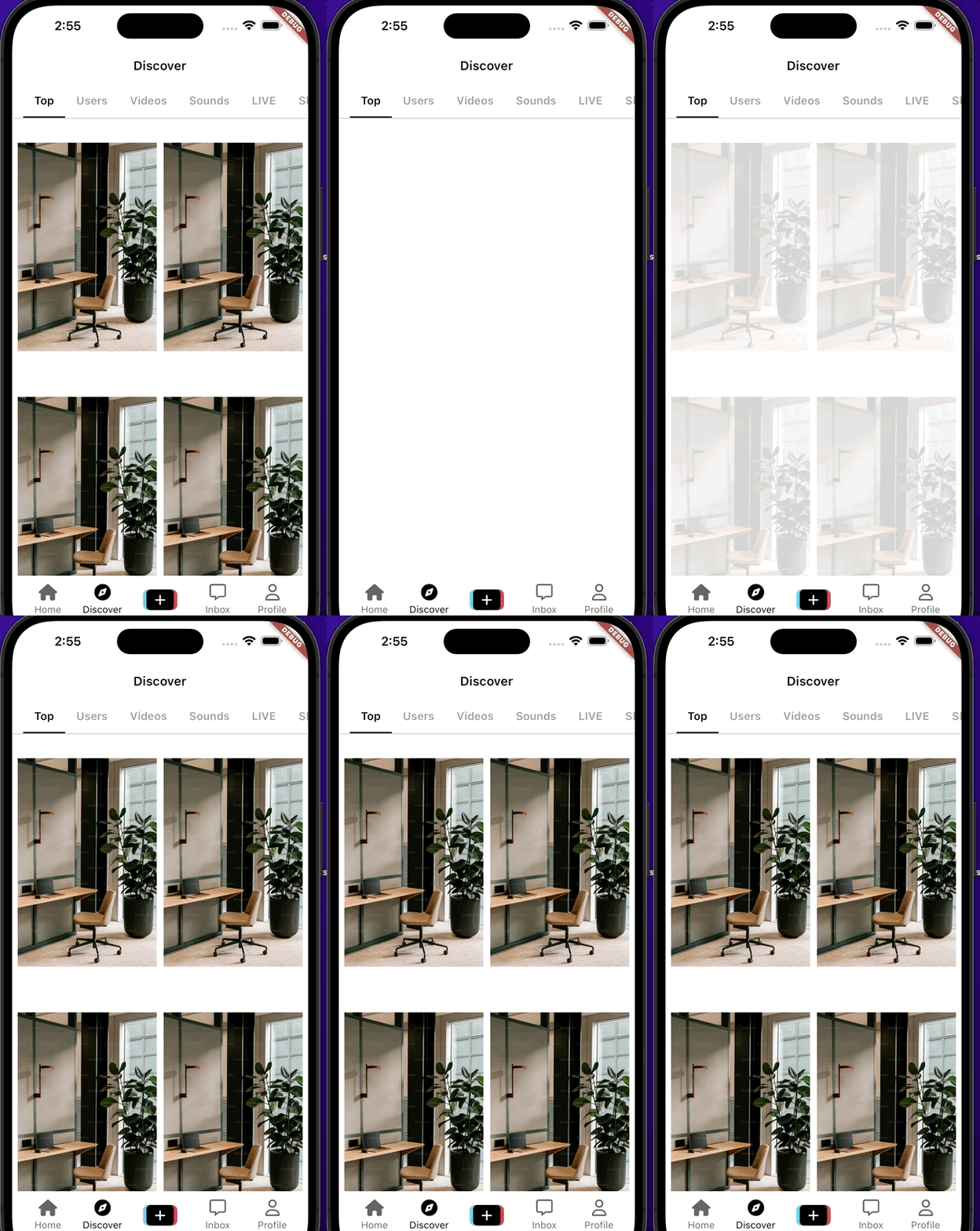
특정한 비율을 따르는 위젯을 만드는 위젯+ 아무리 긴 문장이라도 2줄로 잘라준다
            gridDelegate: const SliverGridDelegateWithFixedCrossAxisCount(
              crossAxisCount: 2,
              crossAxisSpacing: Sizes.size10,
              mainAxisSpacing: Sizes.size10,

                                  ------------------
              childAspectRatio: 9 / 20,
            ),
            itemBuilder: (context, index) => Column(
              children: [
                //특정한 비율을 따르는 위젯을 만드는 위젯
                AspectRatio(
                  aspectRatio: 9 / 16,
                  // 네트워크에 있는 이미지 가지고 오는 동안 로컬에 저장되어 있는 이미지 가져오기
                  child: FadeInImage.assetNetwork(
                    fit: BoxFit.cover,
                    placeholder: "assets/images/image.jpeg",
                    image:
                        "https://plus.unsplash.com/premium_photo-1683880731792-39c07ceea617?ixlib=rb-4.0.3&ixid=M3wxMjA3fDB8MHxwaG90by1wYWdlfHx8fGVufDB8fHx8fA%3D%3D&auto=format&fit=crop&w=687&q=80",
                  ),
                ),
                Gaps.v10,
                const Text(
                  "This is a very long cation for my tiktok that im upload just for now",
                  //아무리 긴 문장이라도 2줄로 잘라준다
                  overflow: TextOverflow.ellipsis,
                  maxLines: 2,

                  style: TextStyle(
                    fontSize: Sizes.size16 + Sizes.size2,
                    fontWeight: FontWeight.bold,
                    ------------------

                  ),
                ),
              ],
            ),
          ),
          for (var tab in tabs.skip(1))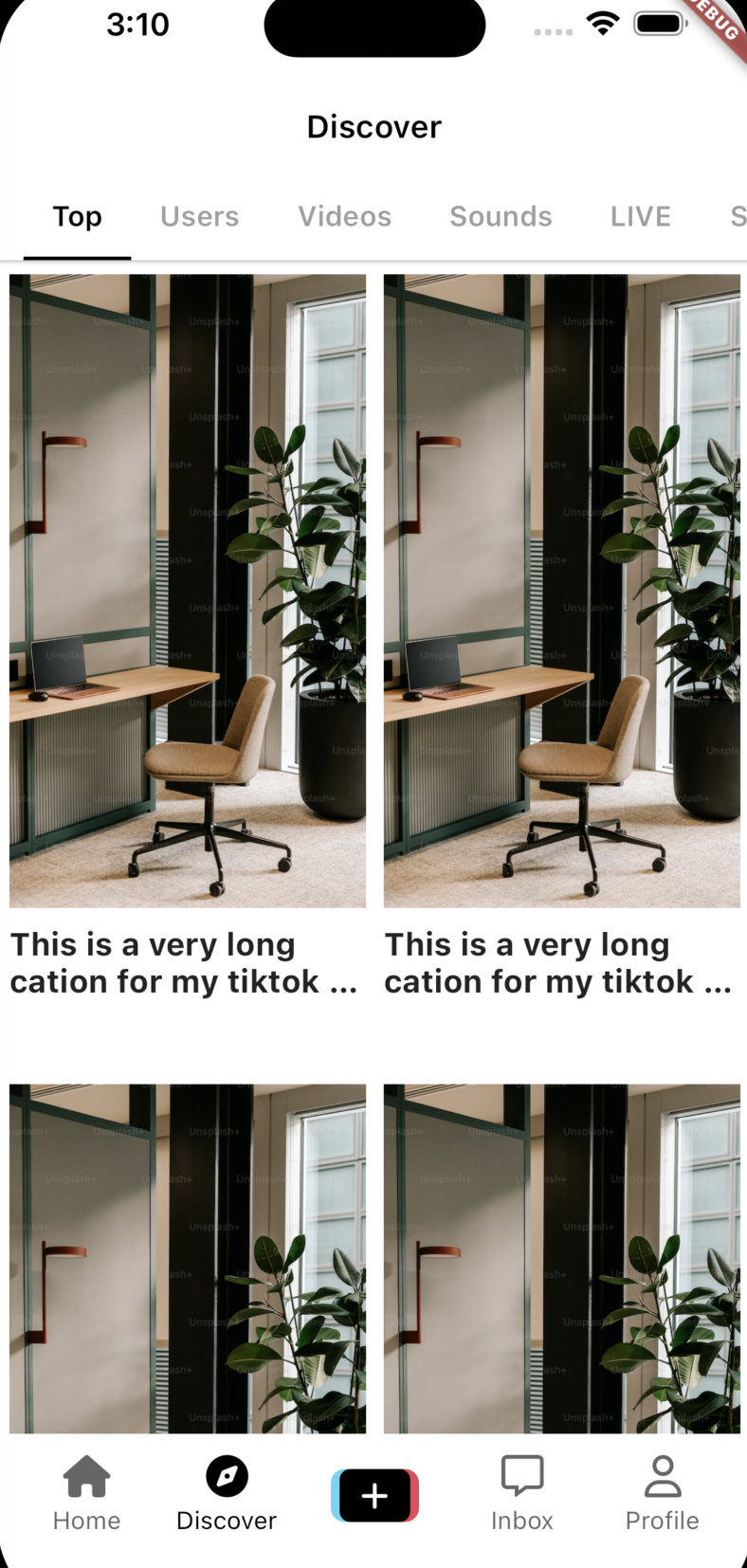
                  style: TextStyle(
                    fontSize: Sizes.size16 + Sizes.size2,
                    fontWeight: FontWeight.bold,
                  ),
                ),

     ----------------------
                Gaps.v7,

                //text style을 자식 text들에 동시 적용할 수 있는 위젯
                DefaultTextStyle(
                  style: TextStyle(
                      color: Colors.grey.shade600, fontWeight: FontWeight.w600),
                  child: Row(
                    children: [
                      const CircleAvatar(
                        radius: 12,
                        backgroundImage: NetworkImage(
                          "https://media.licdn.com/dms/image/C4D03AQEfaXwimUdjmw/profile-displayphoto-shrink_100_100/0/1517469163893?e=1689811200&v=beta&t=0i37nt-0uT5JvkQGUUzQlZtA5fUFFYUVinTFDTyo0iQ",
                        ),
                      ),
                      Gaps.h4,
                      const Expanded(
                        child: Text(
                          "My avatar is going to be very long",
                          maxLines: 1,
                          overflow: TextOverflow.ellipsis,
                        ),
                      ),
                      Gaps.h4,
                      FaIcon(
                        FontAwesomeIcons.heart,
                        size: Sizes.size16,
                        color: Colors.grey.shade600,
                      ),
                      Gaps.h2,
                      const Text(
                        "2.5M",
                        ----------------------
                      )
                    ],
                  ),
                ),
              ],
            ),
          ),
          for (var tab in tabs.skip(1))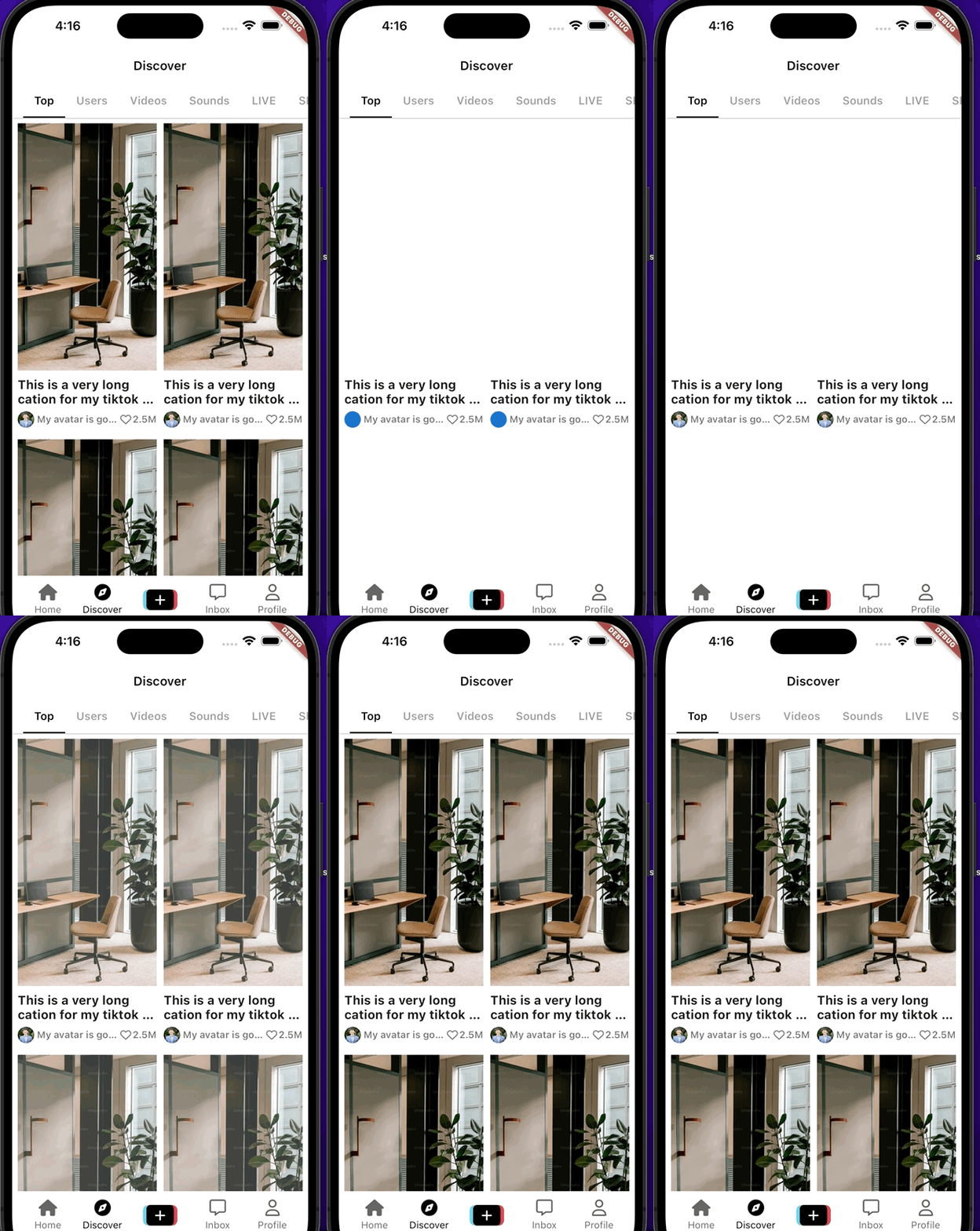
9.5 CupertinoSearchTextField
    return DefaultTabController(
      length: tabs.length,
      child: Scaffold(
        appBar: AppBar(
          elevation: 1,

          --------------------------
          title: const CupertinoSearchTextField(),
                    --------------------------


          bottom: TabBar(
            splashFactory: NoSplash.splashFactory,
            padding: const EdgeInsets.symmetric(
              horizontal: Sizes.size16,


                          itemBuilder: (context, index) => Column(
              children: [


              --------------------
                Container(
                  //AspectRatio가 BoxDecoration까지 overflow하고 있으므로 clipBehavior로 잘라주기
                  clipBehavior: Clip.hardEdge,
                  decoration: BoxDecoration(
                    borderRadius: BorderRadius.circular(
                      Sizes.size4,
                    ),
                  ),
                                --------------------

                  //특정한 비율을 따르는 위젯을 만드는 위젯
                  child: AspectRatio(
                    aspectRatio: 9 / 16,
//컨트롤러 사용위해 StatefulWidget바꾸고
class DiscoverScreen extends StatefulWidget {
  const DiscoverScreen({super.key});

  @override
  State<DiscoverScreen> createState() => _DiscoverScreenState();
}

class _DiscoverScreenState extends State<DiscoverScreen> {

----------------------
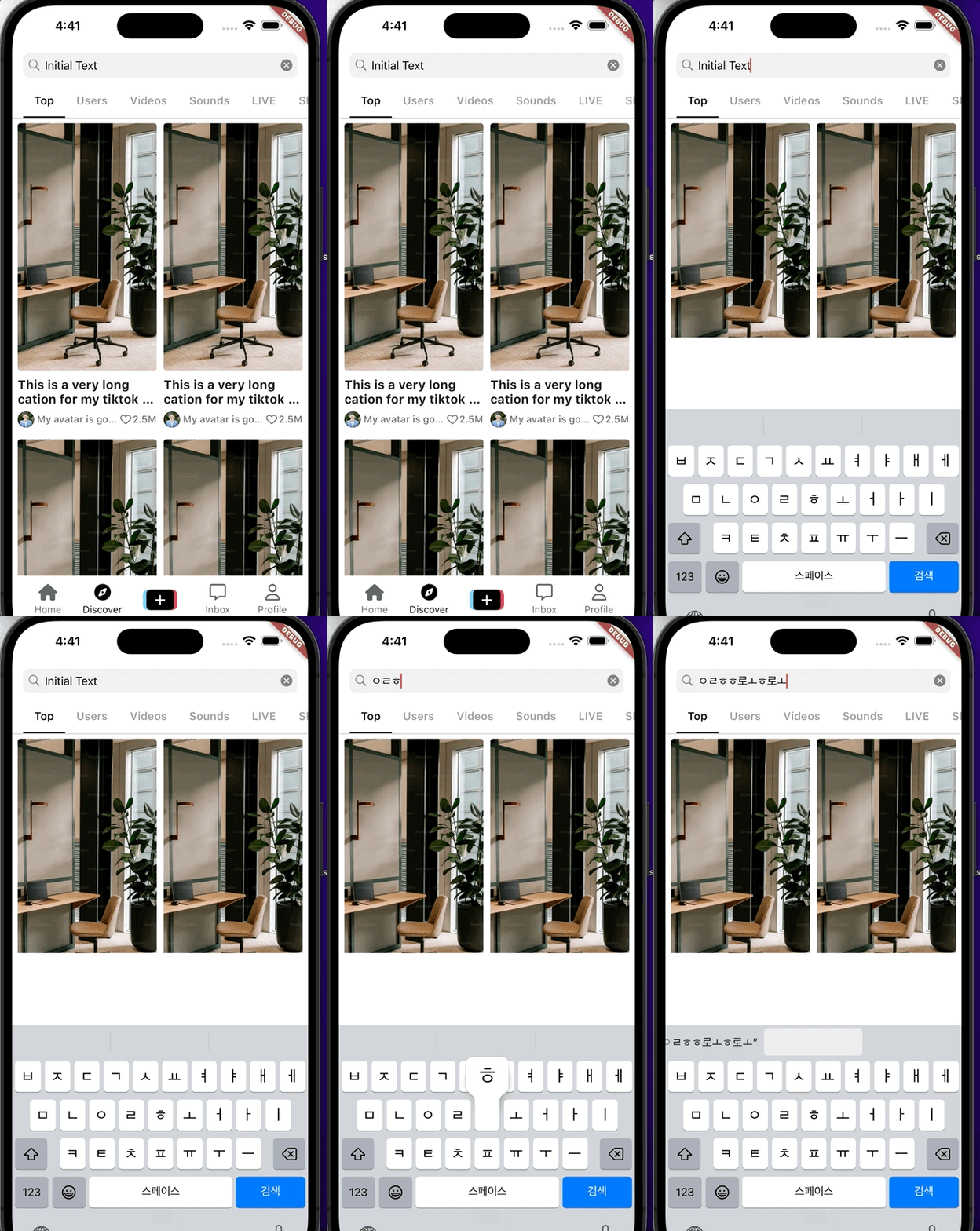
  final TextEditingController _textEditingController =
      TextEditingController(text: "Initial Text");
----------------------


----------------------
  void _onSearchChanged(String value) {
    print(value);
  }

  void _onSearchSubmitted(String value) {
    print(value);
  }

  @override
  void dispose() {
    _textEditingController.dispose();
    super.dispose();
  }
----------------------


  @override
  Widget build(BuildContext context) {
    return DefaultTabController(
      length: tabs.length,
      child: Scaffold(
        appBar: AppBar(
          elevation: 1,
          title: CupertinoSearchTextField(

          ----------------------
            controller: _textEditingController,
            onChanged: _onSearchChanged,
            onSubmitted: _onSearchSubmitted,
          ),
          ----------------------

          bottom: TabBar(
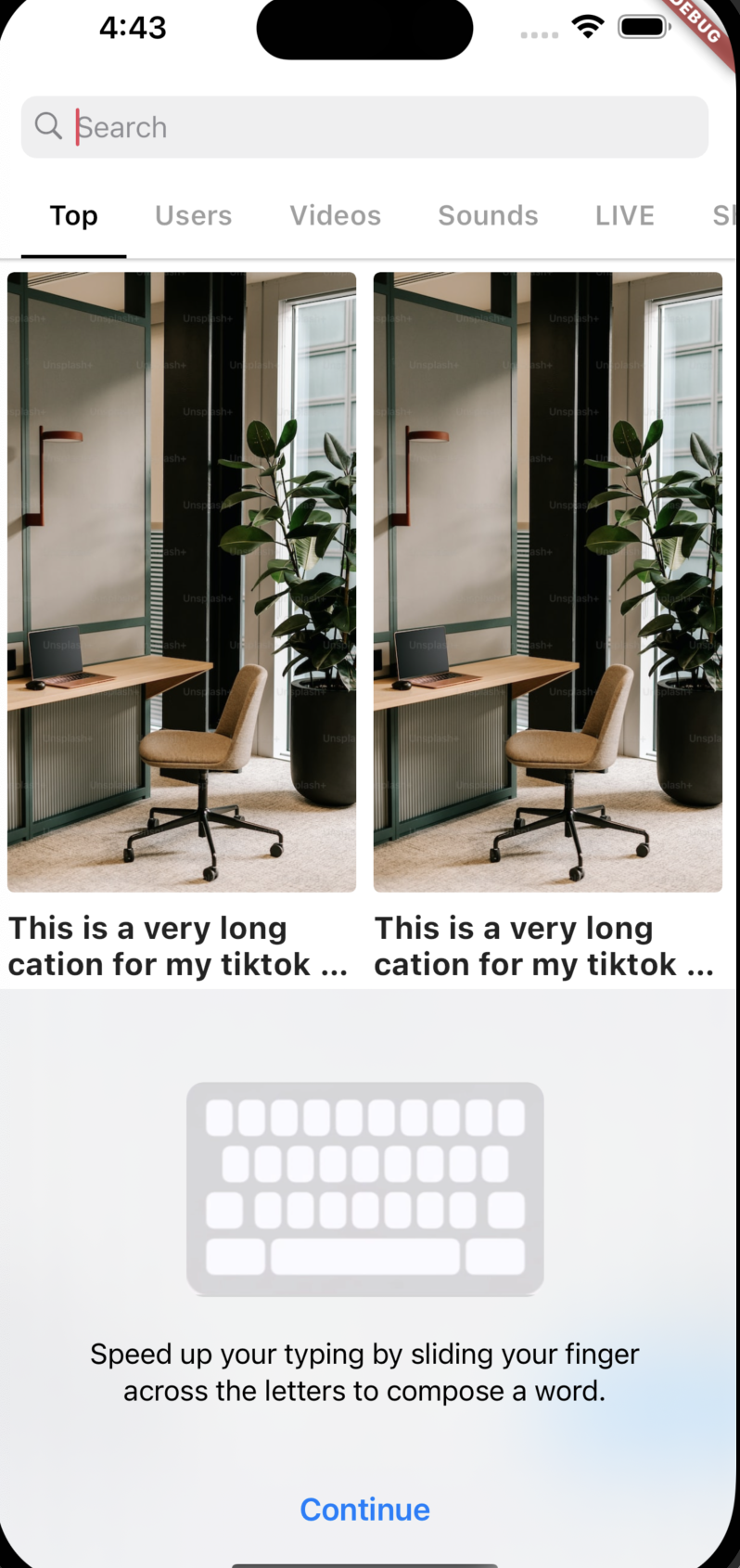
커서 컬러 바꾸기 위해선 여기서 해줘야 함

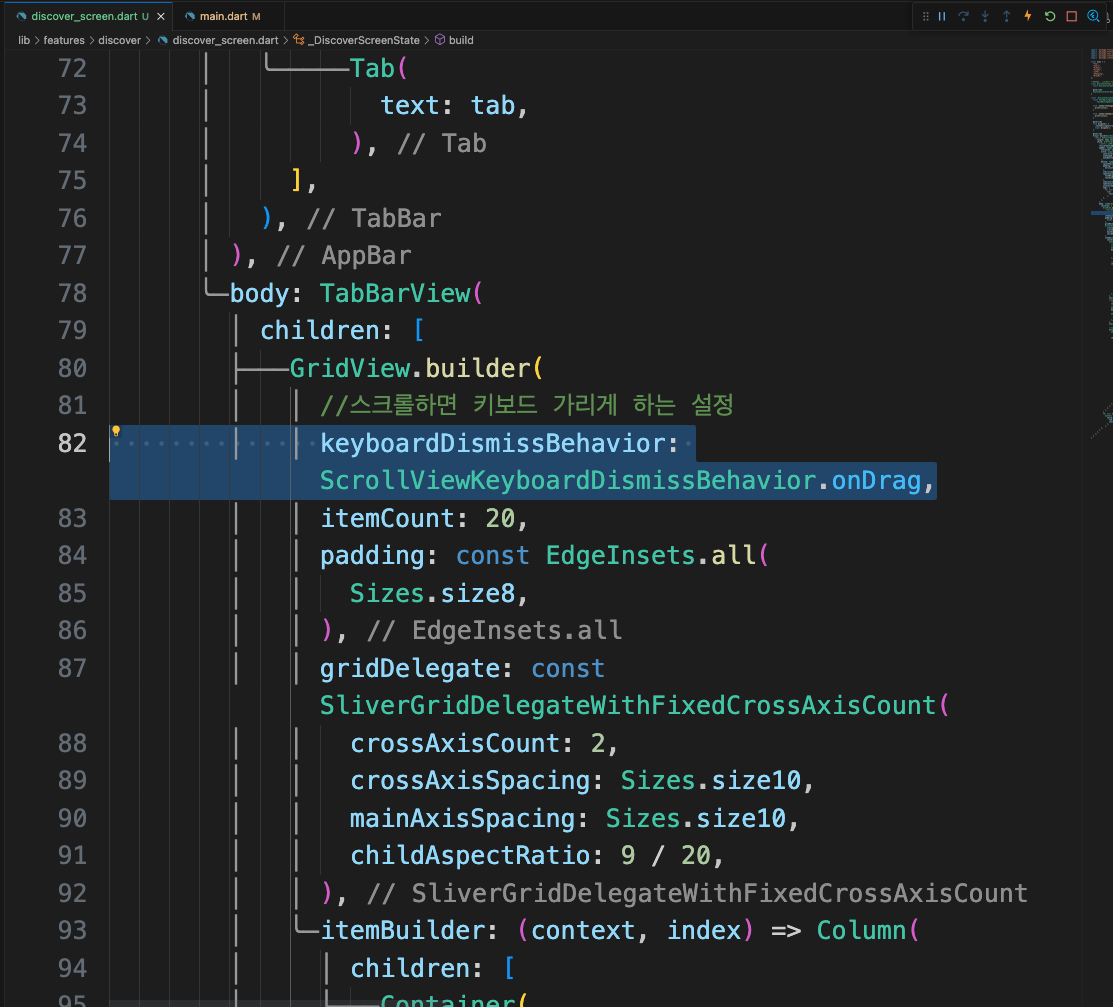
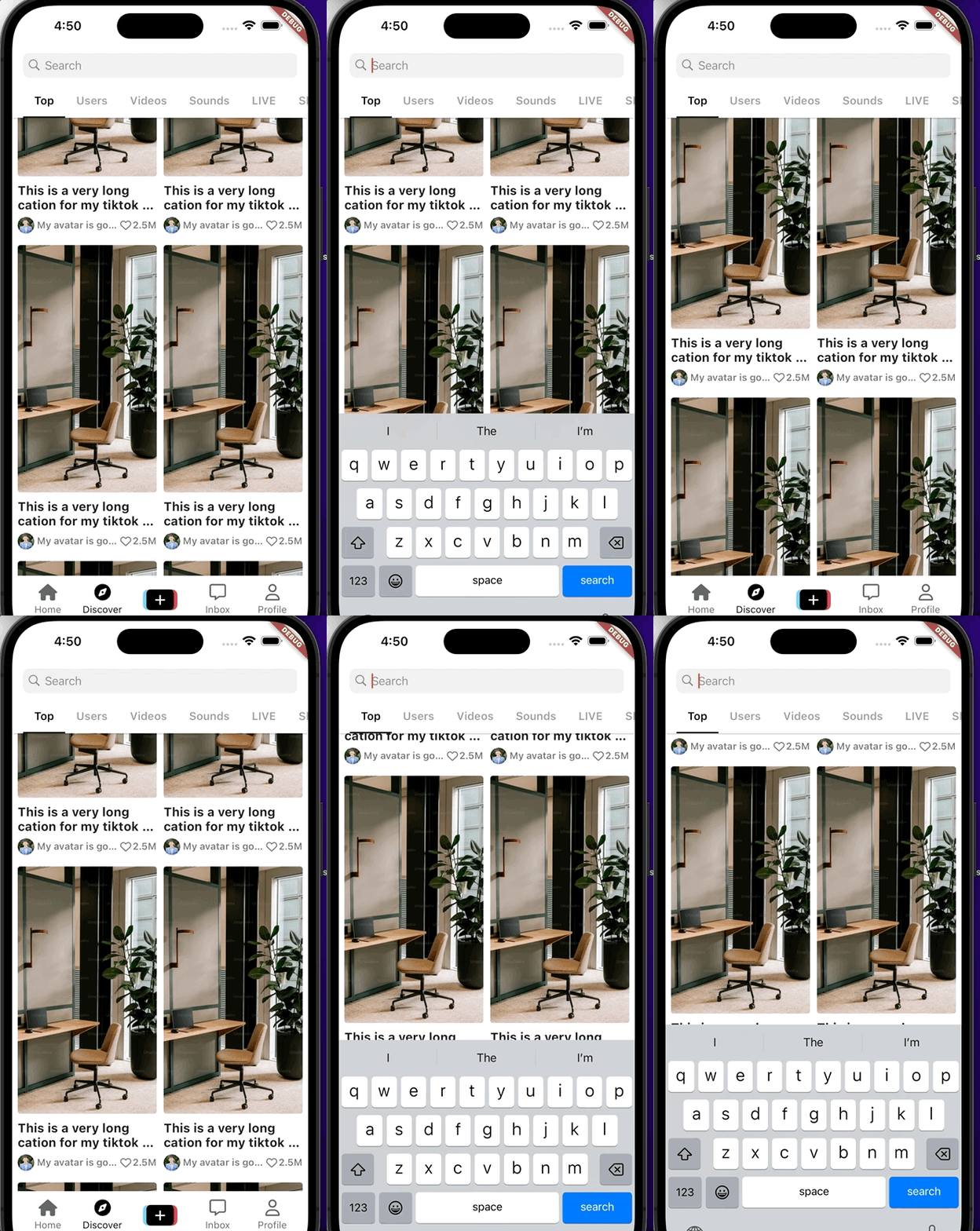
가려진 영역 이걸로 수정

728x90
반응형
'Programing > Flutter' 카테고리의 다른 글
'Programing/Flutter' Related Articles
more


Comments