
스마트시대
SECURITY AND TESTING 30.1 Security Rules 30.2 Security Querying 30.3 Unit Testing 30.4 Widget Testing part One 30.5 Widget Testing part Two 30.6 Integration Testing part One 본문
Programing/Flutter
SECURITY AND TESTING 30.1 Security Rules 30.2 Security Querying 30.3 Unit Testing 30.4 Widget Testing part One 30.5 Widget Testing part Two 30.6 Integration Testing part One
스마트시대 2023. 6. 7. 18:08728x90
30.1 Security Rules
로그인 하지 않은 사용자가 users collection에 document를 만들지 않게 하기 위해
로그인한 대상이 다른 사용자의 프로필을 수정하지 못하게 하기
write는 update, create, delete를 다 합친 거기 때문에 요구사항에 따라 쓰기
rules_version = '2';

service cloud.firestore {
  match /databases/{database}/documents {
  //로그인 했을 때만 사용자 프로필에 read, write, update, createm를 허용
    match /users/{document=**} {
      allow read, update, create : if request.auth != null
      //resource:생성될 document, 요청한 사용자의 id가 같을 경우에만 허용
      && resource.id == request.auth.uid
    }
    //videos안에 깊은 경로까지 다 설정
    match /videos/{document=**} {
    allow read, create: if request.auth != null
    }
  }
}

잠깐 이렇게 바꾸니
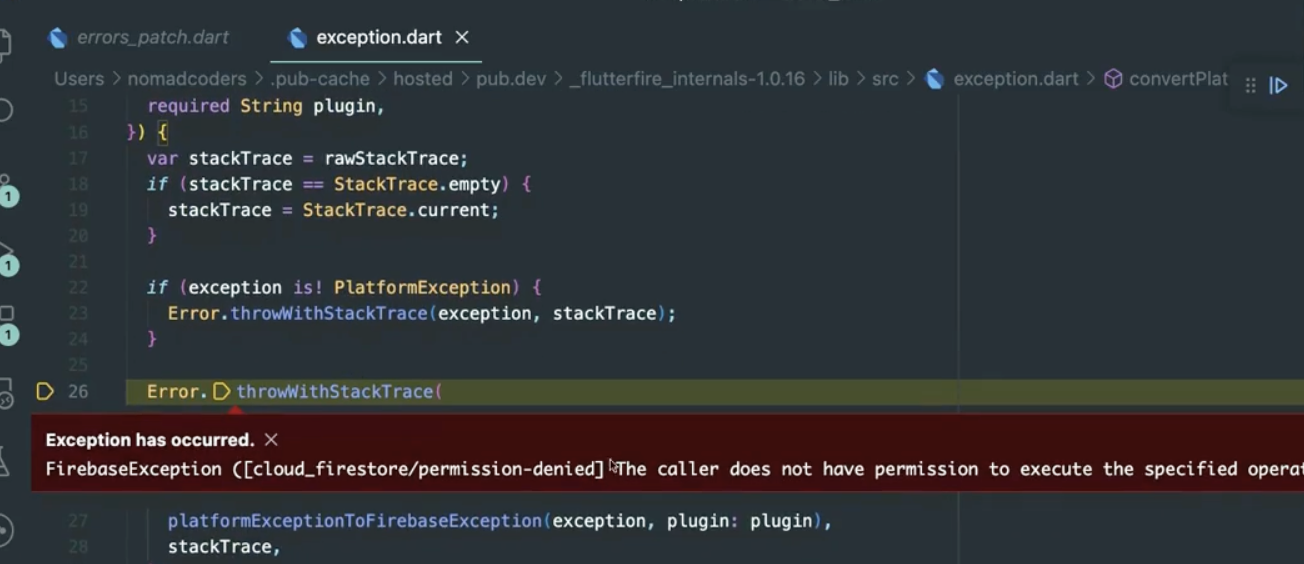
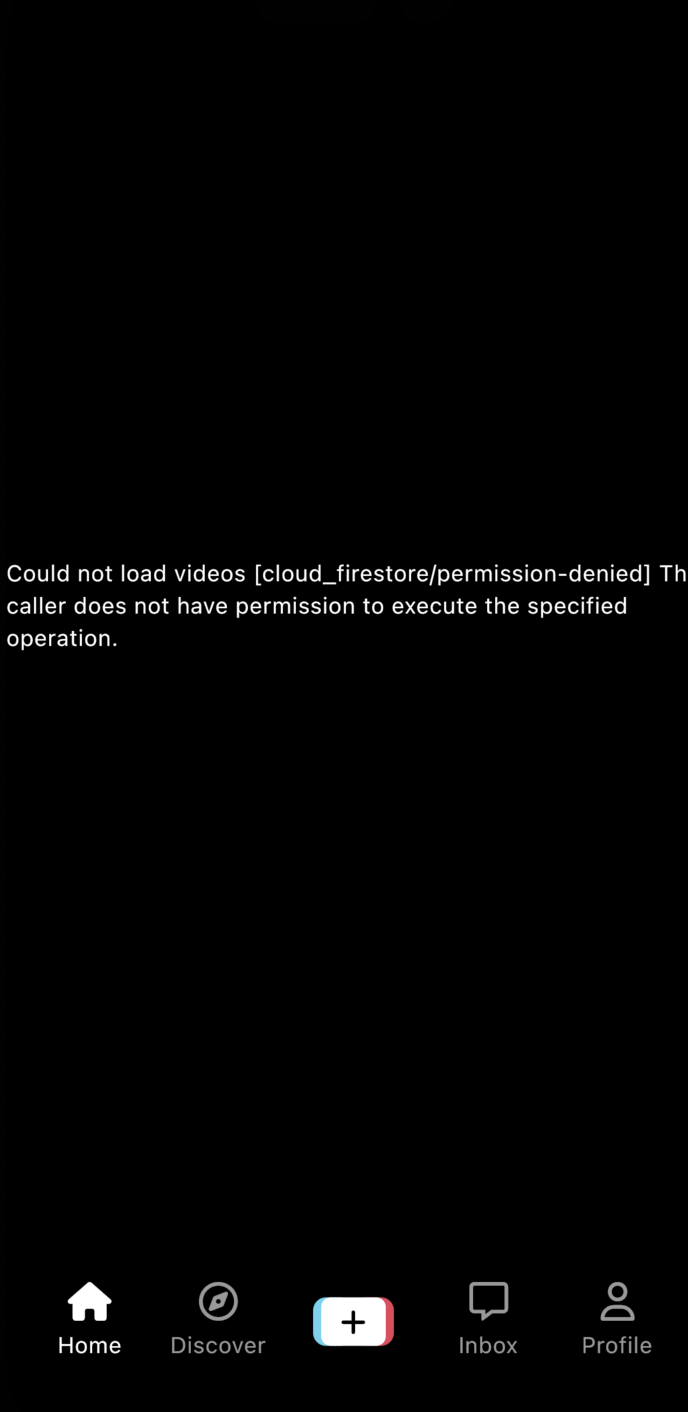
rules_version = '2';

service cloud.firestore {
  match /databases/{database}/documents {
  //로그인 했을 때만 사용자 프로필에 read, write, update, createm를 허용
    match /users/{document=**} {
      allow read, update, create : if request.auth != null
      //resource:생성될 document, 요청한 사용자의 id가 같을 경우에만 허용
      && resource.id == request.auth.uid
    }
    //videos안에 깊은 경로까지 다 설정
    match /videos/{document=**} {
    allow read, create: if request.auth != null
    allow update : if request.auth != null && request.auth.uid == resource.data.creatorUid
    }
  }
}
30.2 Security Querying
rules_version = '2';

service cloud.firestore {
  match /databases/{database}/documents {
  //로그인 했을 때만 사용자 프로필에 read, write, update, createm를 허용30.1
  //코드 더 심플하게30.2
    match /users/{userId} {
      allow read, update, create : if request.auth != null
      //resource:생성될 document, 요청한 사용자의 id가 같을 경우에만 허용30.1
        //코드 더 심플하게30.2
      && userId == request.auth.uid
    }
    //30.2 밑에 코드 제한 하기
    match /users/{userId}/videos {
    	allow read : if request.auth != null
    }
    //videos안에 깊은 경로까지 다 설정30.1
    match /videos/{document=**} {
    	allow read, create: if request.auth != null
    	allow update : if request.auth != null && request.auth.uid == resource.data.creatorUid
    }
    //30.2 연습위한 디비 제한 방법:사용자의 알림토큰이 비어있지 않을 경우에만 like하는걸 허용:과금대상
    match /likes/{document=**} {
    	allow read, write : if request.auth != null && get(/databases/$(database)/documents/users/$(request.auth.uid)).data.token != ""
    }
  }
}
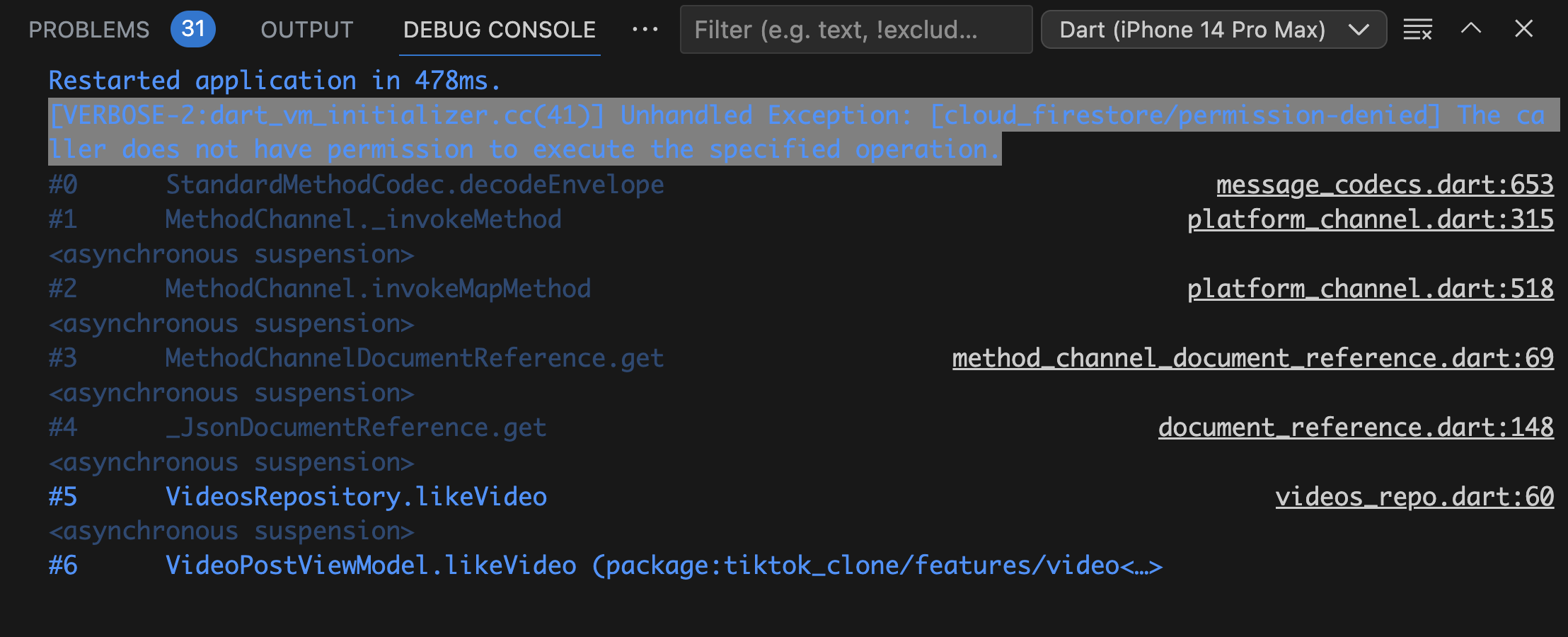
좋아요 눌렀더니
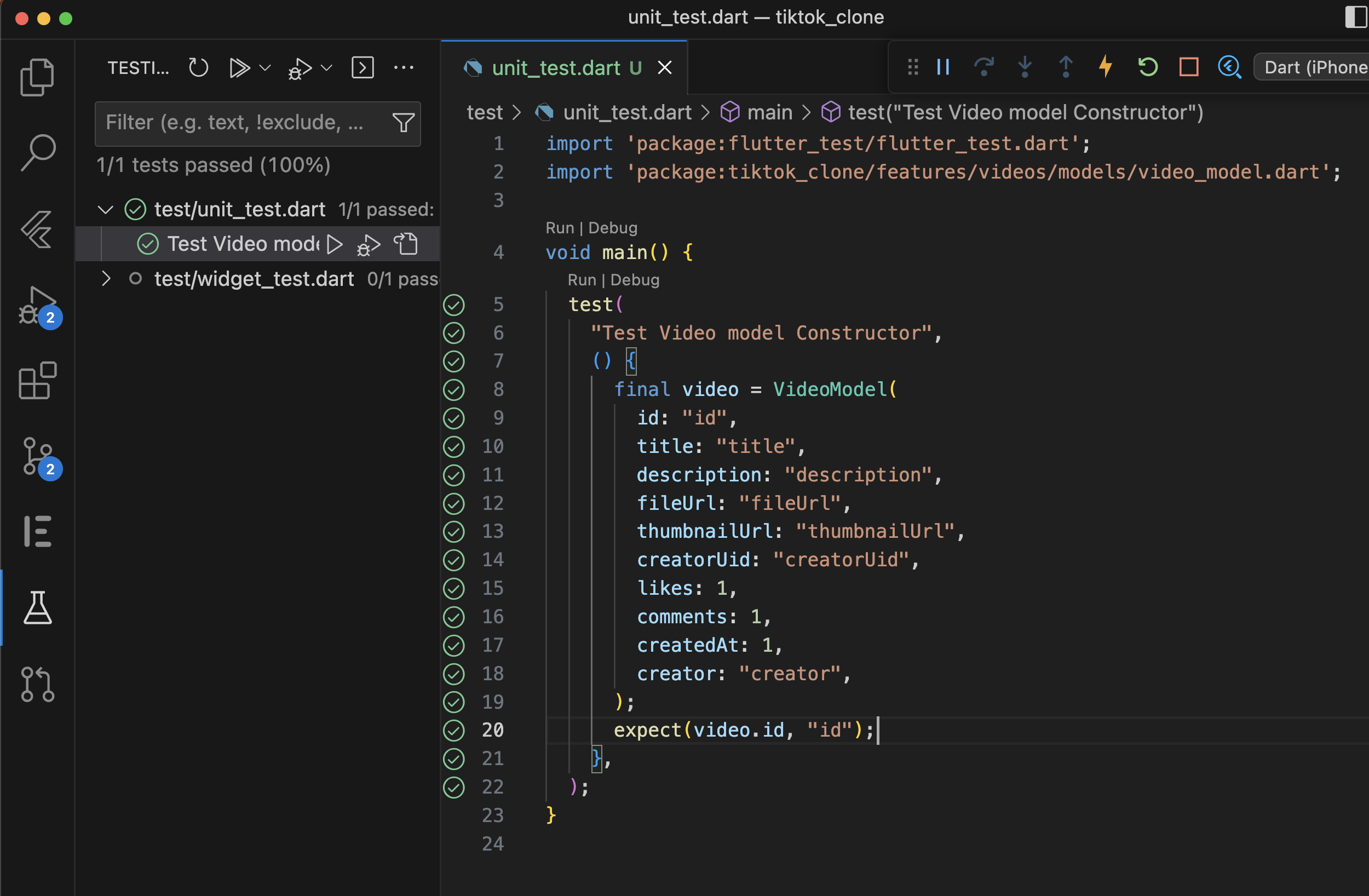
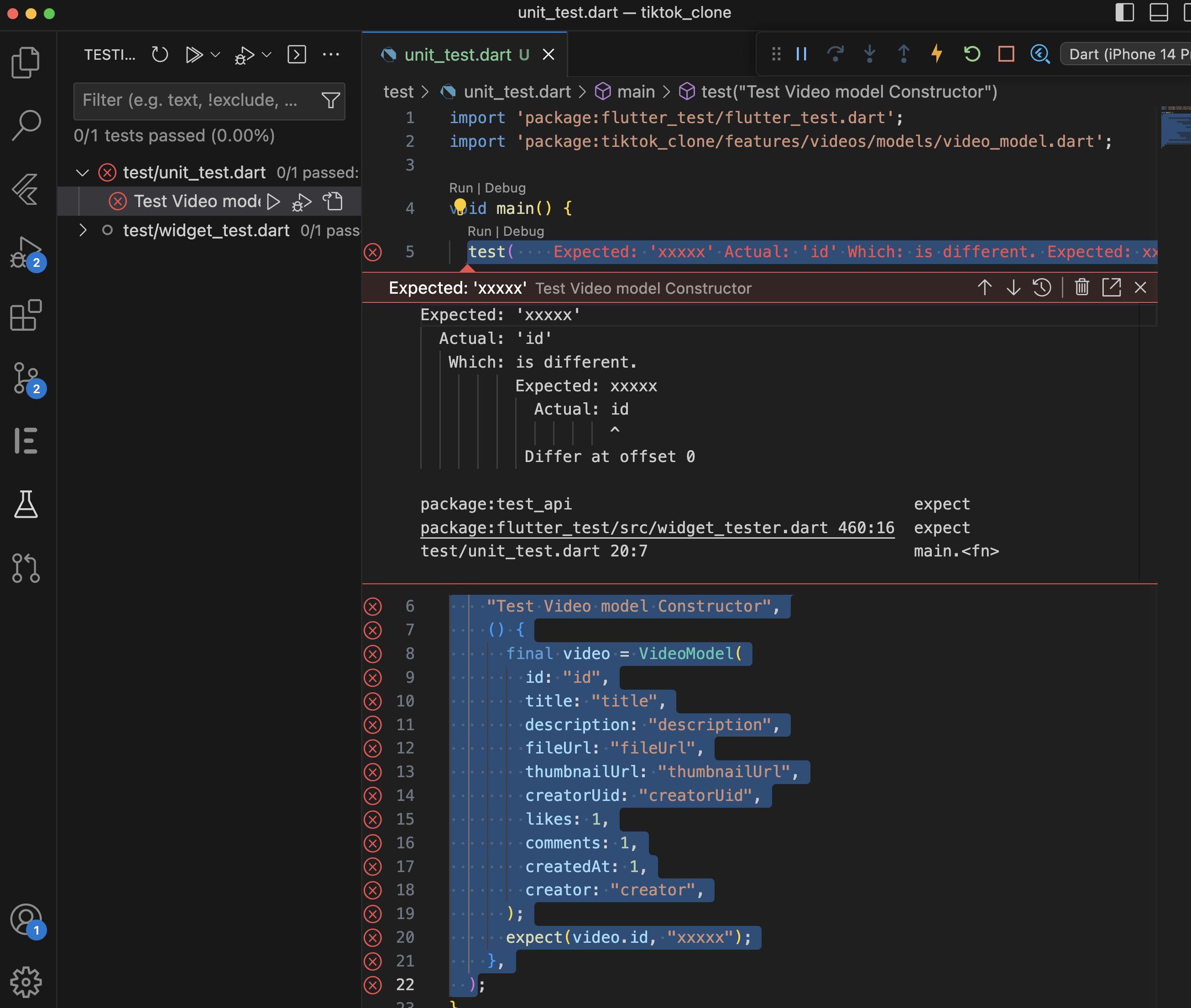
30.3 Unit Testing
테스트 할때는 항상 기대치와 다른 거 적어서 테스트하기

30.4 Widget Testing part One
import 'package:flutter/material.dart';
import 'package:flutter_test/flutter_test.dart';
import 'package:tiktok_clone/features/authentication/views/widgets/form_button.dart';

//30.4
void main() {
  group(
    "Form Button Tests",
    () {
      testWidgets(
        'Enabled',
        (WidgetTester tester) async {
          // pumpWidget역할: 주어진 위젯으로부터 UI를 그린다.
          await tester.pumpWidget(
            //위젯 테스트할 때는 Directionality(방향성)을 반드시 지정
            const Directionality(
              textDirection: TextDirection.ltr,
              child: FormButton(disabled: false),
            ),
          );
          //위에 FormButton이 잘되는지 확인하고 이거 확인(단어단위,색단위등property단위로 확인)
          expect(find.text("Next"), findsOneWidget);
          expect(
            tester
                .firstWidget<AnimatedDefaultTextStyle>(
                    find.byType(AnimatedDefaultTextStyle))
                .style
                .color,
            Colors.white,
          );
        },
      );
    },
  );
}
30.5 Widget Testing part Two
30.6 Integration Testing part One
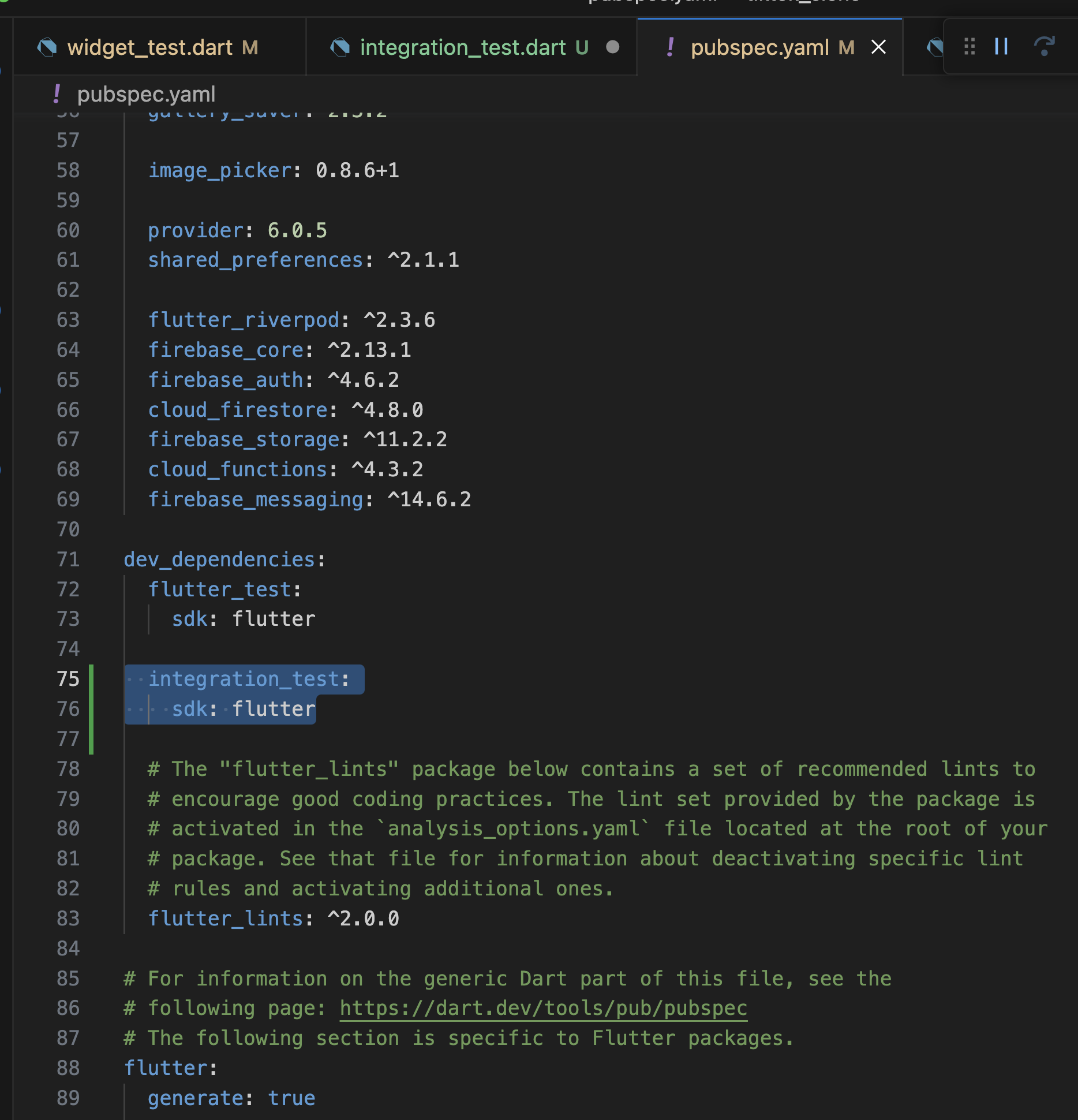

import 'package:firebase_auth/firebase_auth.dart';
import 'package:firebase_core/firebase_core.dart';
import 'package:flutter/material.dart';
import 'package:flutter_riverpod/flutter_riverpod.dart';
import 'package:flutter_test/flutter_test.dart';
import 'package:integration_test/integration_test.dart';
import 'package:tiktok_clone/firebase_options.dart';
import 'package:tiktok_clone/main.dart';

//30.6
void main() {
  IntegrationTestWidgetsFlutterBinding.ensureInitialized();

  //step 1 앱 전체 렌더링
  setUp(() async {
    await Firebase.initializeApp(
      options: DefaultFirebaseOptions.currentPlatform,
    );
    //logout
    await FirebaseAuth.instance.signOut();
  });

  //step 2 앱 전체 렌더링
  testWidgets(
    "Create Account Flow",
    (WidgetTester tester) async {
      await tester.pumpWidget(
        const ProviderScope(
          child: TikTokApp(),
        ),
      );
      // 한 화면에서 다른 화면으로 전환 발생시킬 때 기다리게 하는 설정(애니 효과 프레임이 지나가길 기다림)
      await tester.pumpAndSettle();

      //signin 관련 테스트
      expect(find.text("Sign up for TikTok"), findsOneWidget);
      final login = find.text("Log in");
      expect(login, findsOneWidget);
      await tester.tap(login);
      // 한 화면에서 다른 화면으로 전환 발생시킬 때 기다리게 하는 설정
      await tester.pumpAndSettle(const Duration(seconds: 20));

      //signup 관련 테스트
      final signUp = find.text("Sign up");
      expect(signUp, findsOneWidget);
      await tester.tap(signUp);
      await tester.pumpAndSettle();

      //email 로그인 관련 테스트
      final emailBtn = find.text("Use email & password");
      expect(emailBtn, findsOneWidget);
      await tester.tap(emailBtn);
      await tester.pumpAndSettle();

      //30.7 usernameInput 테스트
      final usernameInput = find.byType(TextField).first;
      await tester.enterText(usernameInput, "test");
      await tester.pumpAndSettle();
      await tester.tap(find.text("Next"));
      await tester.pumpAndSettle();
      await tester.pumpAndSettle(const Duration(seconds: 10));

      //30.7 emailInput 테스트
      final emailInput = find.byType(TextField).first;
      await tester.enterText(emailInput, "test@testing.com");
      await tester.pumpAndSettle();
      await tester.pumpAndSettle(const Duration(seconds: 10));
      await tester.tap(find.text("Next"));
      await tester.pumpAndSettle();
      await tester.pumpAndSettle(const Duration(seconds: 10));

      //30.7 passwordInput 테스트
      final passwordInput = find.byType(TextField).first;
      await tester.enterText(passwordInput, "sdfsdfsafgfsdf24");
      await tester.pumpAndSettle();
      await tester.pumpAndSettle(const Duration(seconds: 10));

      //30.7 birthday 테스트
      await tester.tap(find.text("Next"));
      await tester.pumpAndSettle();
      await tester.pumpAndSettle(const Duration(seconds: 10));

      //30.7 interest 테스트
      await tester.tap(find.text("Next"));
      await tester.pumpAndSettle();
      await tester.pumpAndSettle(const Duration(seconds: 10));
    },
  );
}
728x90
반응형
'Programing > Flutter' 카테고리의 다른 글
'Programing/Flutter' Related Articles
more


Comments