
스마트시대
Make the branch environment on Github 본문

Before push your code on Github, you should create the environment as above. When you upload the Django code to Git, you need to remove the secret code, but you have to remove the secret key and upload it separately. So I removed the venv folder or unnecessary files in Ignore.

Install the pip packages
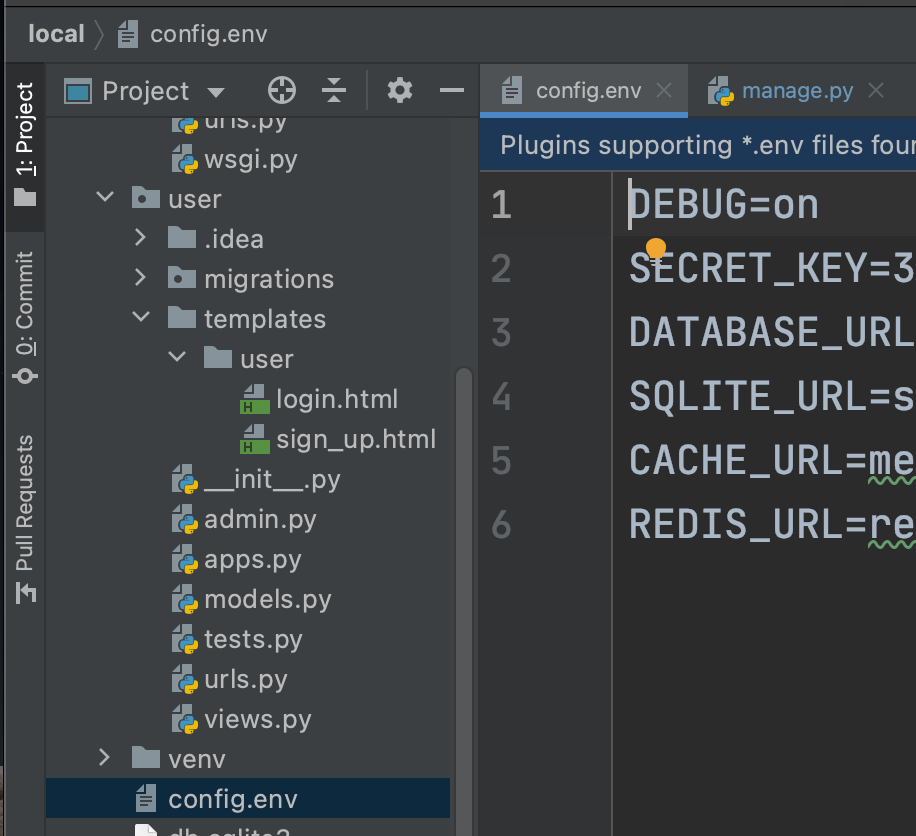
make the config.env and put your secret key in the file
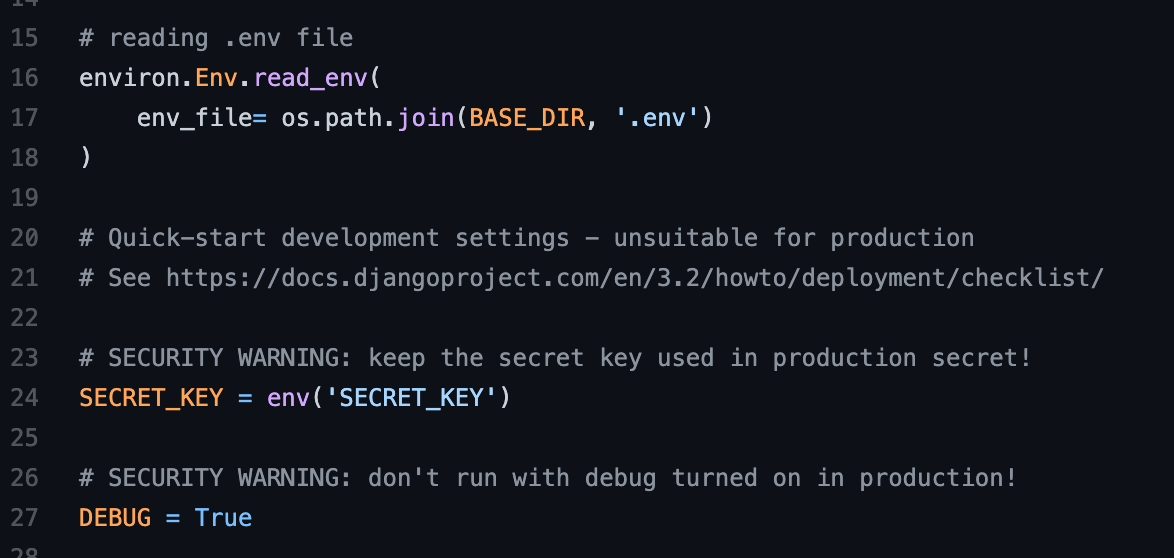
Declare the secret key like this in settings and write .env in git ignore to prevent it from being committed.

put the git init

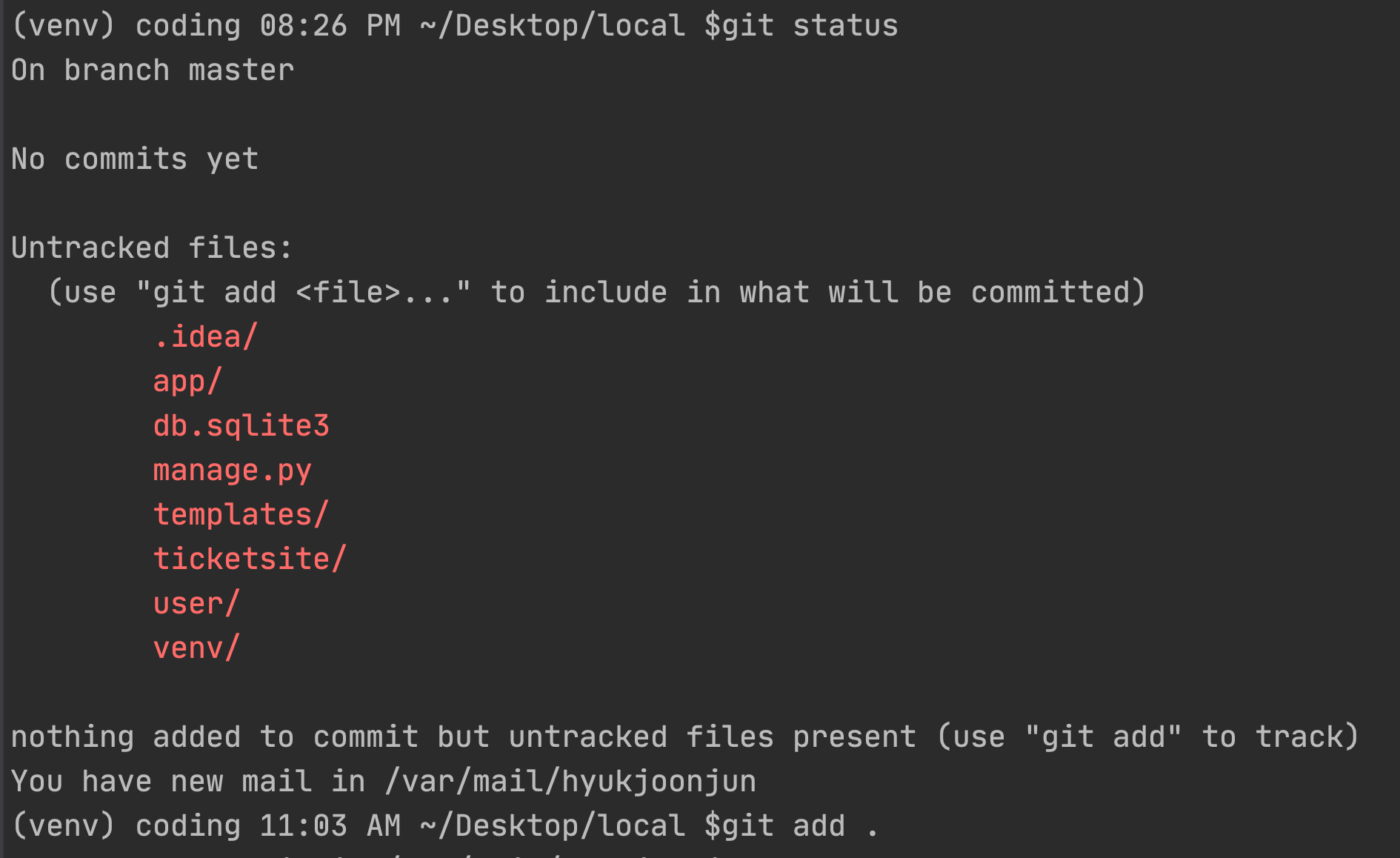
check your git remote state from git remote -v and git status

git commit with making the my version number.

Do git push origin 'branch name'.
Trouble shooting1

At first, I tried to do things as above, I could't process at all.


I should git branch first and checkout for making 'hyukjoon branch' first. That's why I couldn't do git push.

Do git fetch origin for getting the file etc from github to local. Fetch is used the HEAD point heading from existing branch to creating new branch.
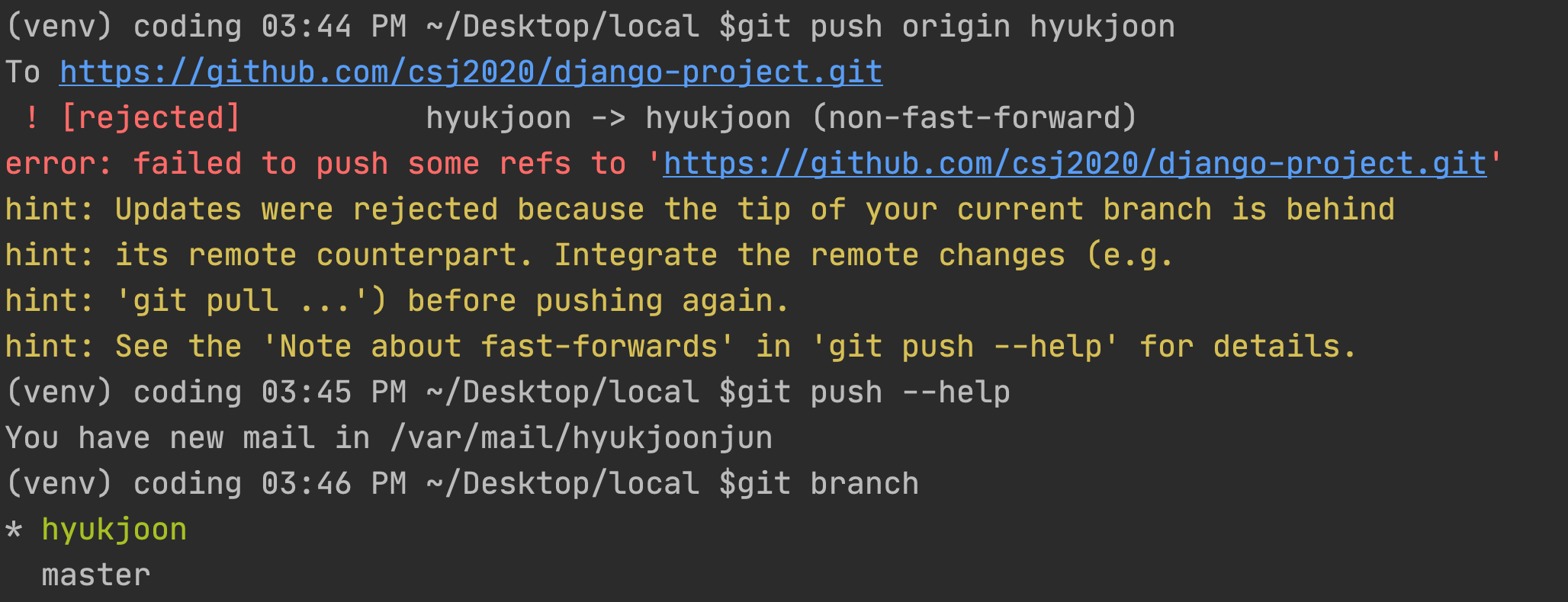

If you cannot still do git push and pull like above,

Do git pull origin "branch name" --allow-unrelated-histories.
Also you can check in detail below.
https://www.educative.io/edpresso/the-fatal-refusing-to-merge-unrelated-histories-git-error
The “fatal: refusing to merge unrelated histories” Git error
The “fatal: refusing to merge unrelated histories” Git error
www.educative.io

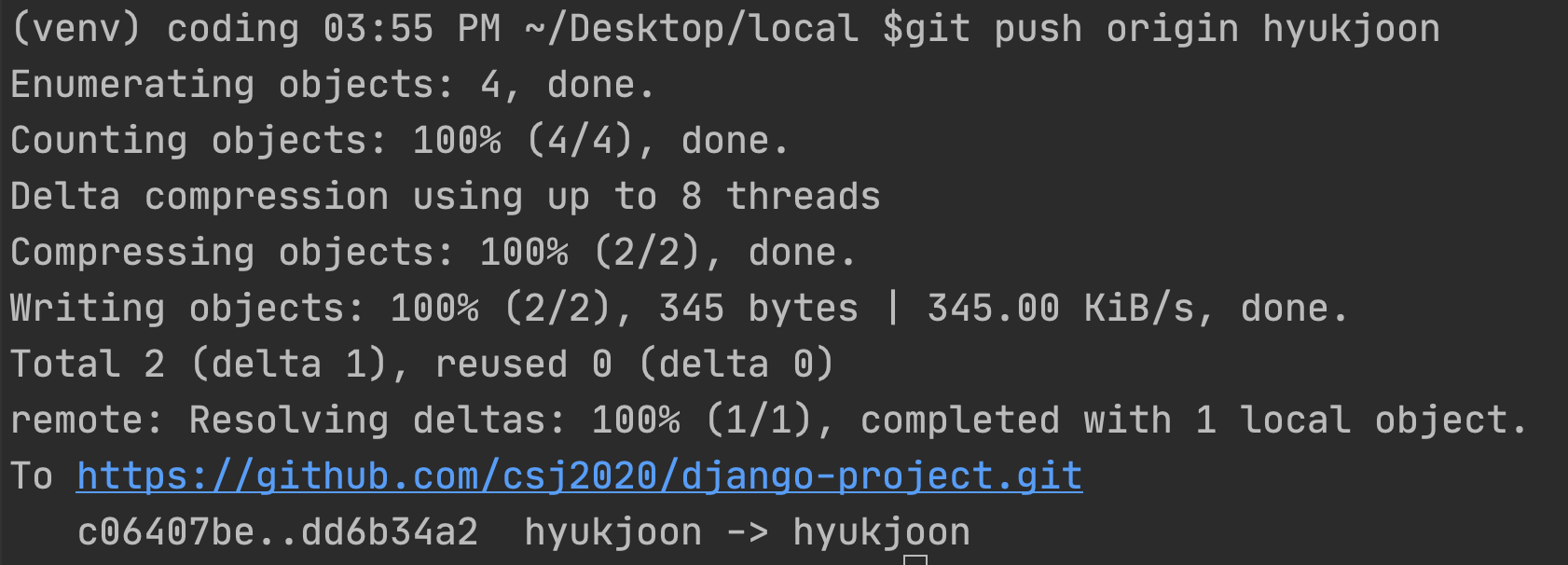
After that, you can see doing git push things.
Trouble shooting2

In case you did wrong things such as doing git pull from the another member branch or master branch which is mixed code both master code and other members code, you might do git revert.
※Git reset is usually for self-project.
But in this situation, I couldn’t do git revert some reasons.

So, I checked the git status from [git cat-file -p "commit ID"]. From that, I saw that there are two parent in the commit ID. For now, you can fix your code and do git revert from checking git log.
But, for me couldn't do git revert because I could't see the code which I want to revert from the 'git log'.

So, I just download ZIP from the github histroy and revert all my code manually.
'Programing > Django' 카테고리의 다른 글
| Build the register and login functions (0) | 2021.07.17 |
|---|---|
| 회원가입, 로그인 페이지 작성(user디렉토리) (0) | 2021.07.14 |
| Django admin 사이트 구축 (0) | 2021.07.14 |
| Django model 구축 (0) | 2021.07.14 |
| Django 프로젝트 시작과 설정 변경 (0) | 2021.07.14 |


