
스마트시대
2-1.state 본문
728x90
import 'package:flutter/material.dart';

void main() {
  runApp(const App());
}

class App extends StatefulWidget {
  const App({super.key});

  @override
  State<App> createState() => _AppState();
}

class _AppState extends State<App> {
  int counter = 0;

  void onClikced() {
    counter = counter + 1;
  }

  @override
  Widget build(BuildContext context) {
    return MaterialApp(
      home: Scaffold(
        backgroundColor: const Color(0xFFF4EDDB),
        body: Center(
          child: Column(
            mainAxisAlignment: MainAxisAlignment.center,
            children: [
              const Text(
                'Click count',
                style: TextStyle(fontSize: 30),
              ),
              Text(
                '$counter',
                style: const TextStyle(fontSize: 30),
              ),
              IconButton(
                iconSize: 40,
                onPressed: onClikced,
                icon: const Icon(
                  Icons.add_box_rounded,
                ),
              ),
            ],
          ),
        ),
      ),
    );
  }
}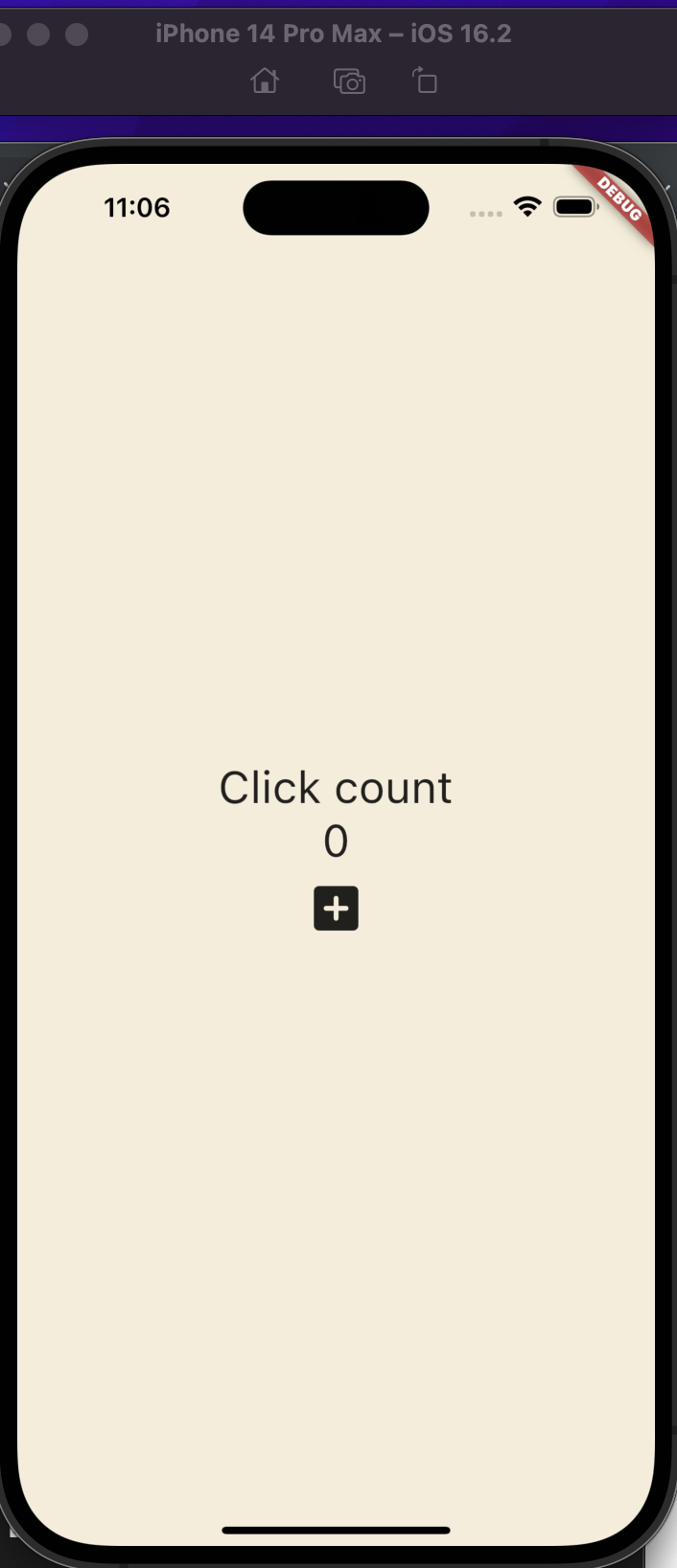
완성했지만 아직 클릭이 안된다. 여기서 필요한 게 setState 함수
  void onClikced() {
    setState(() { // 이 함수를 정의함으로써 이 함수 안에서 데이터가 변화한다는 걸 선언해야함
      counter = counter + 1;
    });
  }
728x90
반응형
'Programing > Flutter' 카테고리의 다른 글
| 2-3.Userinterface, timer(start and pause) and data format (0) | 2023.03.31 |
|---|---|
| 2-2.Buildcontext, wedget life cycle (0) | 2023.03.31 |
| Custom currency widget(currency_card.dart)안에서 offset 관련 parameter 넣기 (0) | 2023.03.28 |
| 1-4.icons and transforms, Reuseable cards (0) | 2023.03.26 |
| 1-3.Reusable Widgets 와 Cards (0) | 2023.03.25 |
'Programing/Flutter' Related Articles
more


Comments