
스마트시대
AUTHENTICATION 4. sign up screen 본문
728x90
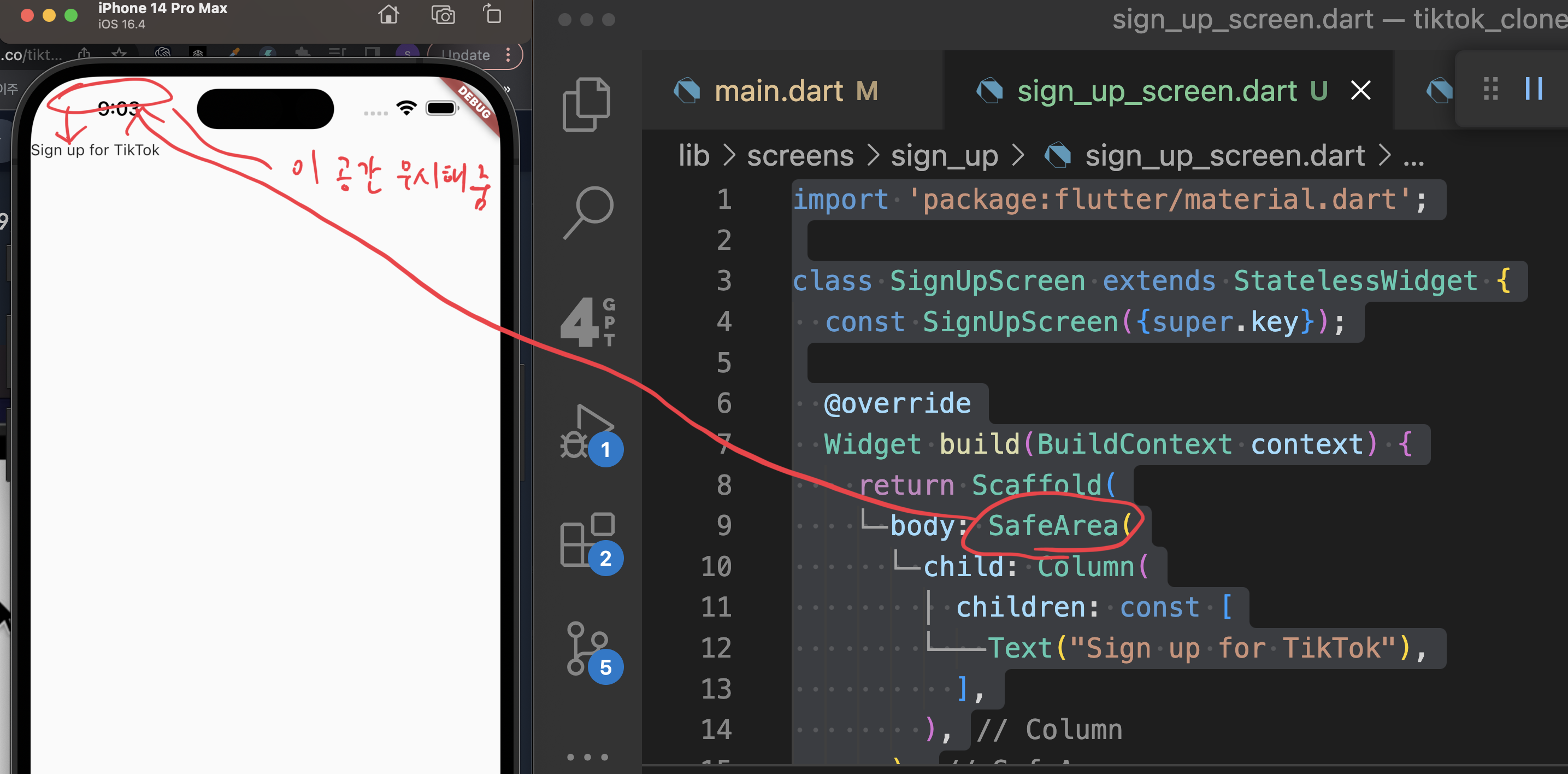
import 'package:flutter/material.dart';

class SignUpScreen extends StatelessWidget {
  const SignUpScreen({super.key});

  @override
  Widget build(BuildContext context) {
    return Scaffold(
      body: SafeArea(
        child: Column(
          children: const [
            Text("Sign up for TikTok"),
          ],
        ),
      ),
    );
  }
}
sign_up_screen.dart
~~~~~~~
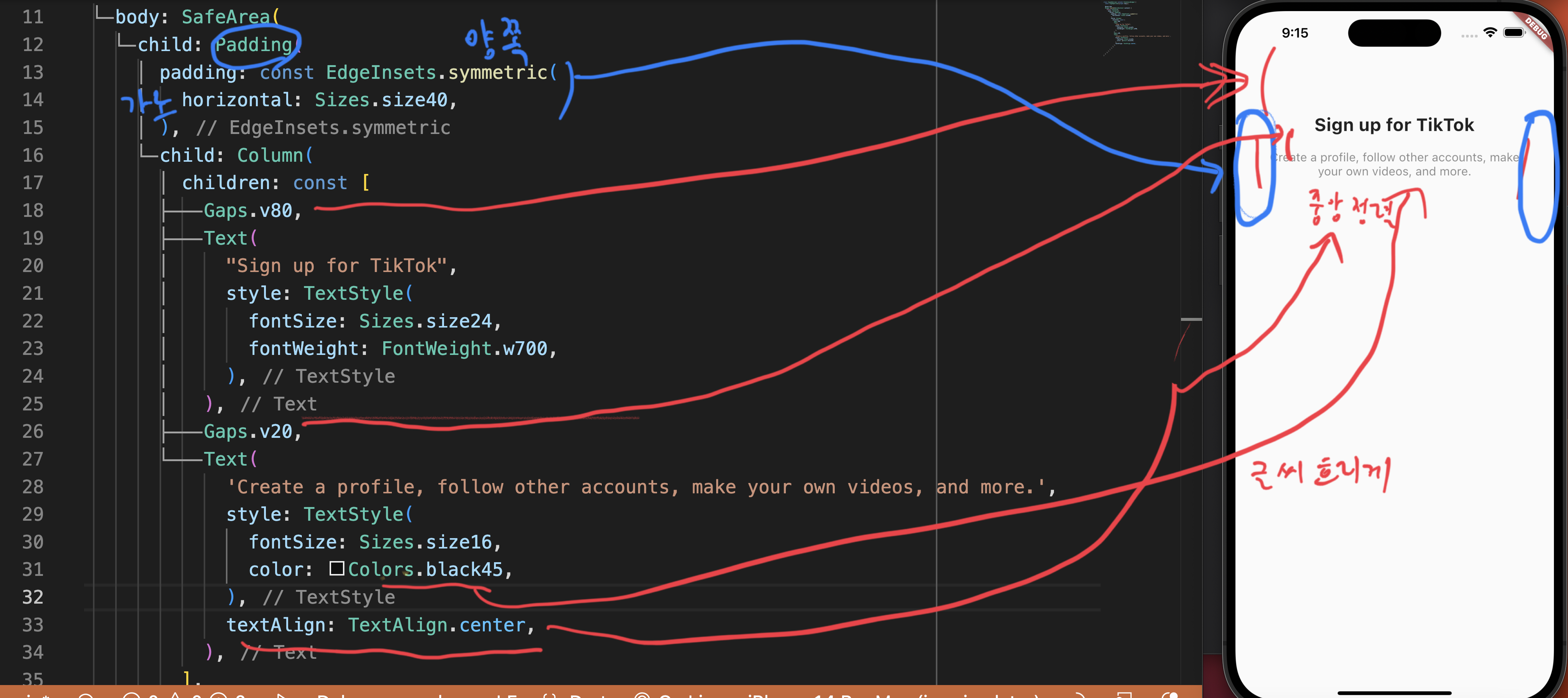
return Scaffold(
body: SafeArea(
child: Padding(
padding: const EdgeInsets.symmetric(
horizontal: Sizes.size40,
),
child: Column(
children: const [
Gaps.v80,
Text(
"Sign up for TikTok",
style: TextStyle(
fontSize: Sizes.size24,
fontWeight: FontWeight.w700,
),
),
Gaps.v20,
Text(
'Create a profile, follow other accounts, make your own videos, and more.',
style: TextStyle(
fontSize: Sizes.size16,
color: Colors.black45,
),
textAlign: TextAlign.center,
),
],
),
),
),
);
}
}
~~~~~~~~

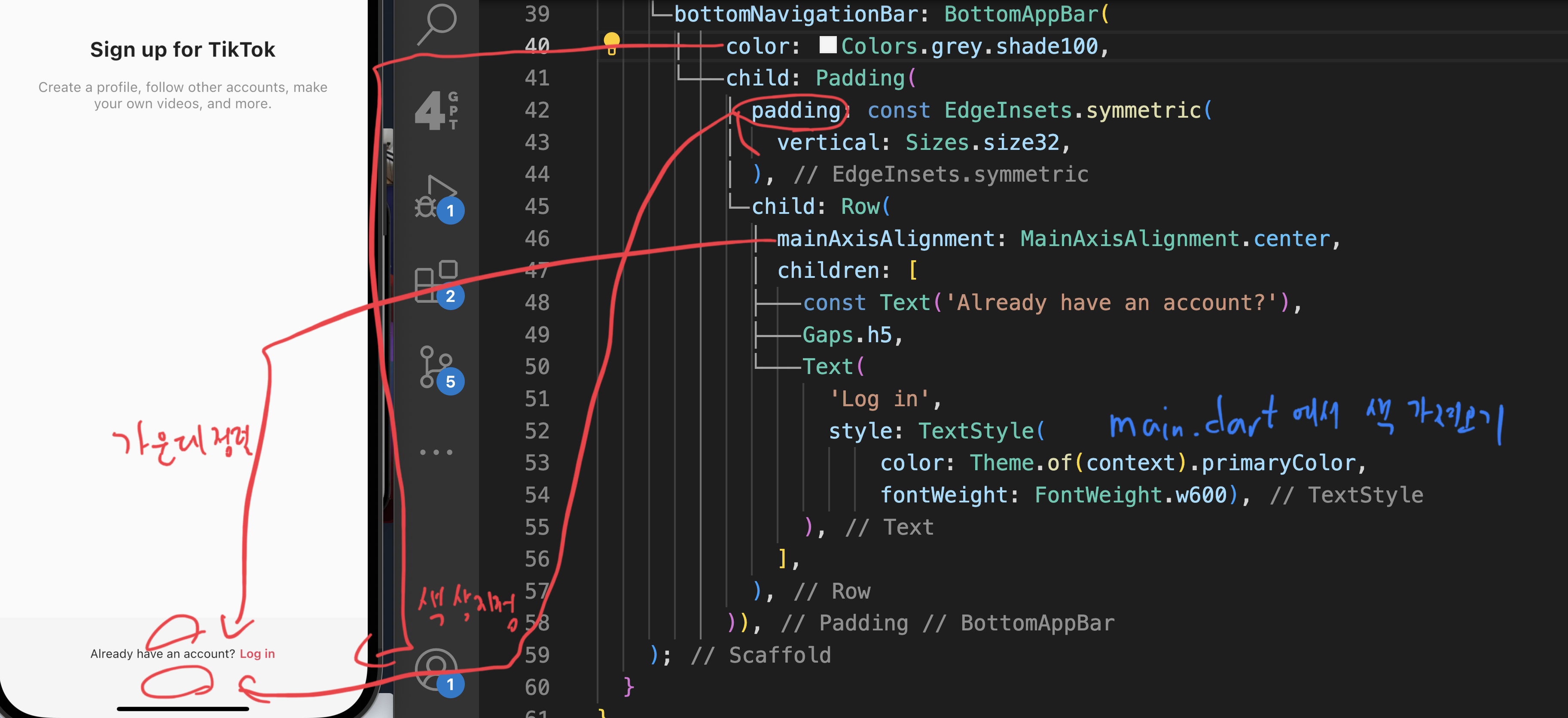
     bottomNavigationBar: BottomAppBar(
          color: Colors.grey.shade100,
          child: Padding(
            padding: const EdgeInsets.symmetric(
              vertical: Sizes.size32,
            ),
            child: Row(
              mainAxisAlignment: MainAxisAlignment.center,
              children: [
                const Text('Already have an account?'),
                Gaps.h5,
                Text(
                  'Log in',
                  style: TextStyle(
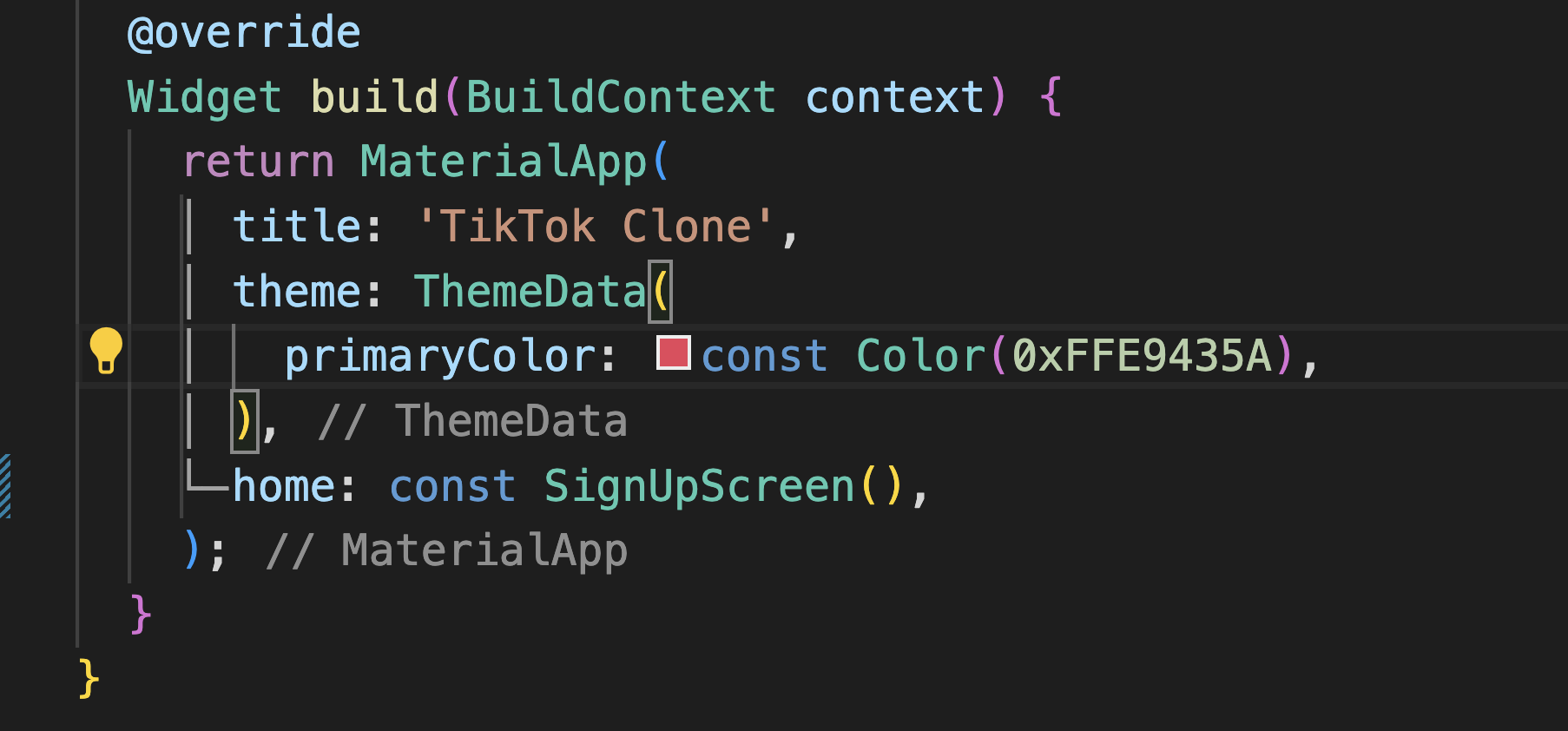
                      color: Theme.of(context).primaryColor,
                      fontWeight: FontWeight.w600),
                ),
              ],
            ),
          )),
    );
  }
}
728x90
반응형
'Programing > Flutter' 카테고리의 다른 글
| AUTHENTICATION4.3 Sign Up Form 4.4 Username Screen 4.5 FormButton (0) | 2023.05.05 |
|---|---|
| AUTHENTICATION 4.1 Login Screen tiktok 4.2 AuthButton (0) | 2023.04.25 |
| 이런 데서 코드 작성해서 결과 확인 vscode (0) | 2023.04.09 |
| AppBar, Data Fetching, from Json (0) | 2023.04.05 |
| 2-3.Userinterface, timer(start and pause) and data format (0) | 2023.03.31 |
'Programing/Flutter' Related Articles
more


Comments