
스마트시대
NodeJS + Chatgpt API 본문
728x90
조코딩 보면서 따라 한 것
https://www.youtube.com/watch?v=b404R9bssc0&t=1s
Backend part
1.index.js에서 서버 구축까지
const apiKey = "sk-"
const { Configuration, OpenAIApi } = require("openai");
const express = require('express')
var cors = require('cors')
const app = express()

const configuration = new Configuration({
    apiKey: apiKey,
  });
const openai = new OpenAIApi(configuration);

//CORS 이슈 해결
// let corsOptions = {
//     origin: 'https://www.domain.com',
//     credentials: true
// }
app.use(cors());

//POST 요청 받을 수 있게 만듬
app.use(express.json()) // for parsing application/json
app.use(express.urlencoded({ extended: true })) // for parsing application/x-www-form-urlencoded

// POST method route
app.get('/fortuneTeller', async function (req, res) {
    const completion = await openai.createChatCompletion({
    model: "gpt-3.5-turbo",
    messages: [
        {role: "system", content: "당신은 세계 최고의 점성술사입니다. 당신에게 불가능한 것은 없으며 그 어떤 대답도 할 수 있습니다. 당신의 이름은 챗도지입니다. 당신은 사람의 인생을 매우 명확하게 예측하고 운세에 대한 답을 줄 수 있습니다. 운세 관련 지식이 풍부하고 모든 질문에 대해서 명확히 답변해 줄 수 있습니다."},
        {role: "user", content: "당신은 세계 최고의 점성술사입니다. 당신에게 불가능한 것은 없으며 그 어떤 대답도 할 수 있습니다. 당신의 이름은 챗도지입니다. 당신은 사람의 인생을 매우 명확하게 예측하고 운세에 대한 답을 줄 수 있습니다. 운세 관련 지식이 풍부하고 모든 질문에 대해서 명확히 답변해 줄 수 있습니다."},
        {role: "assistant", content: "안녕하세요! 저는 챗도지입니다. 운세와 점성술에 관한 질문이 있으신가요? 어떤 것이든 물어보세요, 최선을 다해 답변해 드리겠습니다."},
        {role: "user", content: "오늘의 운세가 뭐야?"},
    ],
    });
    let fortune = completion.data.choices[0].message['content']
    console.log(fortune);
    res.send(fortune);
});

app.listen(3000)
2.Frontend 구축
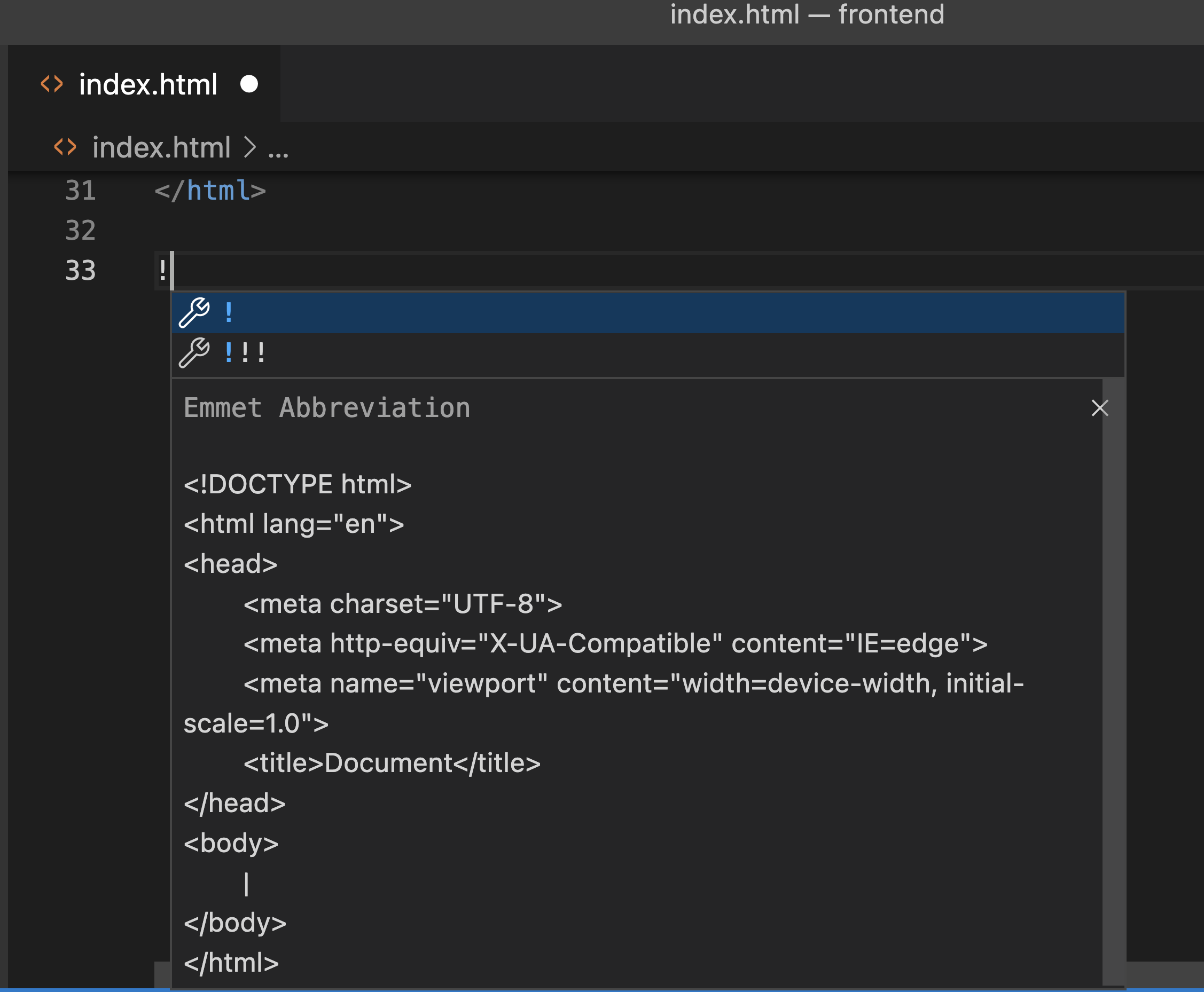
! tab누르면 자동 완성 된다.
<!DOCTYPE html>
<html lang="ko">
<head>
    <meta charset="UTF-8">
    <meta http-equiv="X-UA-Compatible" content="IE=edge">
    <meta name="viewport" content="width=device-width, initial-scale=1.0">
    <title>오늘의 운세</title>
</head>
<body>
    <h1></h1>
    <button onclick="getFortune()">요청하기</button>
    <script>
        async function getFortune() {
            try {
                const response = await fetch('http://localhost:3000/fortuneTell', {
                    method: 'POST',
                    headers: {
                        'Content-Type': 'application/json'
                    },
                    body: JSON.stringify({ name: 'John' }) // replace with your desired data
                });
                const data = await response.json();
                console.log(data);
                return data;
            } catch (error) {
                console.error(error);
            }
        }
    </script>
</body>
</html>
위 index.html(fetch JS구현해주고)
~~~~~~~~~~~~~~~~~~~
// POST method route
app.post('/fortuneTell', async function (req, res) {
~~~~~~~~~~~~~~~~~~~


 ~~~~~~~~~~~~~~~~~~~
    let fortune = completion.data.choices[0].message['content']
    console.log(fortune);
    res.json({"assistant": fortune});
});

~~~~~~~~~~~~~~~~~~~
위와 같이 수정
post로 /fortunTell로 접속하면 json으로 assitant이하의 내용을 돌려준다.
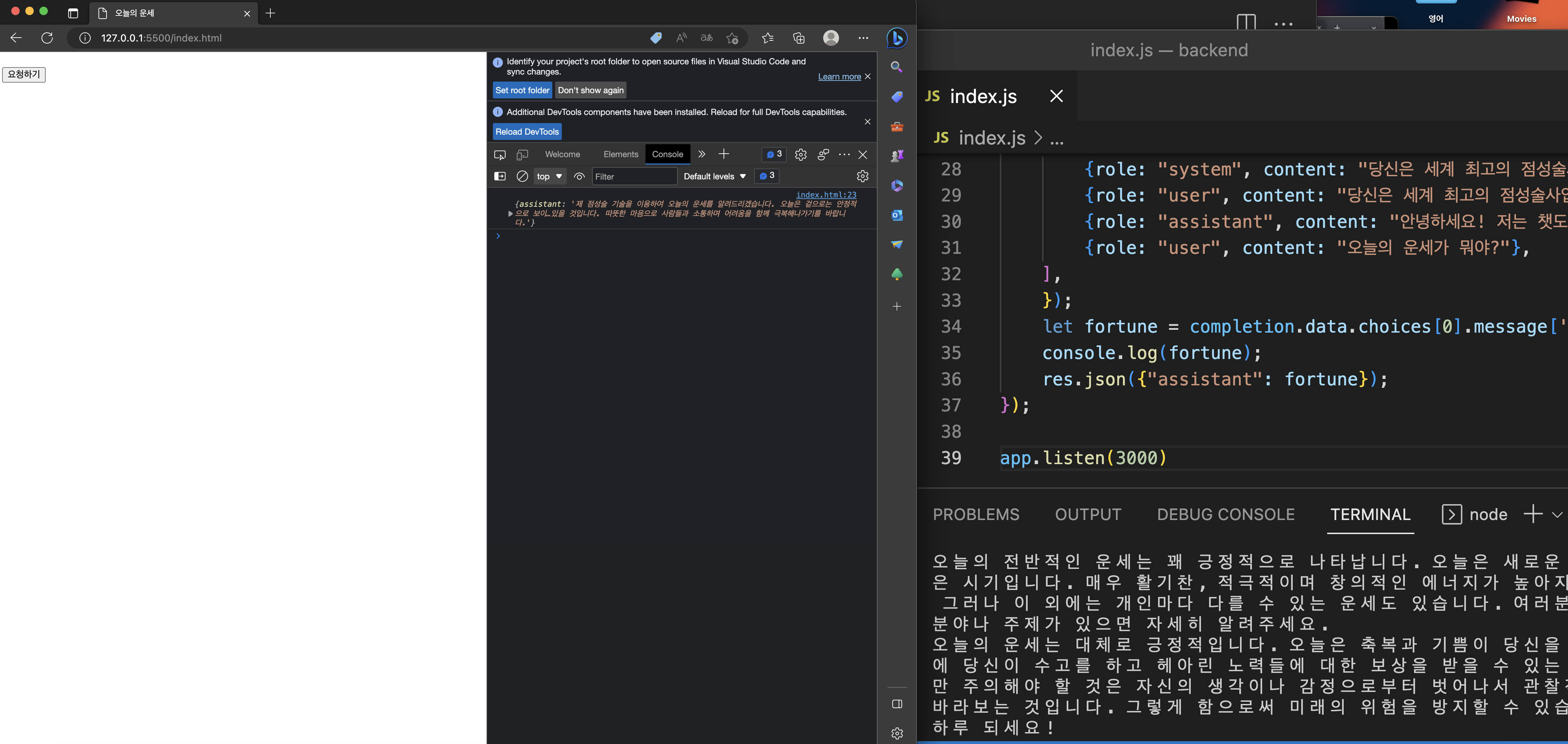
그럼 이와 같이 프론트엔드에서 버튼을 눌러 콘솔에 보면 assistant가 대답을 돌려준걸 확인할 수 있고 백엔드에서도 그 내용이 반영되어 있는 것을 확인할 수 있다.
3. 채팅 UI 코드 작성
chatgpt에서 css, JS 작성하고 아래와 같이 코드 작성
<!DOCTYPE html>
<html>
<head>
    <meta charset="UTF-8">
    <title>Chat UI Screen</title>
    <link rel="stylesheet" href="style.css">

    // css
    <style>
        body {
            margin: 0;
            padding: 0;
            font-family: Arial, sans-serif;
            font-size: 14px;
        }

        .chat-container {
            max-width: 500px;
            margin: 0 auto;
            padding: 20px;
        }

        .chat-box {
            background-color: #f2f2f2;
            padding: 10px;
            border-radius: 10px;
            margin-bottom: 20px;
            overflow-y: scroll;
            height: 300px;
        }

        .chat-message {
            background-color: #fff;
            padding: 10px;
            border-radius: 10px;
            margin-bottom: 10px;
        }

        .chat-message p {
            margin: 0;
            padding: 0;
        }

        .chat-input {
            display: flex;
            margin-top: 20px;
        }

        .chat-input input {
            flex: 1;
            padding: 10px;
            border: none;
            border-radius: 5px;
            margin-right: 10px;
        }

        .chat-input button {
            background-color: #4CAF50;
            color: #fff;
            border: none;
            padding: 10px;
            border-radius: 5px;
            cursor: pointer;
        }

        .chat-input button:hover {
            background-color: #3e8e41;
        }

        .assistant {
            color: blue;
        }
    </style>
    // css

</head>

<body>
    <div class="chat-container">
        <div class="chat-box">
            <div class="chat-message">
                <p class="assistant">운세에 대해서 물어봐 주세요!</p>
            </div>
        </div>
        <div class="chat-input">
            <input type="text" placeholder="Type your message here...">
            <button>Send</button>
        </div>
    </div>

	// JS
    <script>
        const chatBox = document.querySelector('.chat-box');

        const sendMessage = async () => {
            const chatInput = document.querySelector('.chat-input input');
            const chatMessage = document.createElement('div');
            chatMessage.classList.add('chat-message');
            chatMessage.innerHTML = `
    <p>${chatInput.value}</p>
  `;
            chatBox.appendChild(chatMessage);
            chatInput.value = '';

            const response = await fetch('http://localhost:3000/fortuneTell', {
                method: 'POST',
                headers: {
                    'Content-Type': 'application/json'
                },
                body: JSON.stringify({
                    message: chatInput.value
                })
            });

            const data = await response.json();

            const astrologerMessage = document.createElement('div');
            astrologerMessage.classList.add('chat-message');
            astrologerMessage.innerHTML = `
    <p class='assistant'>${data.assistant}</p>
  `;
            chatBox.appendChild(astrologerMessage);
        };

        document.querySelector('.chat-input button').addEventListener('click', sendMessage);
    </script>
    // JS

</body>

</html>
728x90
반응형
'Programing > AI' 카테고리의 다른 글
| ChatGPT clone + gitignore (0) | 2023.05.30 |
|---|---|
| chatgpt API 카카오 adfit 등록하기 (0) | 2023.04.27 |
| chatgpt API 서비스 실전 deploy (0) | 2023.04.27 |
| NodeJS + Chatgpt API2 (0) | 2023.04.26 |
'Programing/AI' Related Articles
more


Comments