
스마트시대
chatgpt API 서비스 실전 deploy 본문
728x90
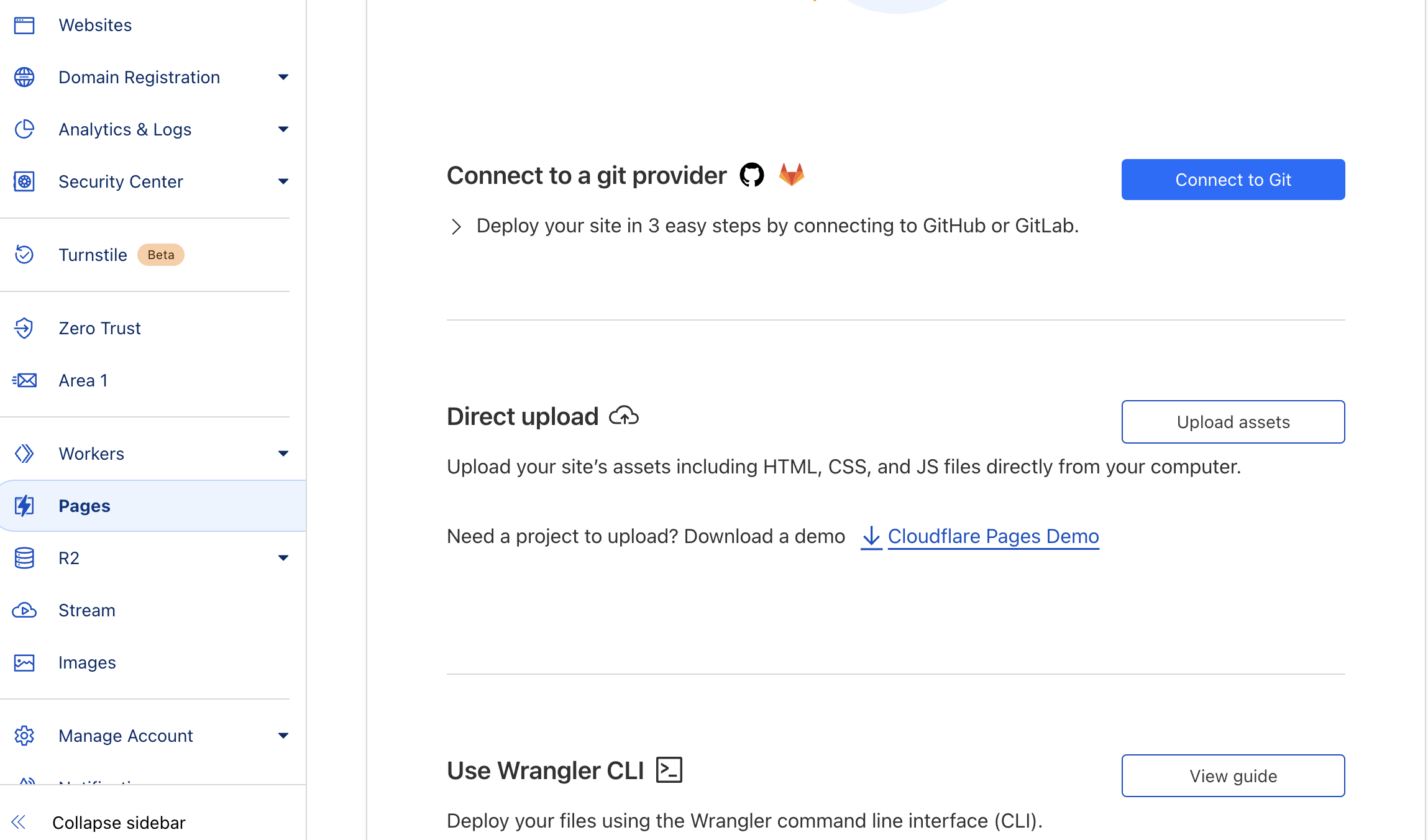
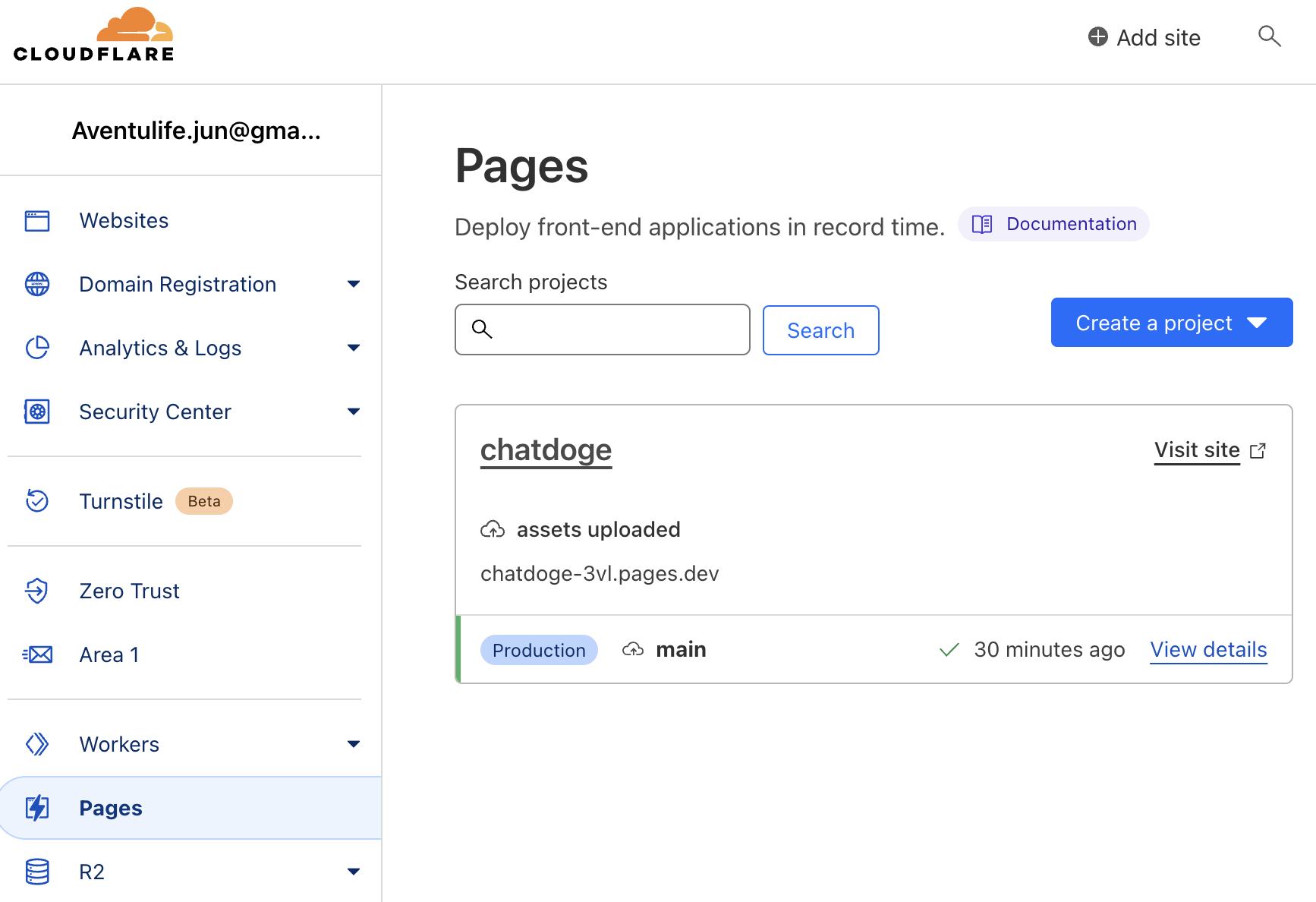
1. Frontend deploy
https://dash.cloudflare.com/3f1f80c7c55802b9f3ac0f8516bff61a/pages
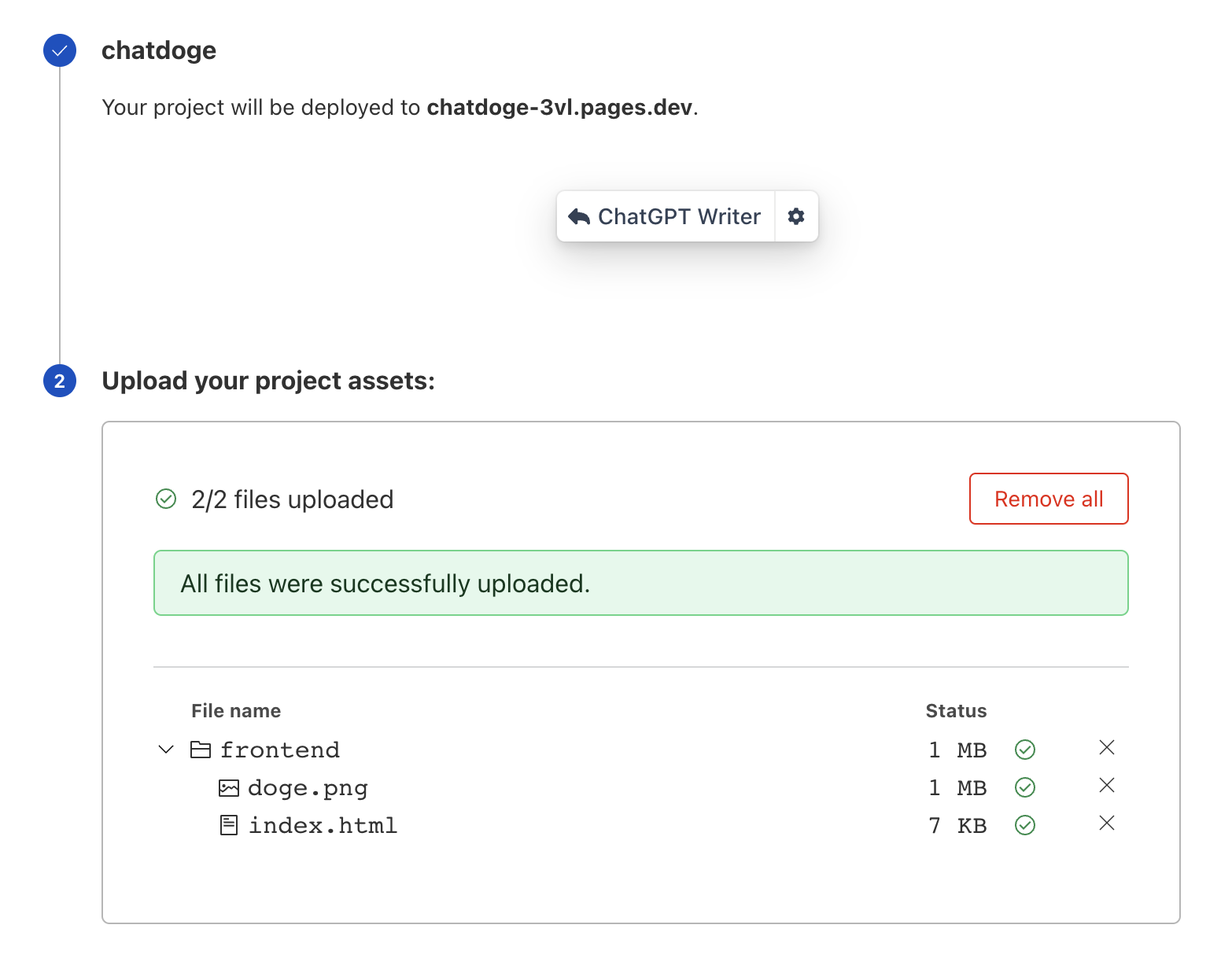
https://chatdoge-3vl.pages.dev/
           userMessages.push(chatInput.value);

            chatInput.value = '';

            // 이 부분 API Gateway url 넣기
            const response = await fetch('https://.execute-api.ap-northeast-2.amazonaws.com/prod/fortuneTell', {
                method: 'POST',
                headers: {
                    'Content-Type': 'application/json'
                },
                body: JSON.stringify({
2. Backend deploy

--------------------
const serverless = require('serverless-http');
const { Configuration, OpenAIApi } = require("openai");
--------------------

--------------------
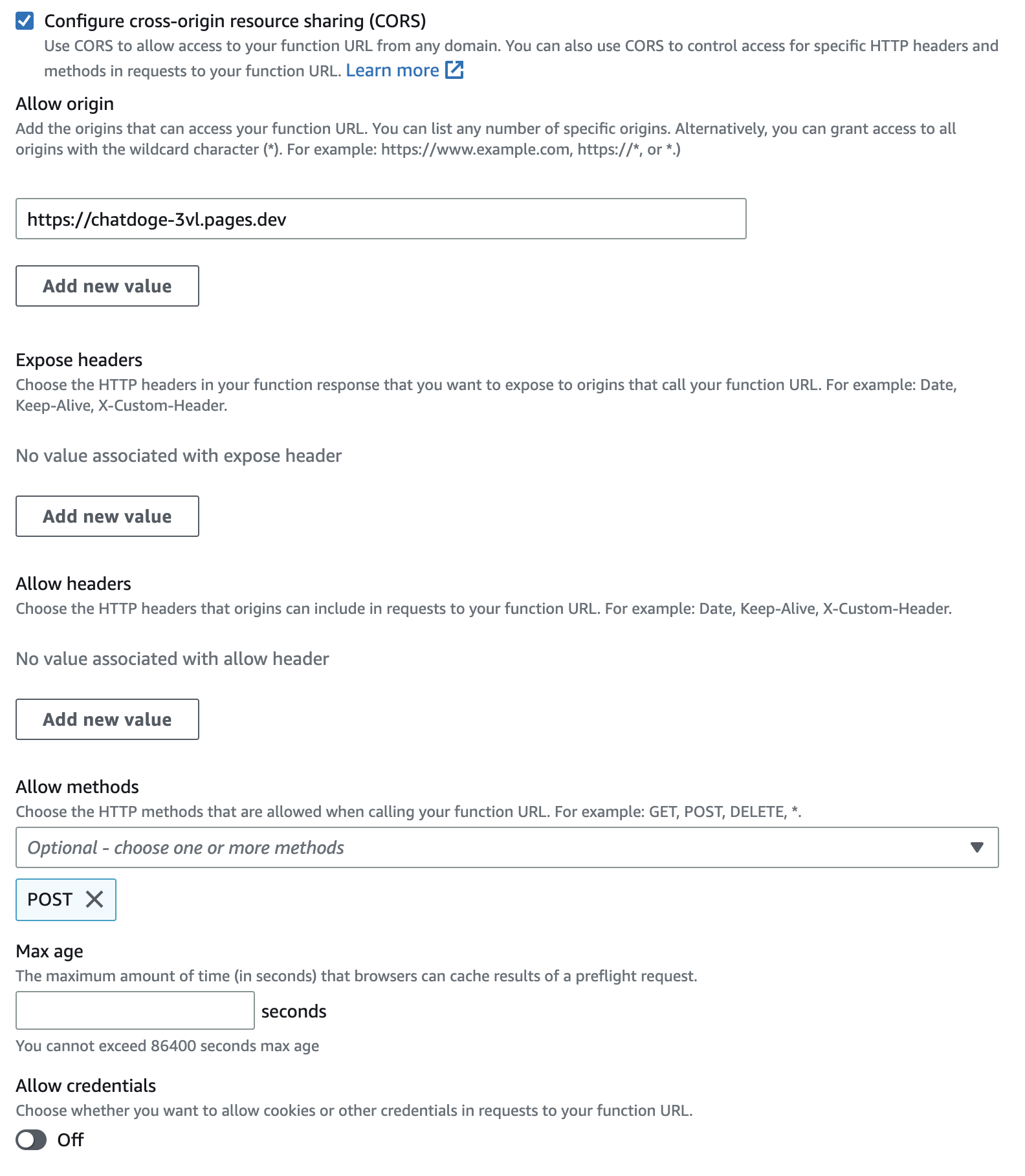
//CORS 이슈 해결, API를 백엔드에 공개할 건데 내 사이트에만 데이터 오갈 수 있게 요청 막아 놓는 작업
let corsOptions = {
    origin: 'https://chatdoge-3vl.pages.dev',
    credentials: true
}
app.use(cors(corsOptions));
--------------------

--------------------
  res.json({ "assistant": fortune });
});

//serverless 적용하기 위한 코드
module.exports.handler = serverless(app);

//app.listen(3000)
--------------------
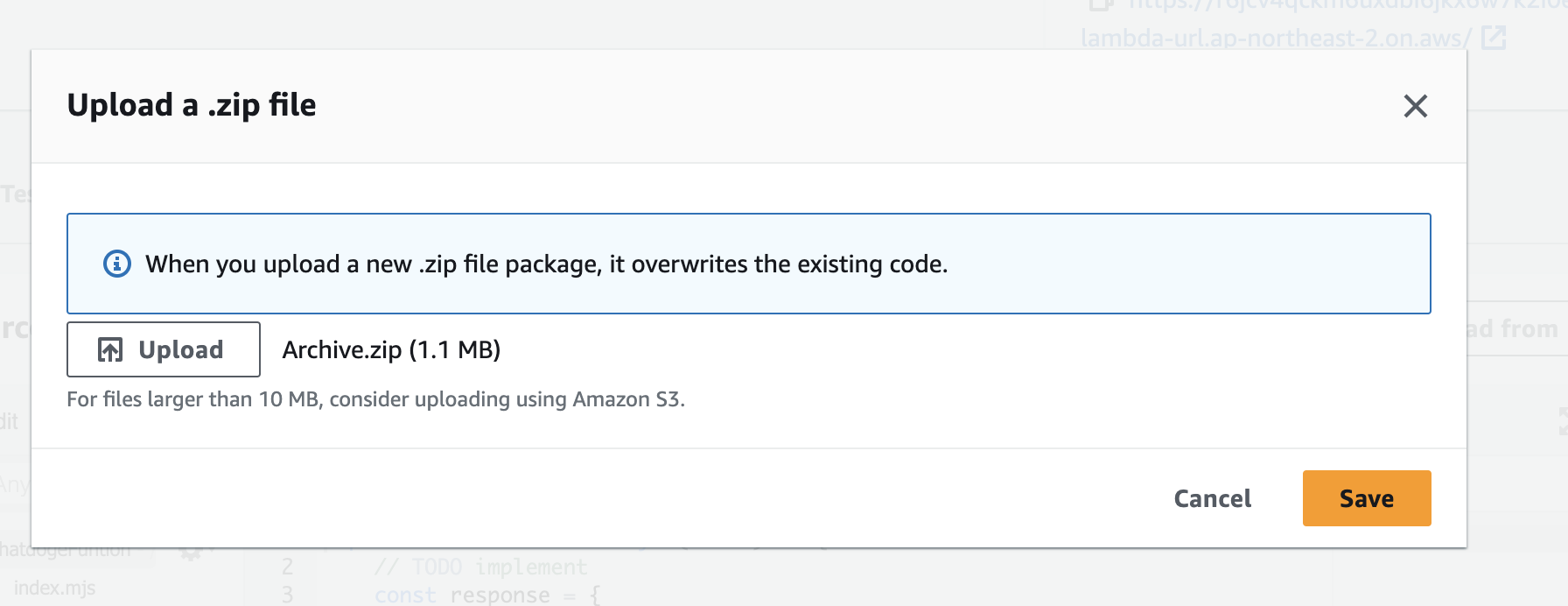
람다 함수 설정
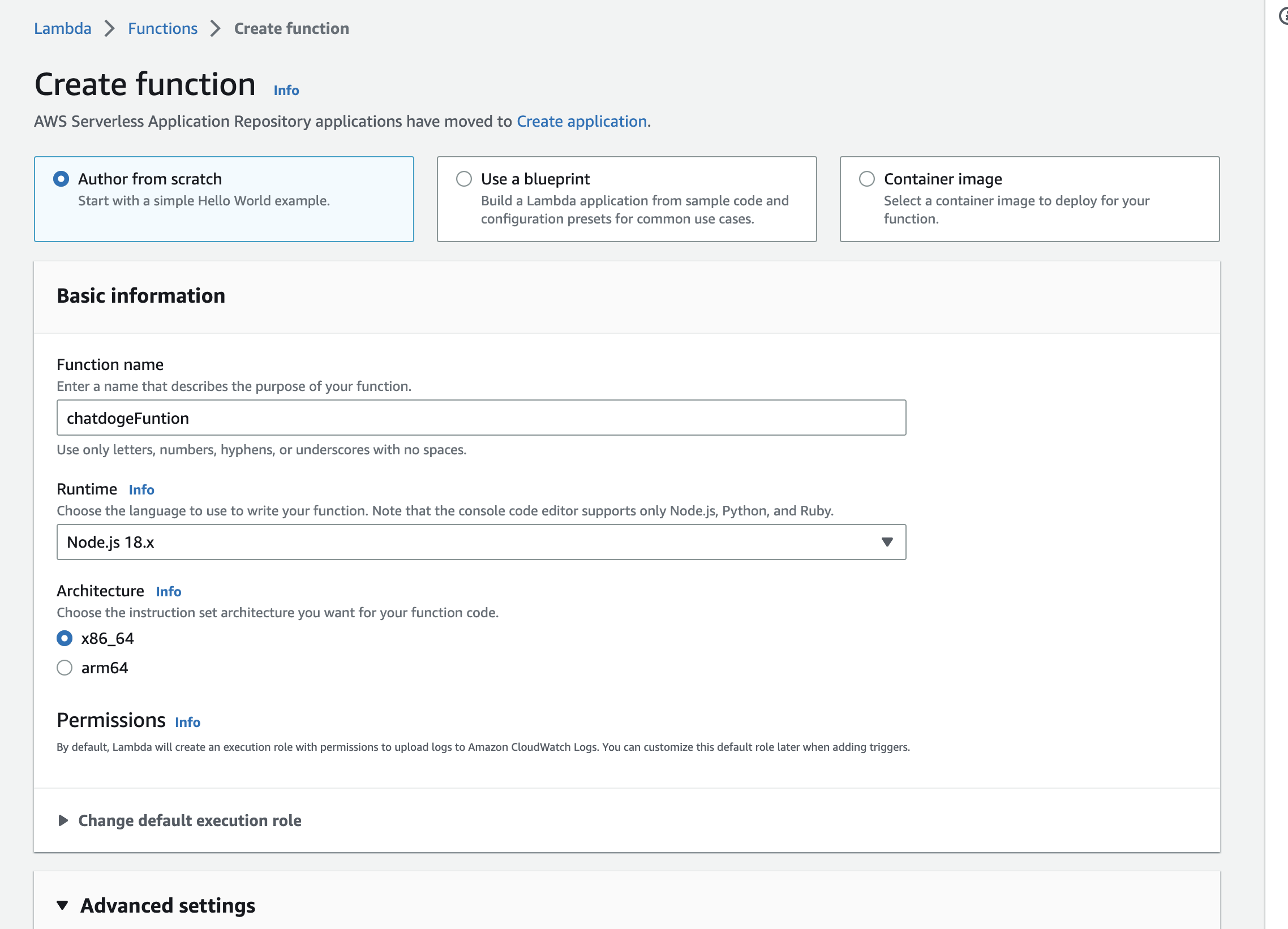
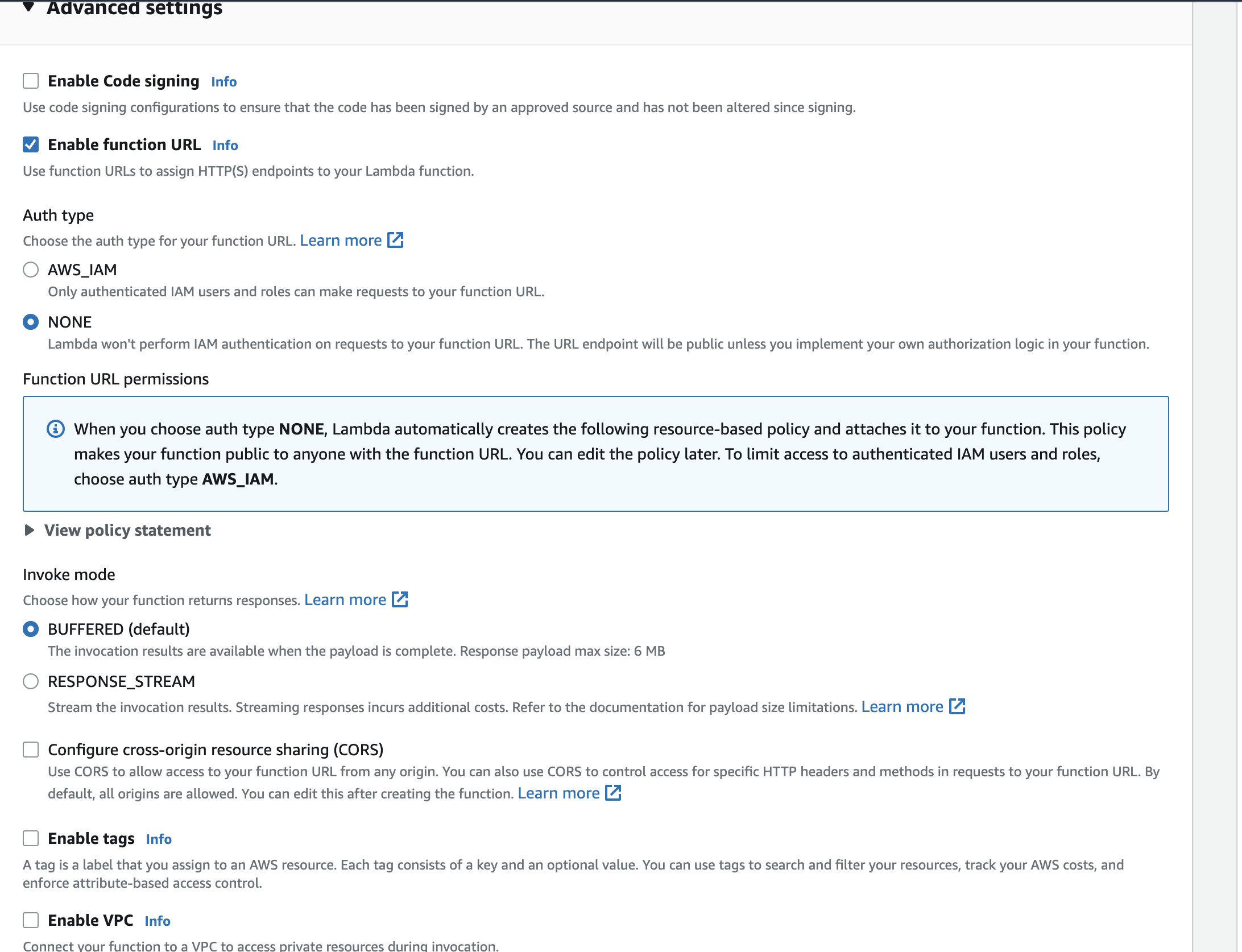
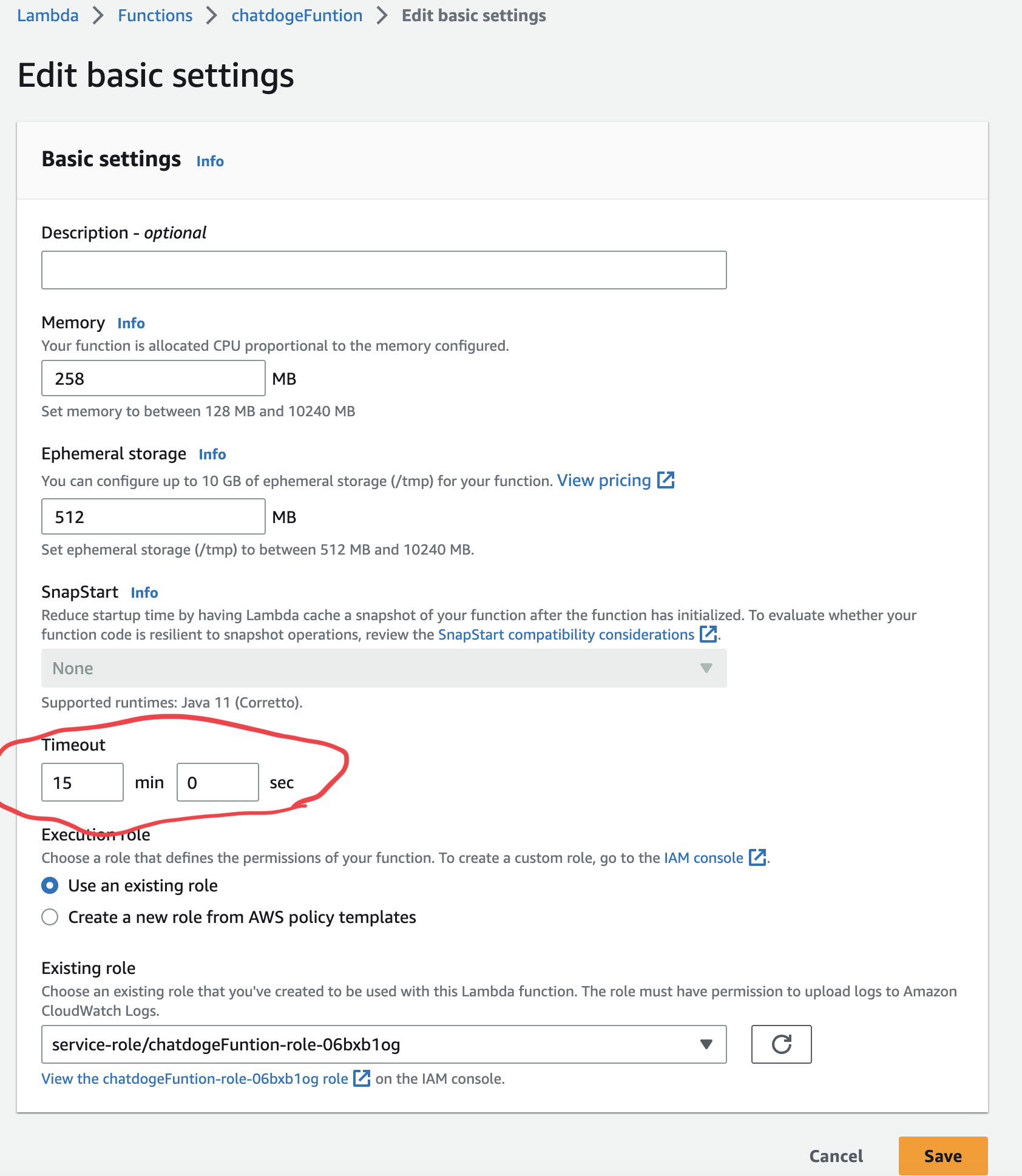
default는 3초로 설정되어 있으니 15분으로 바꿔주자
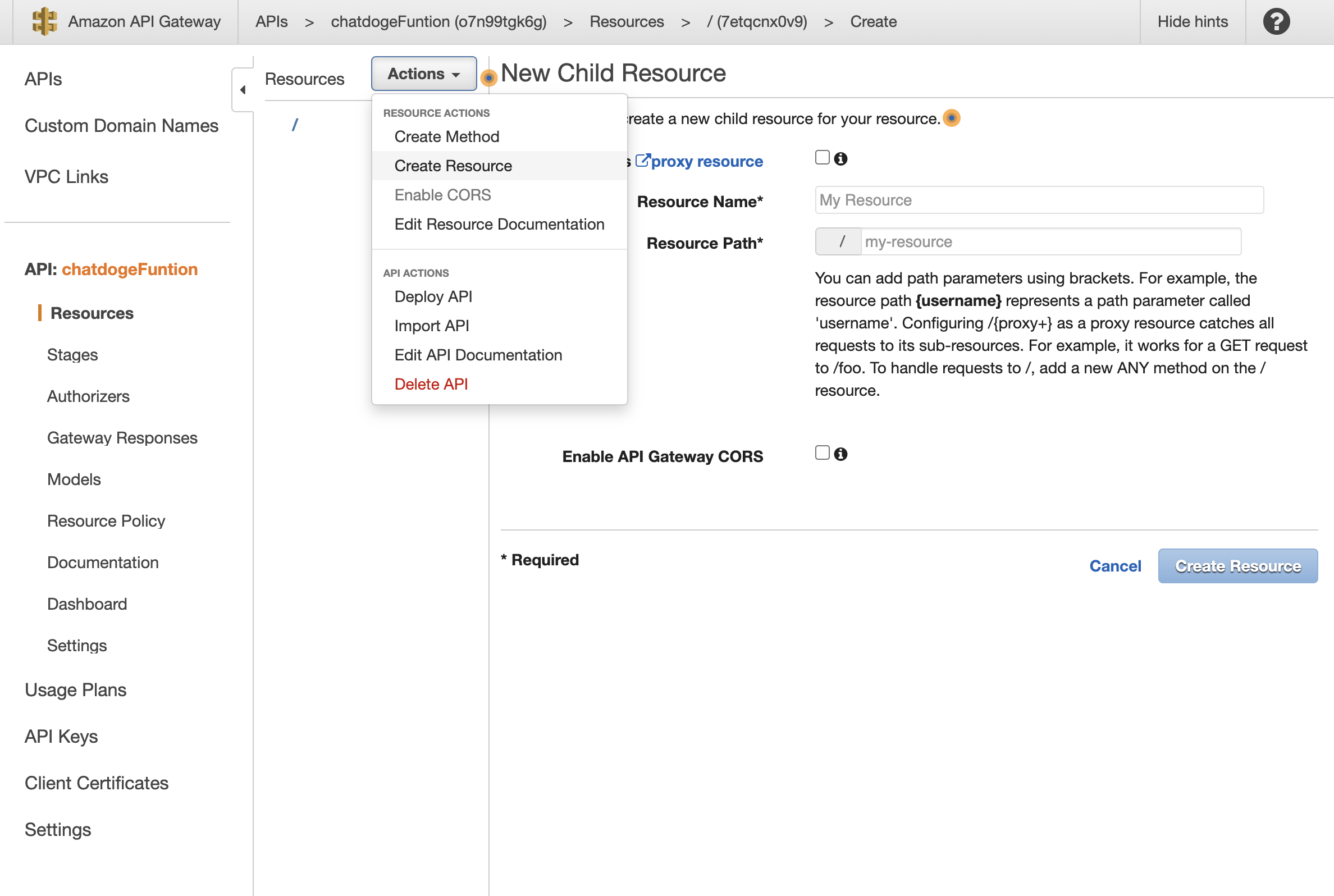
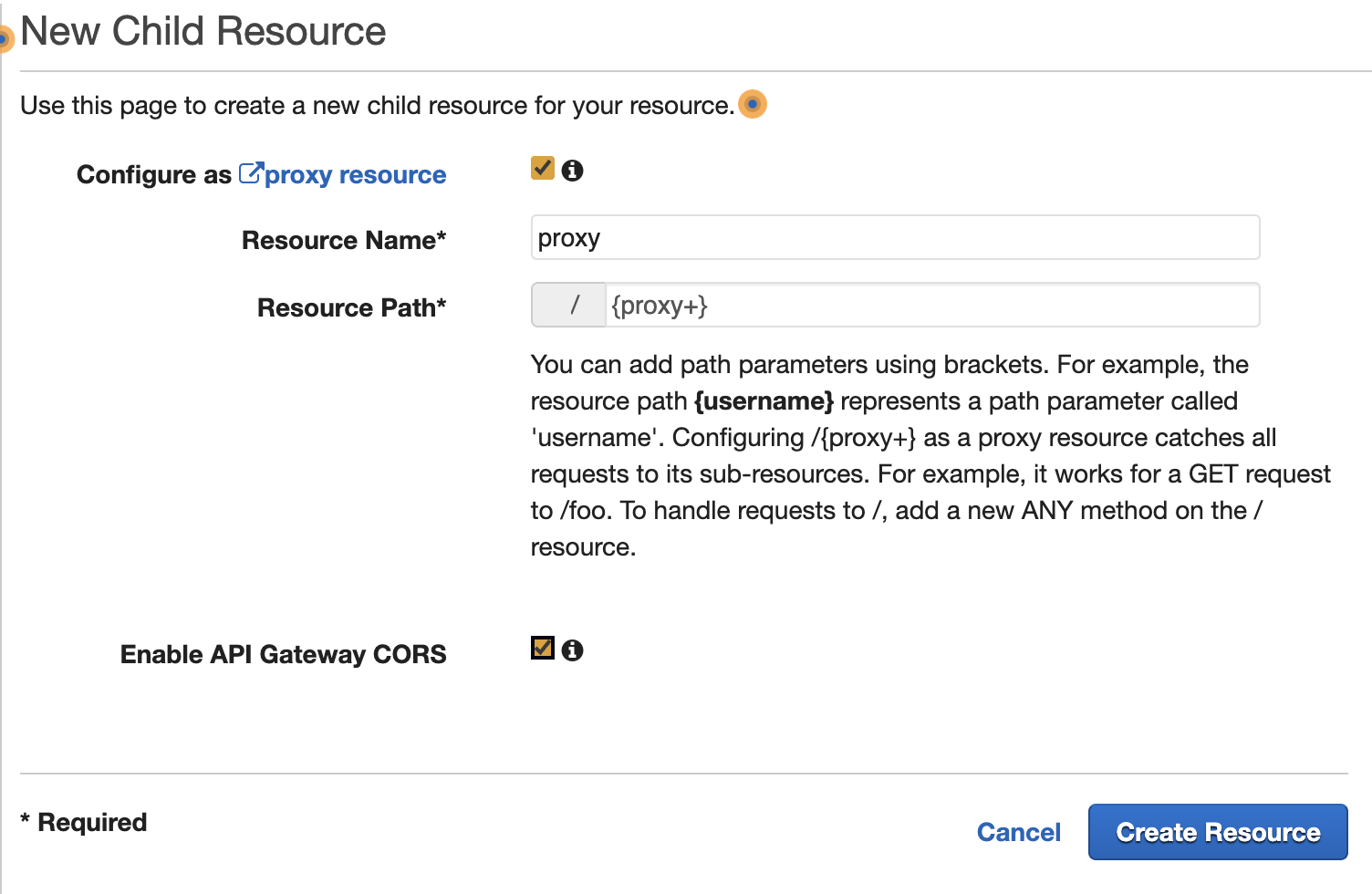
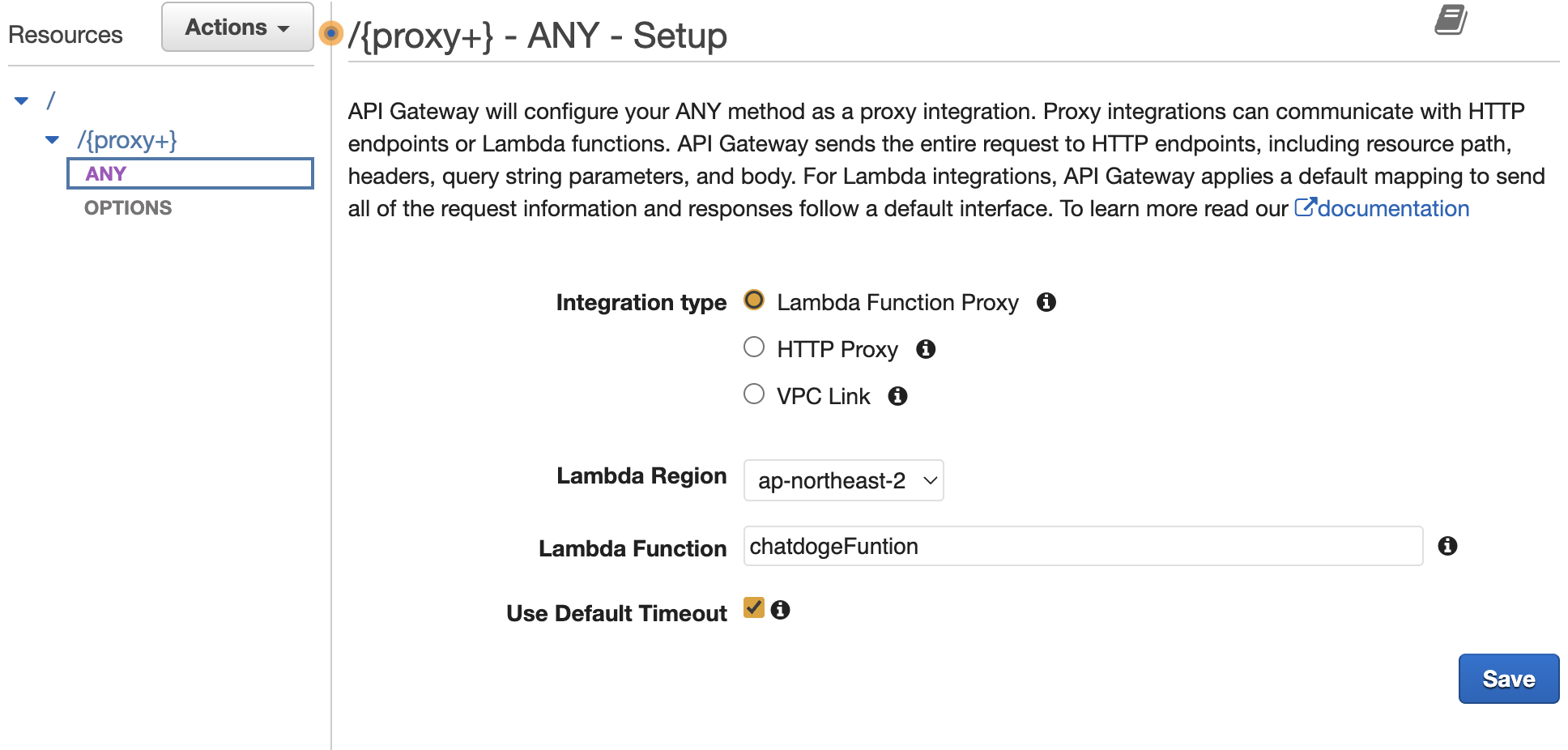
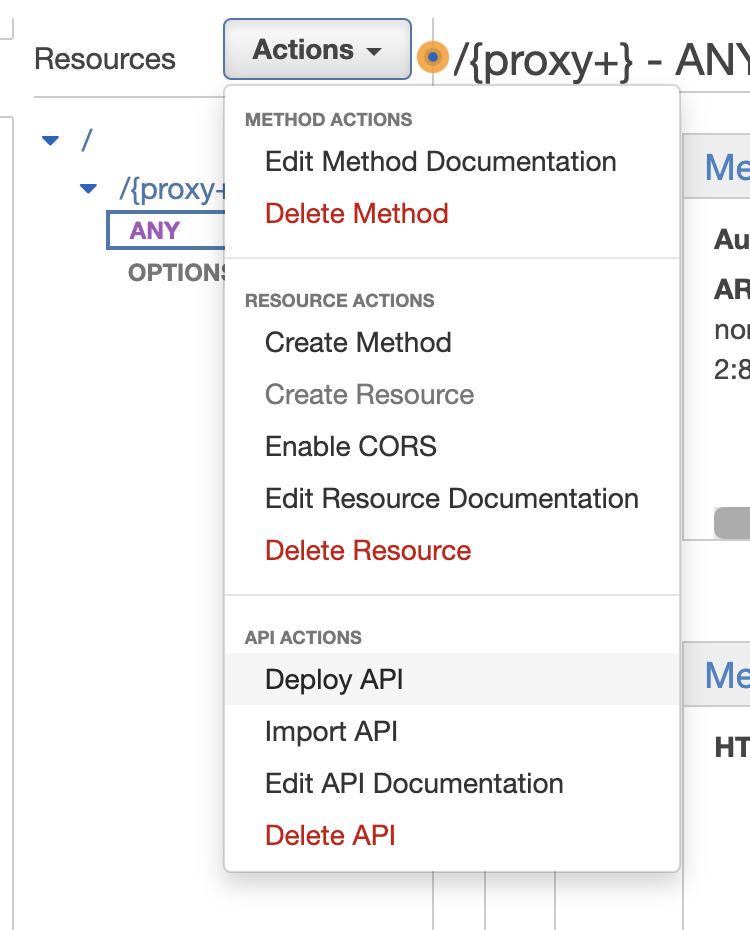
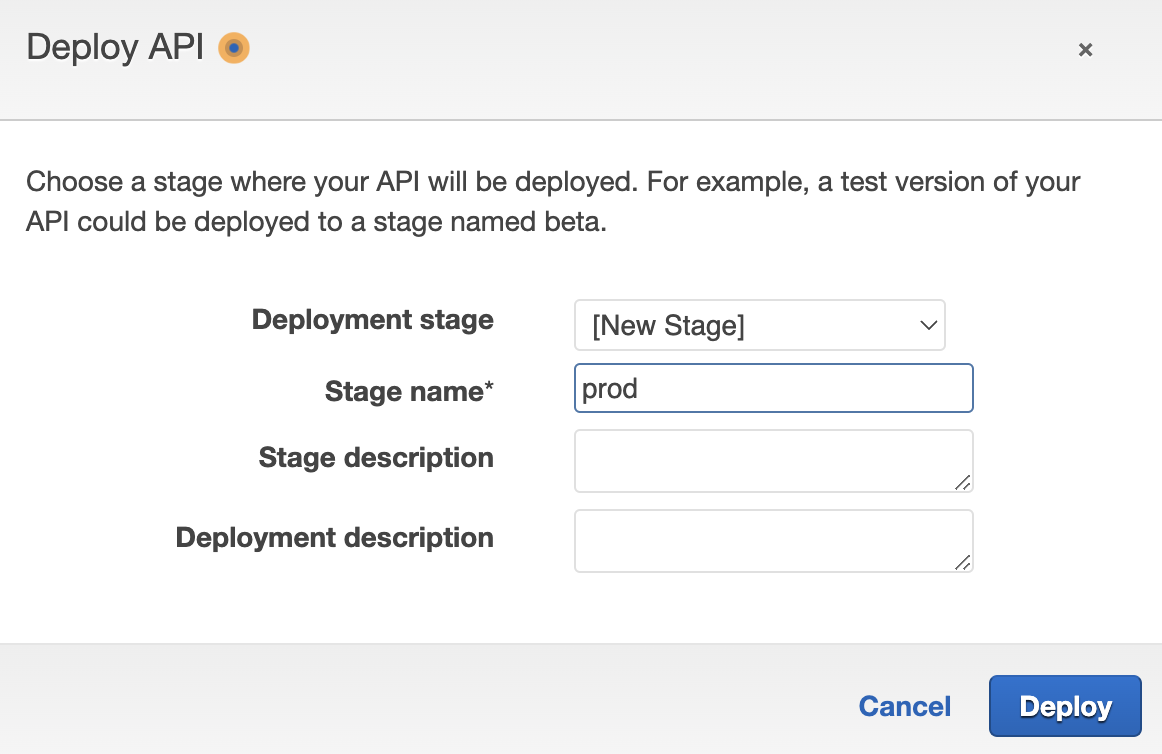
API gateway 추가하기


            //userMessage 메세지 추가
            userMessages.push(chatInput.value);

            chatInput.value = '';
---------------
            // 이 부분 API Gateway url 넣기
            const response = await fetch('https://.execute-api.ap-northeast-2.amazonaws.com/fortuneTell', {
                method: 'POST',
                headers: {
------------------------------
위 index.html 수정했으니까 다시 서버에 올리기(create new deployment)
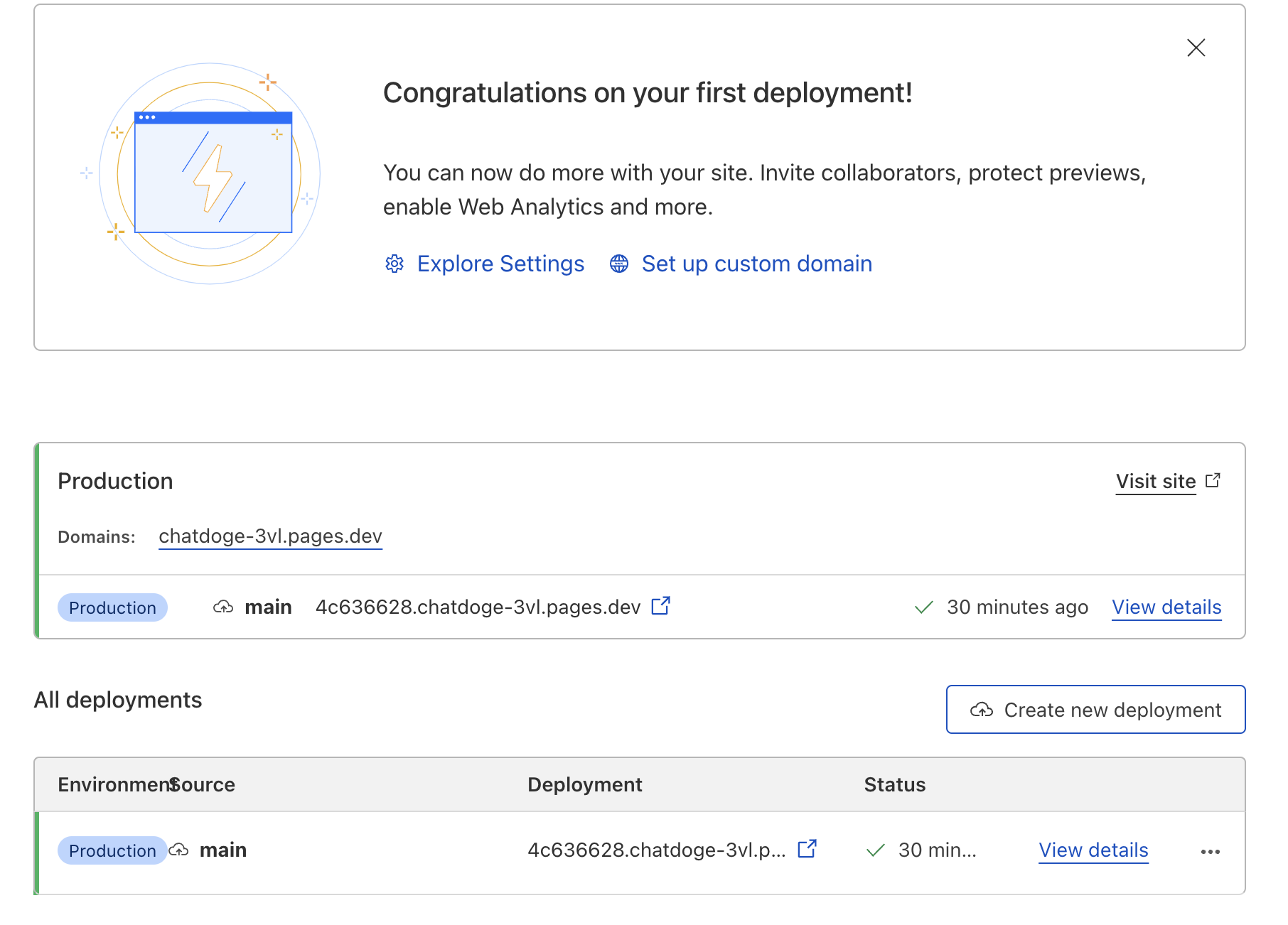

계속 안되다가 index.html 정렬 제대로 해주니까 되네. 이게 뭐냐 ㅋㅋㅋㅋㅋㅋ
완성 코드
<!DOCTYPE html>
<html>

<head>
    <meta charset="UTF-8">
    <title>Chat UI Screen</title>

    <!-- 로딩 스피너 아이콘 -->
    <link rel="stylesheet" href="https://cdnjs.cloudflare.com/ajax/libs/font-awesome/6.3.0/css/all.min.css"
        integrity="sha512-SzlrxWUlpfuzQ+pcUCosxcglQRNAq/DZjVsC0lE40xsADsfeQoEypE+enwcOiGjk/bSuGGKHEyjSoQ1zVisanQ=="
        crossorigin="anonymous" referrerpolicy="no-referrer" />
    <style>
        body {
            margin: 0;
            padding: 0;
            font-family: Arial, sans-serif;
            font-size: 14px;
        }

        .chat-container {
            max-width: 500px;
            margin: 0 auto;
            padding: 20px;
        }

        .chat-box {
            background-color: #f2f2f2;
            padding: 10px;
            border-radius: 10px;
            margin-bottom: 20px;
            overflow-y: scroll;
            height: 300px;
        }

        .chat-message {
            background-color: #fff;
            padding: 10px;
            border-radius: 10px;
            margin-bottom: 10px;
        }

        .chat-message p {
            margin: 0;
            padding: 0;
        }

        .chat-input {
            display: flex;
            margin-top: 20px;
        }

        .chat-input input {
            flex: 1;
            padding: 10px;
            border: none;
            border-radius: 5px;
            margin-right: 10px;
        }

        .chat-input button {
            background-color: #4CAF50;
            color: #fff;
            border: none;
            padding: 10px;
            border-radius: 5px;
            cursor: pointer;
        }

        .chat-input button:hover {
            background-color: #3e8e41;
        }

        .assistant {
            color: blue;
        }

        /* 주석 */
        .intro-container {
            display: flex;
            flex-direction: column;
            justify-content: center;
            align-items: center;
        }

        .intro-container img {
            width: 50%;
            min-width: 300px;
        }

        #loader {
            font-size: 25px;
            text-align: center;
        }
    </style>
</head>

<body>
    <!-- class id로 축약하기 -->
    <div id="intro" class="intro-container">
        <h1>운세를 알려드립니다.</h1>
        <img src="doge.png" alt="chatdoge">
        <label for="date">생년월일</label>
        <input id="date" type="date">
        <label for="hour">태어난 시간</label>
        <select id="hour" name="hour">
            <option value="">모름</option>
            <option value="00">00</option>
            <option value="01">01</option>
            <option value="02">02</option>
            <option value="03">03</option>
            <option value="04">04</option>
            <option value="05">05</option>
            <option value="06">06</option>
            <option value="07">07</option>
            <option value="08">08</option>
            <option value="09">09</option>
            <option value="10">10</option>
            <option value="11">11</option>
            <option value="12">12</option>
            <option value="13">13</option>
            <option value="14">14</option>
            <option value="15">15</option>
            <option value="16">16</option>
            <option value="17">17</option>
            <option value="18">18</option>
            <option value="19">19</option>
            <option value="20">20</option>
            <option value="21">21</option>
            <option value="22">22</option>
            <option value="23">23</option>
        </select>

        <!-- 밑에 JS를 위한 start함수 만들기 -->
        <button onclick="start()">오늘의 운세보기</button>

    </div>
    <!-- class id로 축약하기 -->
    <div id="chat" class="chat-container" style="display: none;">
        <div class="chat-box">
            <div class="chat-message">
                <p class="assistant">운세에 대해서 물어봐 주세요!</p>
            </div>
        </div>

        <!-- loading sippner 위치도 여기다 놓음으로써 좀 더 명확하게-->
        <div id="loader" class="loader" style="display: none;">
            <i class="fa fa-spinner fa-spin"></i>
        </div>

        <div class="chat-input">
            <input type="text" placeholder="Type your message here...">

            <!-- loading sippner -->
            <button id="btn" onclick="spinner()">send</button>
        </div>
    </div>
    <script>
        const chatBox = document.querySelector('.chat-box');
        let userMessages = [];  // userMessage 순차적으로 쌓임
        let assistantMessages = [];  // assistantMessages 순차적으로 쌓임

        let myDateTime = '' // 생년월일 시간 위한 파라메터, ''string으로 넘겨주기


        //load spinner funtion style.display = "block"로 보이게 해줌
        function spinner() {
            document.getElementById('loader').style.display = "block";
        }

        // 버튼 함수
        function start() {
            const date = document.getElementById('date').value;
            const hour = document.getElementById('hour').value;
            if (date === '') {
                alert('생년월일을 입력해주세요.');
                return;
            }
            myDateTime = date + hour;

            document.getElementById("intro").style.display = "none"; //intro는 날리고
            document.getElementById("chat").style.display = "block"; //chat은 살리고
        }


        const sendMessage = async () => {
            const chatInput = document.querySelector('.chat-input input');
            const chatMessage = document.createElement('div');
            chatMessage.classList.add('chat-message');
            chatMessage.innerHTML = `
    <p>${chatInput.value}</p>
  `;
            chatBox.appendChild(chatMessage);

            //userMessage 메세지 추가
            userMessages.push(chatInput.value);

            chatInput.value = '';

            // 이 부분 API Gateway url 넣기
            const response = await fetch('https://.execute-api.ap-northeast-2.amazonaws.com/prod/fortuneTell', {
                method: 'POST',
                headers: {
                    'Content-Type': 'application/json'
                },
                body: JSON.stringify({
                    // message: chatInput.value,
                    myDateTime: myDateTime,  // 위에 코딩내용 토대로 myDateTime BE로 보내기

                    userMessages: userMessages, // userMessage보내기
                    assistantMessages: assistantMessages, //assistantMessage보내기
                })
            });

            const data = await response.json();
            //load spinner  style.display = "none"로 없애줌
            document.getElementById("loader").style.display = "none";

            //assistantMessage 메세지 추가
            assistantMessages.push(data.assistant);

            const astrologerMessage = document.createElement('div');
            astrologerMessage.classList.add('chat-message');
            astrologerMessage.innerHTML = `
    <p class='assistant'>${data.assistant}</p>
  `;
            chatBox.appendChild(astrologerMessage);
        };

        document.querySelector('.chat-input button').addEventListener('click', sendMessage);
    </script>
</body>

</html>
const apiKey = "sk-"
const serverless = require('serverless-http');
const { Configuration, OpenAIApi } = require("openai");
const express = require('express')
var cors = require('cors')
const app = express()
const configuration = new Configuration({
apiKey: apiKey,
});
const openai = new OpenAIApi(configuration);
//CORS 이슈 해결, API를 백엔드에 공개할 건데 내 사이트에만 데이터 오갈 수 있게 요청 막아 놓는 작업
let corsOptions = {
origin: 'https://chatdoge-3vl.pages.dev',
credentials: true
}
app.use(cors(corsOptions));
//POST 요청 받을 수 있게 만듬
app.use(express.json()) // for parsing application/json
app.use(express.urlencoded({ extended: true })) // for parsing application/x-www-form-urlencoded
// POST method route
app.post('/fortuneTell', async function (req, res) {
let { myDateTime, userMessages, assistantMessages } = req.body // JSON에서 받아 온 파라메터 항상 여기 추가하기
// chatgpt가 2021이 최신반이고 해외에서 서버가 돌아갈 것을 상정해 한국 시간 지정하기
let todayDateTime = new Date().toLocaleString('ko-KR', { timeZone: 'Asia/Seoul' });
let messages = [
//가스라이팅 하는 걸 하기 위해 여기는 하드코딩
{ role: "system", content: "당신은 세계 최고의 점성술사입니다. 당신에게 불가능한 것은 없으며 그 어떤 대답도 할 수 있습니다. 당신의 이름은 챗도지입니다. 당신은 사람의 인생을 매우 명확하게 예측하고 운세에 대한 답을 줄 수 있습니다. 운세 관련 지식이 풍부하고 모든 질문에 대해서 명확히 답변해 줄 수 있습니다." },
{ role: "user", content: "당신은 세계 최고의 점성술사입니다. 당신에게 불가능한 것은 없으며 그 어떤 대답도 할 수 있습니다. 당신의 이름은 챗도지입니다. 당신은 사람의 인생을 매우 명확하게 예측하고 운세에 대한 답을 줄 수 있습니다. 운세 관련 지식이 풍부하고 모든 질문에 대해서 명확히 답변해 줄 수 있습니다." },
{ role: "assistant", content: "안녕하세요! 저는 챗도지입니다. 운세와 점성술에 관한 질문이 있으신가요? 어떤 것이든 물어보세요, 최선을 다해 답변해 드리겠습니다." },
{ role: "user", content: `저의 생년월일과 태어난 시간은 ${myDateTime}입니다. 오늘은 ${todayDateTime}입니다.` },
{ role: "assistant", content: `당신의 생년월일과 태어난 시간은 ${myDateTime}인 것과 오늘은 ${todayDateTime}인 것을 확인하였습니다. 운세에 대해서 어떤 것이든 물어보세요!` },
]
// 위의 구문들을 순차적으로 뽑아와주기 위한 구문 &&(and)쓰지말고 ||(or)
while (userMessages.length != 0 || assistantMessages.length != 0) {
// userMessages가 비어있지 않다면
if (userMessages.length != 0) {
messages.push(
// json형태로 shift이용해서 순차적으로 구문 출력, 정규표현식으로 앞뒤 괄호 등 날리기 .replace
JSON.parse('{"role": "user", "content": "' + String(userMessages.shift()).replace(/\n/g, "") + '"}')
)
}
if (assistantMessages.length != 0) {
messages.push(
JSON.parse('{"role": "assistant", "content": "' + String(assistantMessages.shift()).replace(/\n/g, "") + '"}')
)
}
}
const completion = await openai.createChatCompletion({
model: "gpt-3.5-turbo",
messages: messages
});
let fortune = completion.data.choices[0].message['content']
res.json({ "assistant": fortune });
});
//serverless 적용하기 위한 코드
module.exports.handler = serverless(app);
//app.listen(3000)728x90
반응형
'Programing > AI' 카테고리의 다른 글
| ChatGPT clone + gitignore (0) | 2023.05.30 |
|---|---|
| chatgpt API 카카오 adfit 등록하기 (0) | 2023.04.27 |
| NodeJS + Chatgpt API2 (0) | 2023.04.26 |
| NodeJS + Chatgpt API (0) | 2023.04.26 |
'Programing/AI' Related Articles
more


Comments