
스마트시대
25.0 USER PROFILE Introduction 25.1 FireStore Intro 25.2 UserProfileModel 25.3 createProfile 25.4 findProfile 25.5 AvatarViewModel 25.6 onAvatarUpload 25.7 Recap 본문
25.0 USER PROFILE Introduction 25.1 FireStore Intro 25.2 UserProfileModel 25.3 createProfile 25.4 findProfile 25.5 AvatarViewModel 25.6 onAvatarUpload 25.7 Recap
스마트시대 2023. 5. 31. 20:03https://console.firebase.google.com/u/1/project/tiktok-clone-b524f/firestore?hl=ko
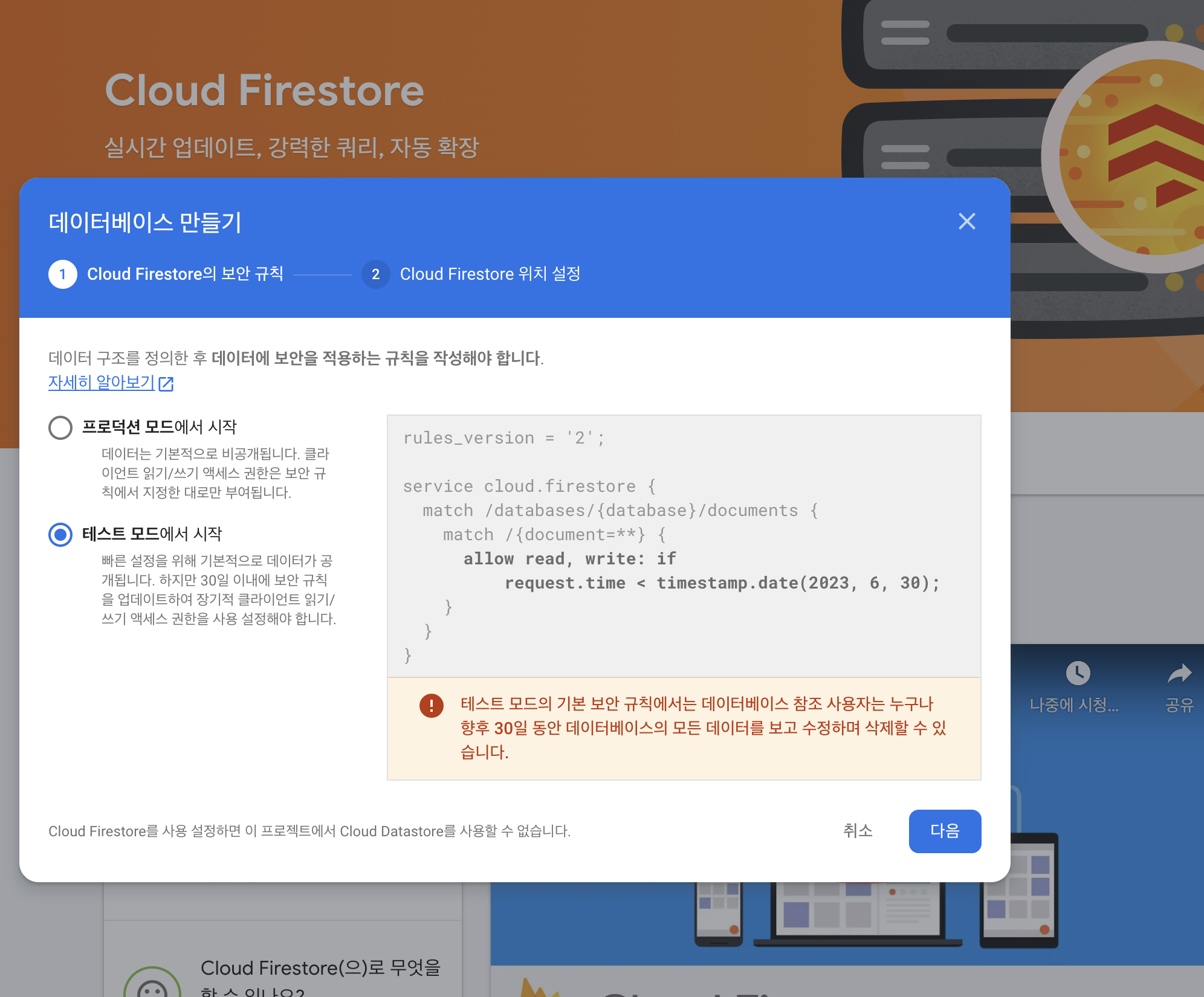
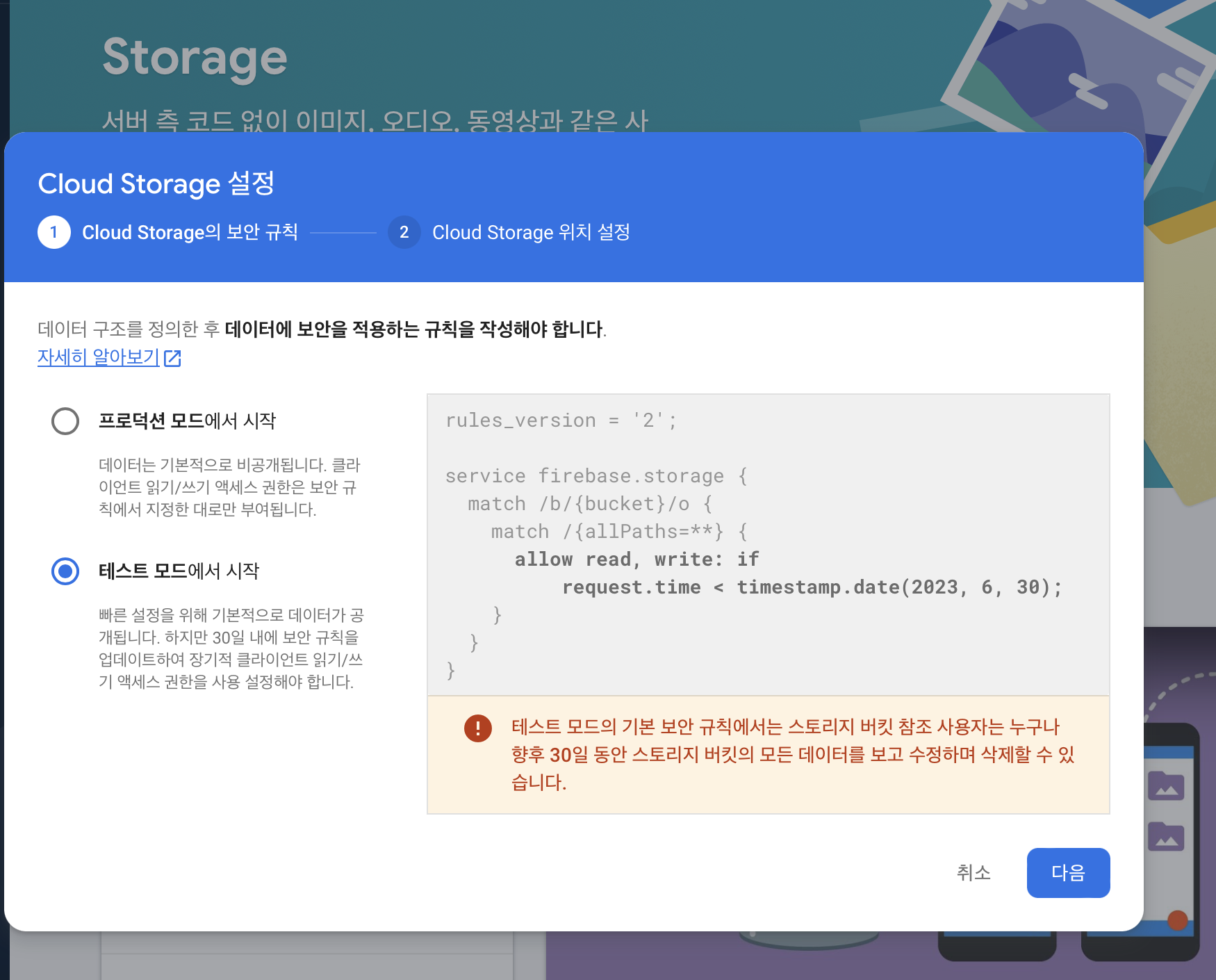
firebase cloud firestore(database), storage(Nosql)활성화하기
25.1 FireStore Intro
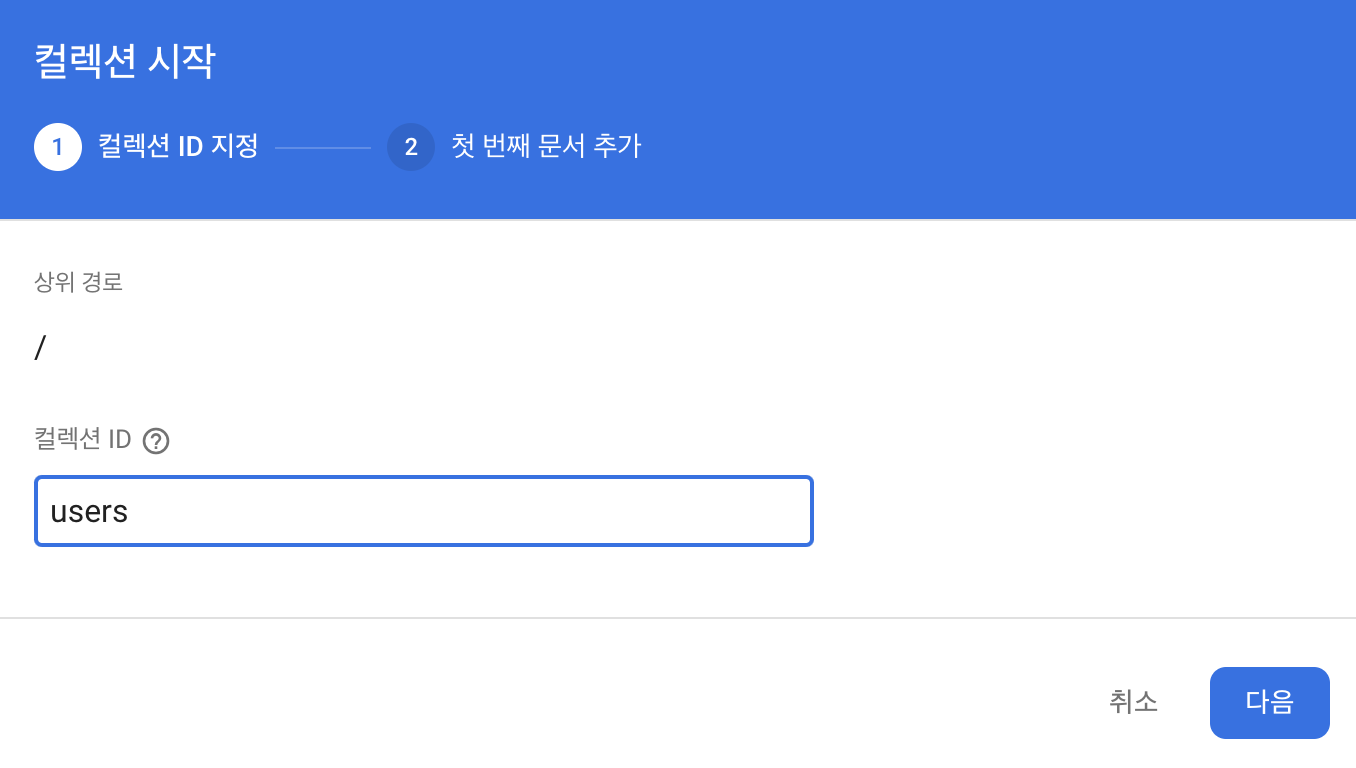
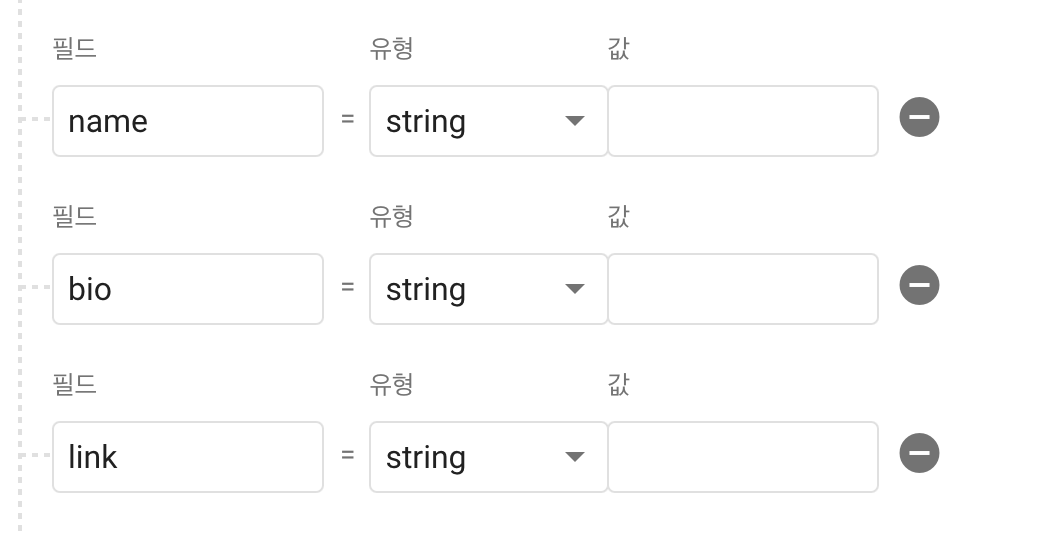
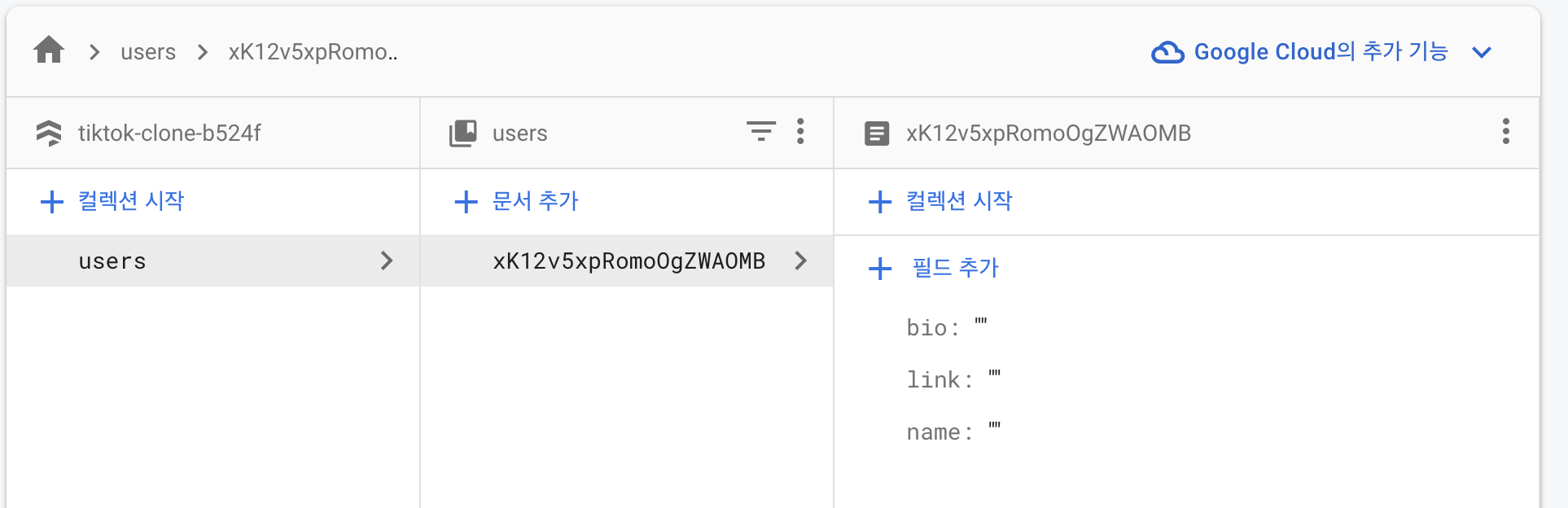
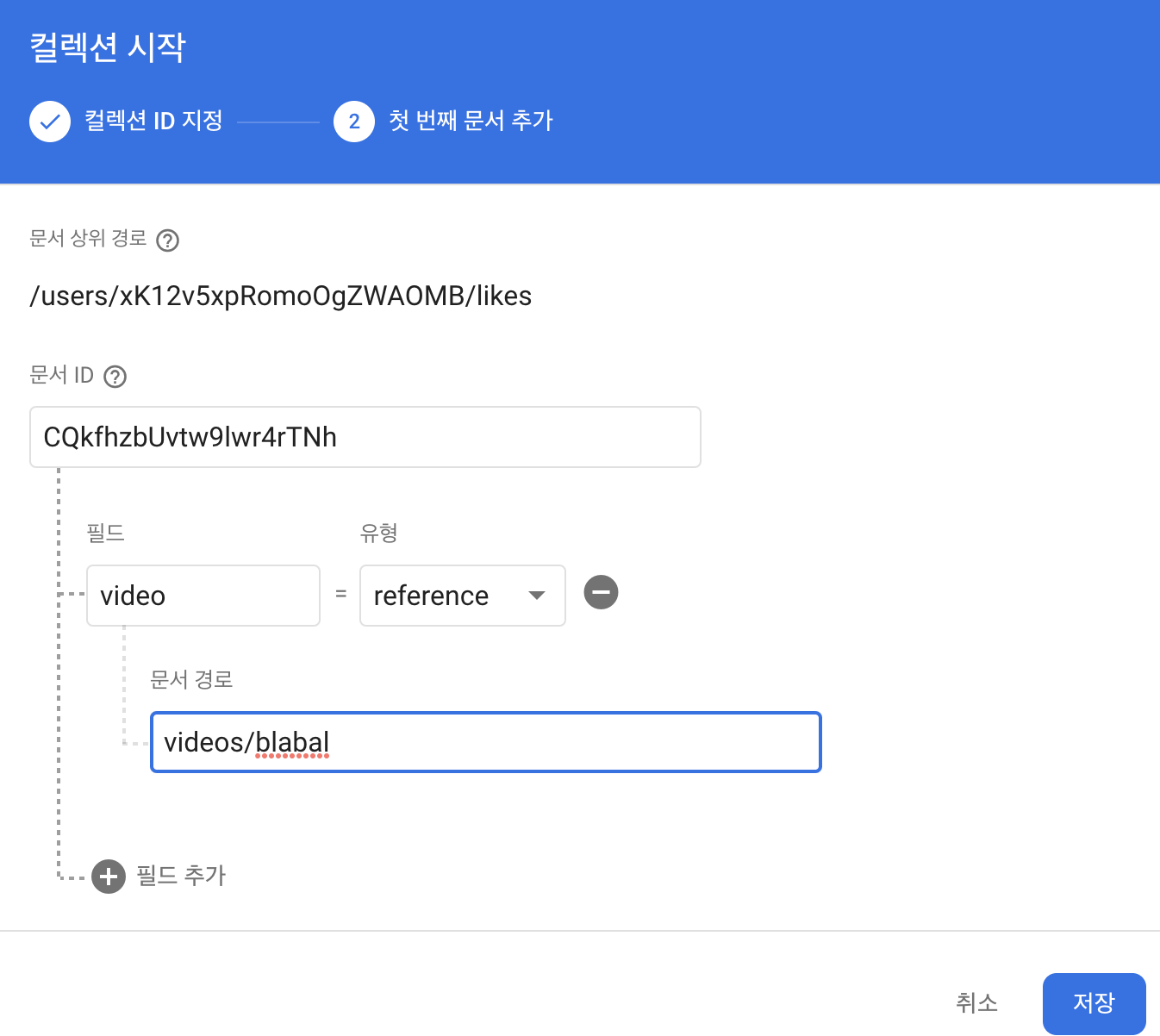
users안에 또 만들려면 컬렉션 시작 누르기(likes)
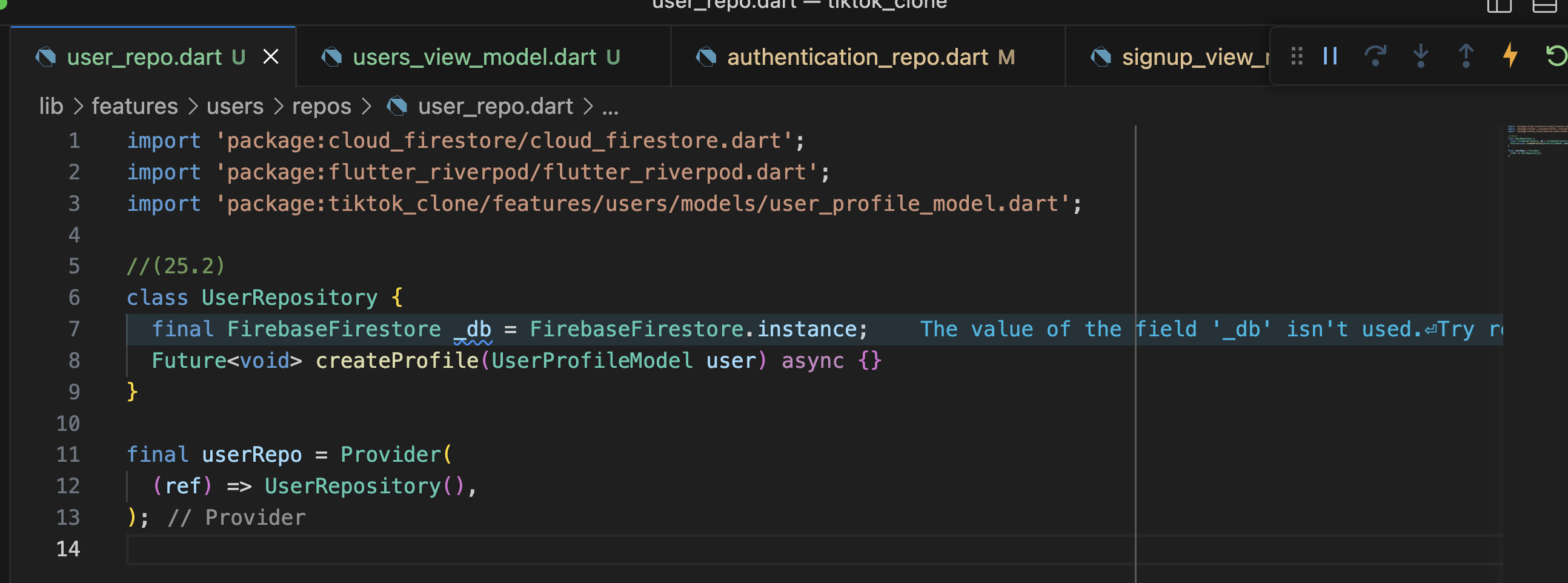
25.2 UserProfileModel
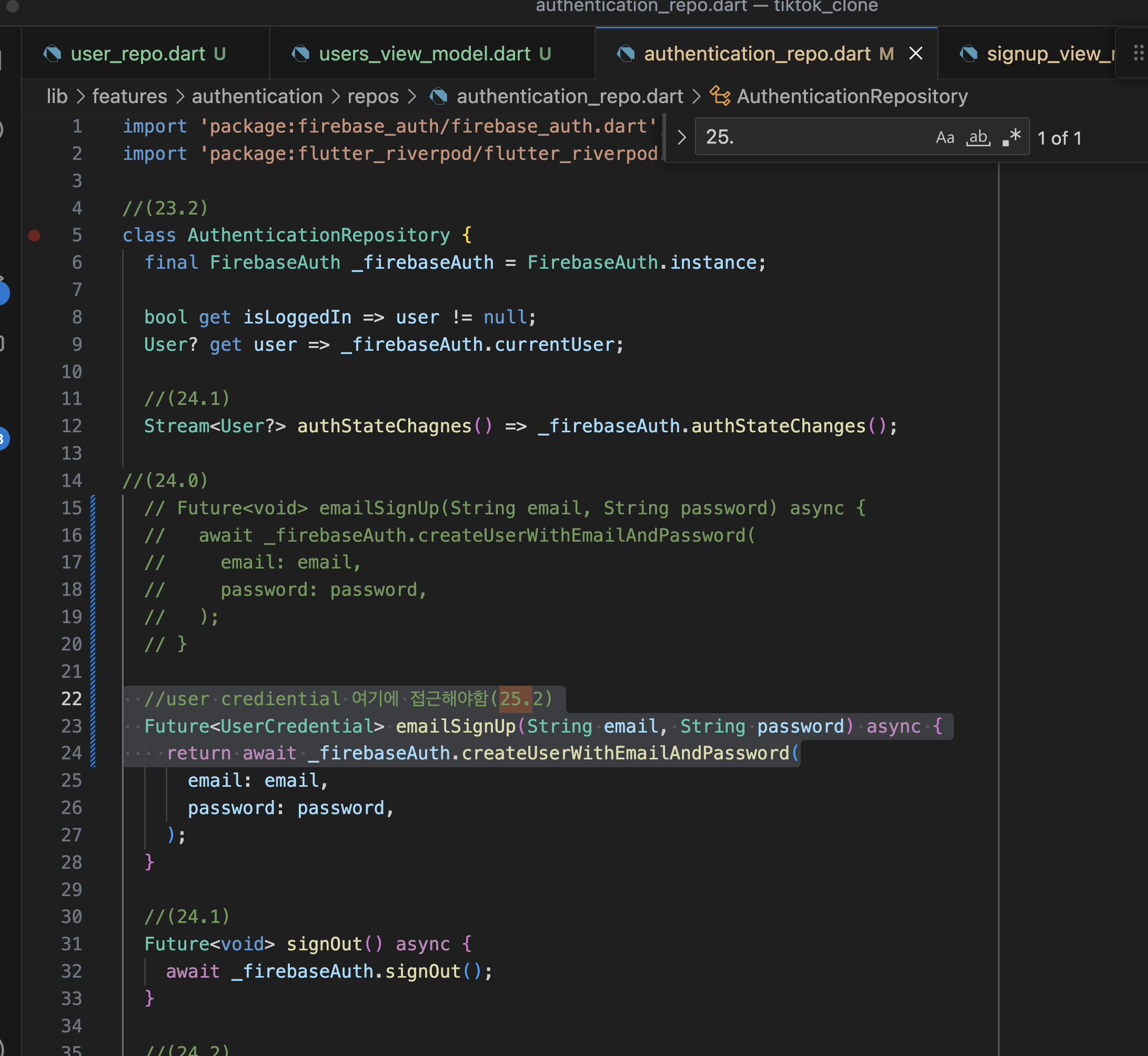
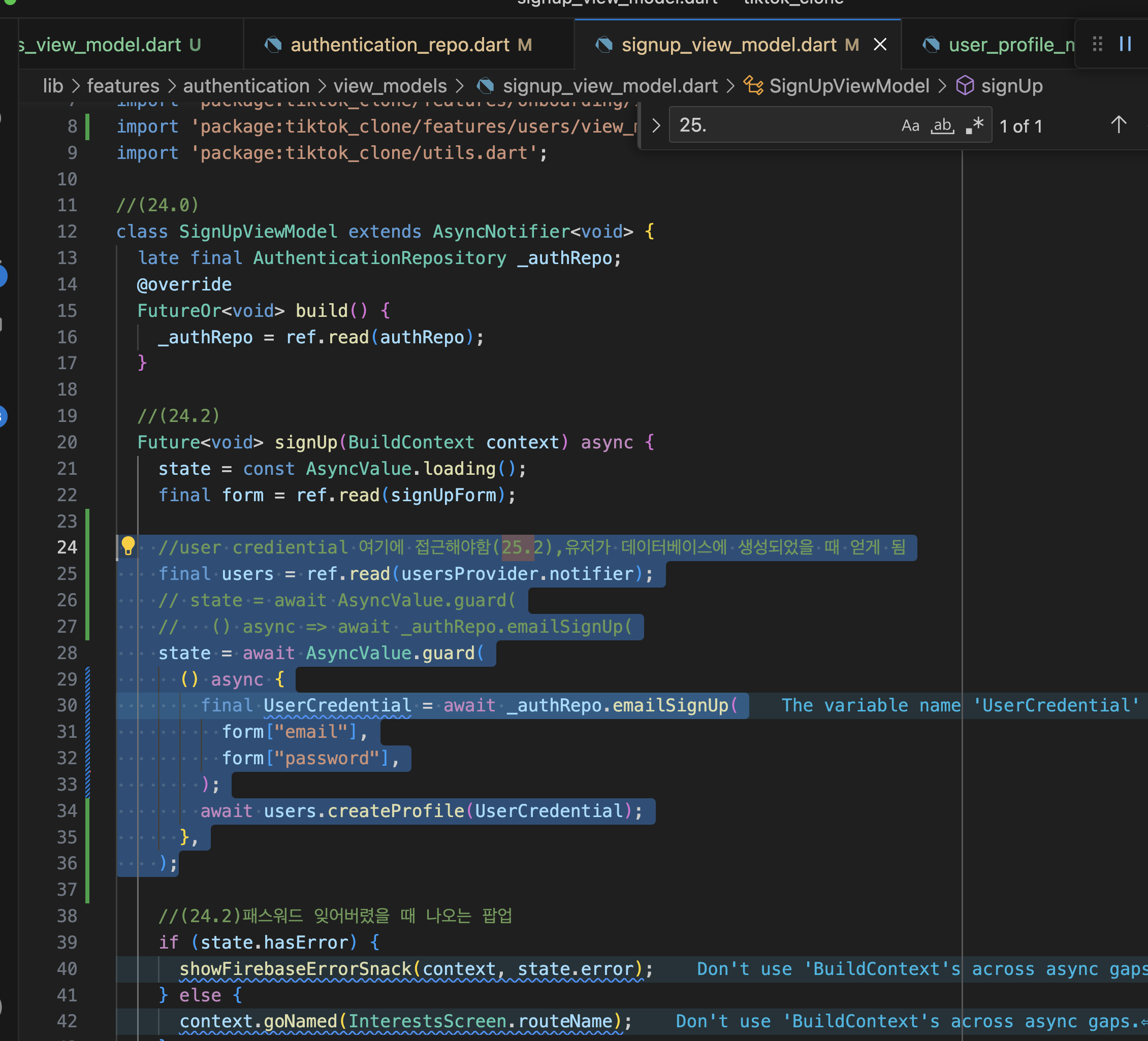

25.3 createProfile


import 'dart:async';

import 'package:firebase_auth/firebase_auth.dart';
import 'package:flutter_riverpod/flutter_riverpod.dart';
import 'package:tiktok_clone/features/users/models/user_profile_model.dart';
import 'package:tiktok_clone/features/users/repos/user_repo.dart';

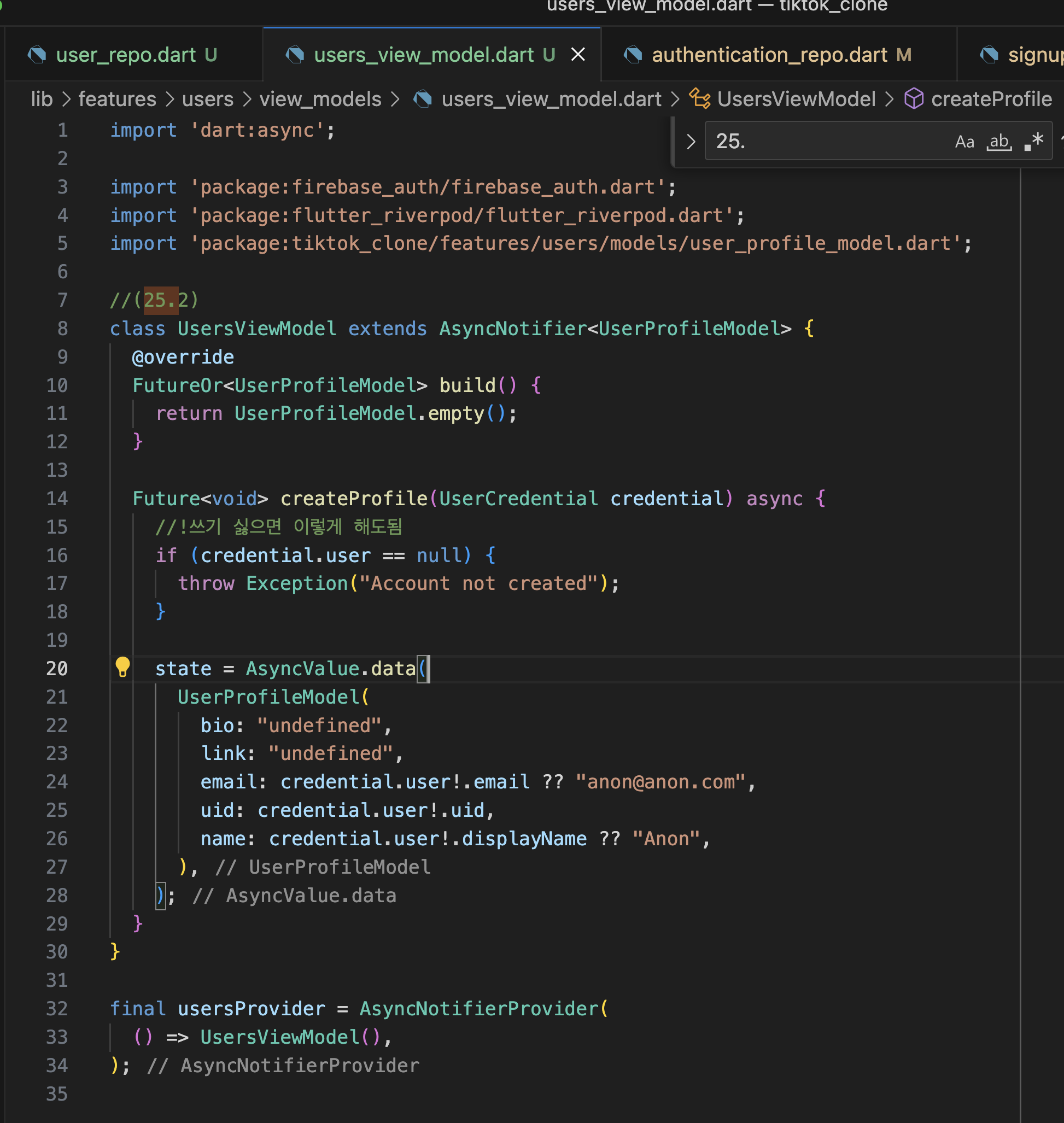
//(25.2)
class UsersViewModel extends AsyncNotifier<UserProfileModel> {
  //Json처리 방법(25.3)
  late final UserRepository _repository;

  @override
  FutureOr<UserProfileModel> build() {
    //Json처리 방법(25.3)
    _repository = ref.read(userRepo);

    return UserProfileModel.empty();
  }

  Future<void> createProfile(UserCredential credential) async {
    //!쓰기 싫으면 이렇게 해도됨
    if (credential.user == null) {
      throw Exception("Account not created");
    }

    //(25.3)profile만들어지는 동안 로딩페이지 만들기
    state = const AsyncValue.loading();
    //이 데이터를 firestore에 넣기 위한 처리방법, profile함수화(25.3)
    final profile = UserProfileModel(
      bio: "undefined",
      link: "undefined",
      email: credential.user!.email ?? "anon@anon.com",
      uid: credential.user!.uid,
      name: credential.user!.displayName ?? "Anon",
    );
    //Json처리 방법(25.3)
    await _repository.createProfile(profile);

    state = AsyncValue.data(profile);
  }
}

//(25.3)
final usersProvider = AsyncNotifierProvider<UsersViewModel, UserProfileModel>(
  () => UsersViewModel(),
);
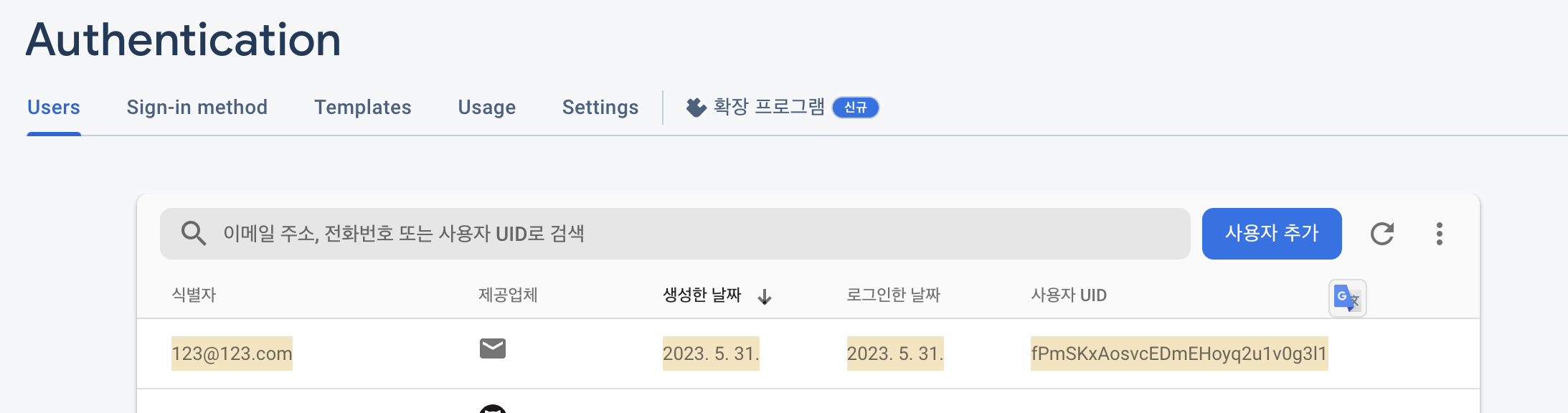

25.4 findProfile
------------
//(25.4)? 있을수도 없을수도 있음
  Future<Map<String, dynamic>?> findProfile(String uid) async {
    final doc = await _db.collection("users").doc(uid).get();
    return doc.data();
  }
  ------------
//(25.2)
class UsersViewModel extends AsyncNotifier<UserProfileModel> {
  //Json처리 방법(25.3)

  --------------------
  late final UserRepository _usersRepository;
  //(25.4)
  late final AuthenticationRepository _authenticationRepository;
--------------------


  @override
  FutureOr<UserProfileModel> build() {
    //Json처리 방법(25.3)
    _usersRepository = ref.read(userRepo);

    --------------------
    //(25.4)
  FutureOr<UserProfileModel> build() async {
    _usersRepository = ref.read(userRepo);
    _authenticationRepository = ref.read(authRepo);

    if (_authenticationRepository.isLoggedIn) {
      final profile = await _usersRepository
          .findProfile(_authenticationRepository.user!.uid);
      if (profile != null) {
        return UserProfileModel.fromJson(profile);
      }
    }
--------------------


    return UserProfileModel.empty();
  }

  Future<void> createProfile(UserCredential credential) async {
    //!쓰기 싫으면 이렇게 해도됨
    if (credential.user == null) {
      throw Exception("Account not created");
    }
      link = "";
---------------
//(25.4)
  UserProfileModel.fromJson(Map<String, dynamic> json)
      : uid = json["uid"],
        email = json["email"],
        name = json["name"],
        bio = json["bio"],
        link = json["link"];
---------------


  Map<String, String> toJson() {
25.5 AvatarViewModel

  //(25.5)
class UserProfileScreen extends ConsumerStatefulWidget {
  //웹 설정(URL에 어떤 이름 넣어도 출력되는)
  final String username;
  //프로파일 스크린 랜더링할 때 post 탭이 아닌 likes탭이 보이게 하는 설정
  final String tab;

  const UserProfileScreen({
    super.key,
    required this.username,
    required this.tab,
  });

  @override
  //(25.5)
  ConsumerState<UserProfileScreen> createState() => _UserProfileScreenState();
}

//(25.5)
class _UserProfileScreenState extends ConsumerState<UserProfileScreen> {
  //_onGearPressed설정창 누르는 메소드
  void _onGearPressed() {


  Widget build(BuildContext context) {


  -----------------
    //(25.5)
    return ref.watch(usersProvider).when(
        error: (error, stackTrace) => Center(
              child: Text(error.toString()),
            ),
        loading: () => const Center(
              child: CircularProgressIndicator.adaptive(),
            ),
            //(25.5)Scaffold여기로 넣기
        data: (data) => Scaffold(
          -----------------
              backgroundColor:
  @override
  FutureOr<UserProfileModel>build() async {

  -------------
  //(25.5)iphone에서 로딩화면 뜨고 프로파일이 뜨게 한다.없어도 됨
    await Future.delayed(const Duration(seconds: 10));
  -------------


    _usersRepository = ref.read(userRepo);
    _authenticationRepository = ref.read(authRepo);

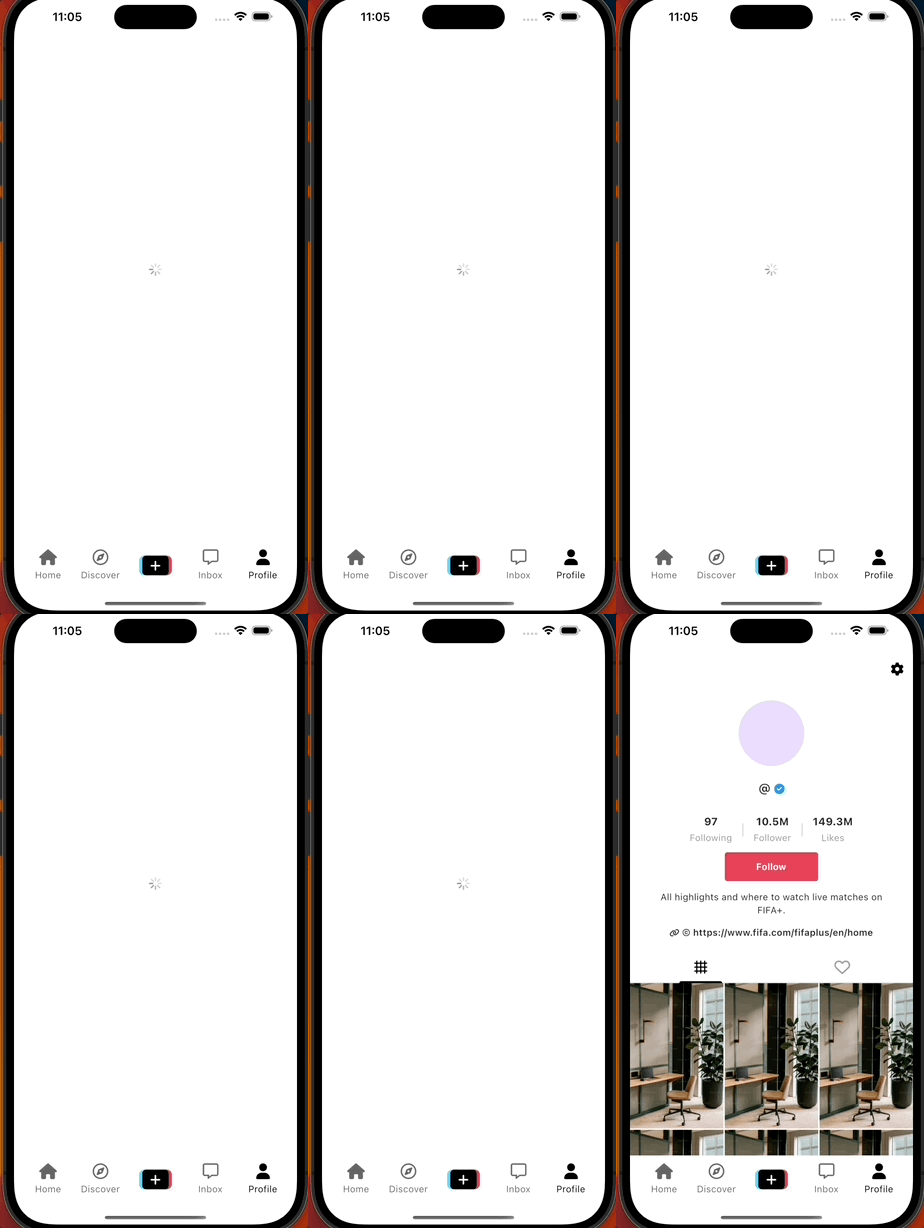
iphone에서 로딩화면 뜨고 프로파일이 뜨게 한다.

lib/features/users/views/widgets/avatar.dart

import 'dart:io';

import 'package:flutter/material.dart';
import 'package:flutter_riverpod/flutter_riverpod.dart';
import 'package:image_picker/image_picker.dart';

//(25.5)
class Avatar extends ConsumerWidget {
  final String name;

  const Avatar({
    super.key,
    required this.name,
  });

  Future<void> _onAvatarTap() async {
    final xfile = await ImagePicker().pickImage(
      source: ImageSource.gallery,
      imageQuality: 40,
      maxHeight: 150,
      maxWidth: 150,
    );
    if (xfile != null) {
      final file = File(xfile.path);
    }
  }

  @override
  Widget build(BuildContext context, WidgetRef ref) {
    return GestureDetector(
      onTap: _onAvatarTap,
      child: CircleAvatar(
        radius: 50,
        foregroundImage: const NetworkImage(
        //NetworkImage는 한번만 fetch하고 캐싱됨
            "https://media.licdn.com/dms/image/C4D03AQEfaXwimUdjmw/profile-displayphoto-shrink_100_100/0/1517469163893?e=1689811200&v=beta&t=0i37nt-0uT5JvkQGUUzQlZtA5fUFFYUVinTFDTyo0iQ"),
        child: Text(name),
      ),
    );
  }
}
import 'dart:async';
import 'dart:io';

import 'package:flutter_riverpod/flutter_riverpod.dart';
import 'package:tiktok_clone/features/authentication/repos/authentication_repo.dart';
import 'package:tiktok_clone/features/users/repos/user_repo.dart';

//(25.5)
class AvatarViewModel extends AsyncNotifier<void> {
  late final UserRepository _repository;

  @override
  FutureOr<void> build() {
    _repository = ref.read(userRepo);
  }

  Future<void> uploadAvatar(File file) async {
    state = const AsyncValue.loading();
    // 현재 유저가 누군지 알게 함
    final fileName = ref.read(authRepo).user!.uid;
    state = await AsyncValue.guard(
      () async => await _repository.uploadAvatar(file, fileName),
    );
  }
}

    final doc = await _db.collection("users").doc(uid).get();
    return doc.data();
  }

class UserRepository {
  final FirebaseFirestore _db = FirebaseFirestore.instance;


  --------------
  final FirebaseStorage _storage = FirebaseStorage.instance;
--------------


--------------
//(25.5)
  Future<void> uploadAvatar(File file, String fileName) async {
    final fileRef = _storage.ref().child("avatars/$fileName");
    await fileRef.putFile(file);
  }
}
--------------


final userRepo = Provider(
25.6 onAvatarUpload
    state = const AsyncValue.loading();
    final fileName = ref.read(authRepo).user!.uid;
    state = await AsyncValue.guard(


----------------
//(25.6)
      () async {
        await _repository.uploadAvatar(file, fileName);
        //usersProvider에 우리가 업로드 했다는 걸 알림
        await ref.read(usersProvider.notifier).onAvatarUpload();
      },
    );
  }
}

final avatarProvider = AsyncNotifierProvider<AvatarViewModel, void>(
  () => AvatarViewModel(),
);
----------------
class Avatar extends ConsumerWidget {
  final String name;
  ---------------------
//(25.6)
  final bool hasAvatar;
  final String uid;
    ---------------------


  const Avatar({
    super.key,
    ---------------------
//(25.6)
    required this.uid,
    required this.hasAvatar,
        ---------------------


    required this.name,
  });


---------------------
//(25.6)
  Future<void> _onAvatarTap(WidgetRef ref) async {
  ---------------------
    final xfile = await ImagePicker().pickImage(
      source: ImageSource.gallery,
      imageQuality: 40,


          if (xfile != null) {
      final file = File(xfile.path);
      ---------------------
//(25.6)
      await ref.read(avatarProvider.notifier).uploadAvatar(file);
            ---------------------
    }
  }

  @override
  Widget build(BuildContext context, WidgetRef ref) {
  ---------------------
//(25.6)
    final isLoading = ref.watch(avatarProvider).isLoading;

    return GestureDetector(
      onTap: isLoading ? null : () => _onAvatarTap(ref),
      child: isLoading
          ? Container(
              width: 50,
              height: 50,
              alignment: Alignment.center,
              decoration: const BoxDecoration(
                shape: BoxShape.circle,
              ),
              child: const CircularProgressIndicator(),
            )
          : CircleAvatar(
              radius: 50,
              foregroundImage: hasAvatar
                  ? NetworkImage(
                  //(25.6)s%2F$    uid?  만들기
                      "https://firebasestorage.googleapis.com/v0/b/tiktok-abc-xyz.appspot.com/o/avatars%2F$uid?alt=media")
                  : null,
              child: Text(name),
            ),
                      ---------------------
여기도 추가하기
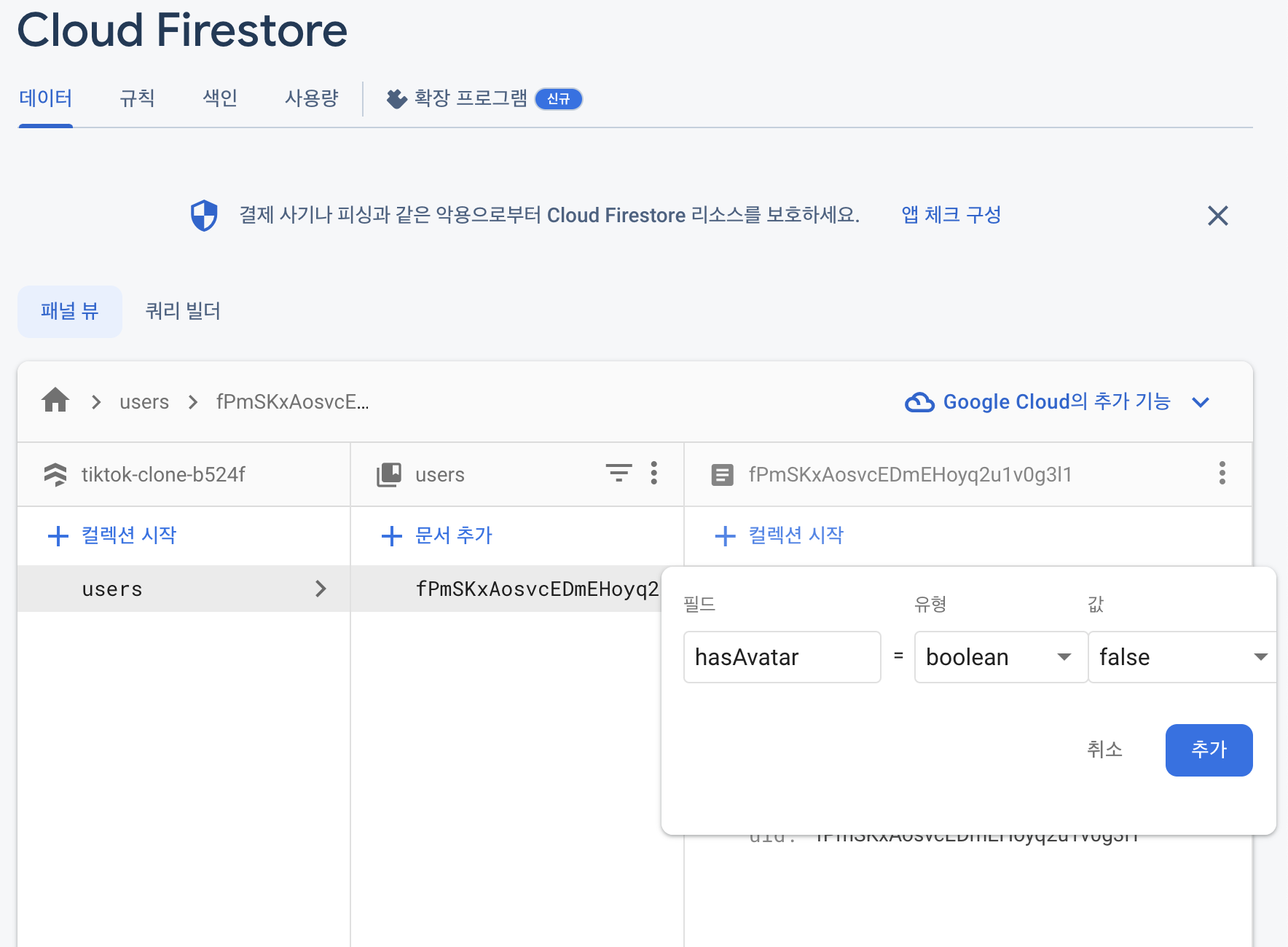
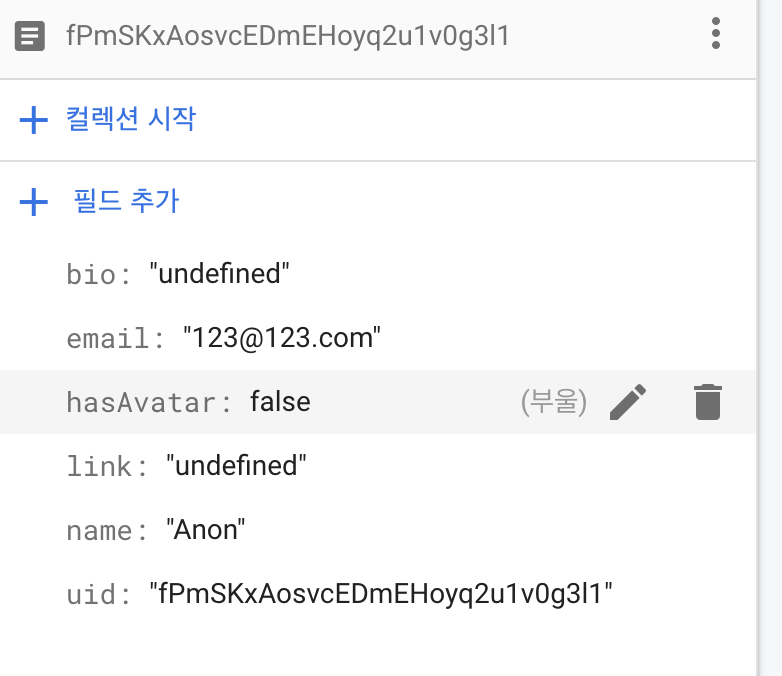

커서까지만 복사하기
alt=media부터 빼면 이렇게 정보도 얻을 수 있음
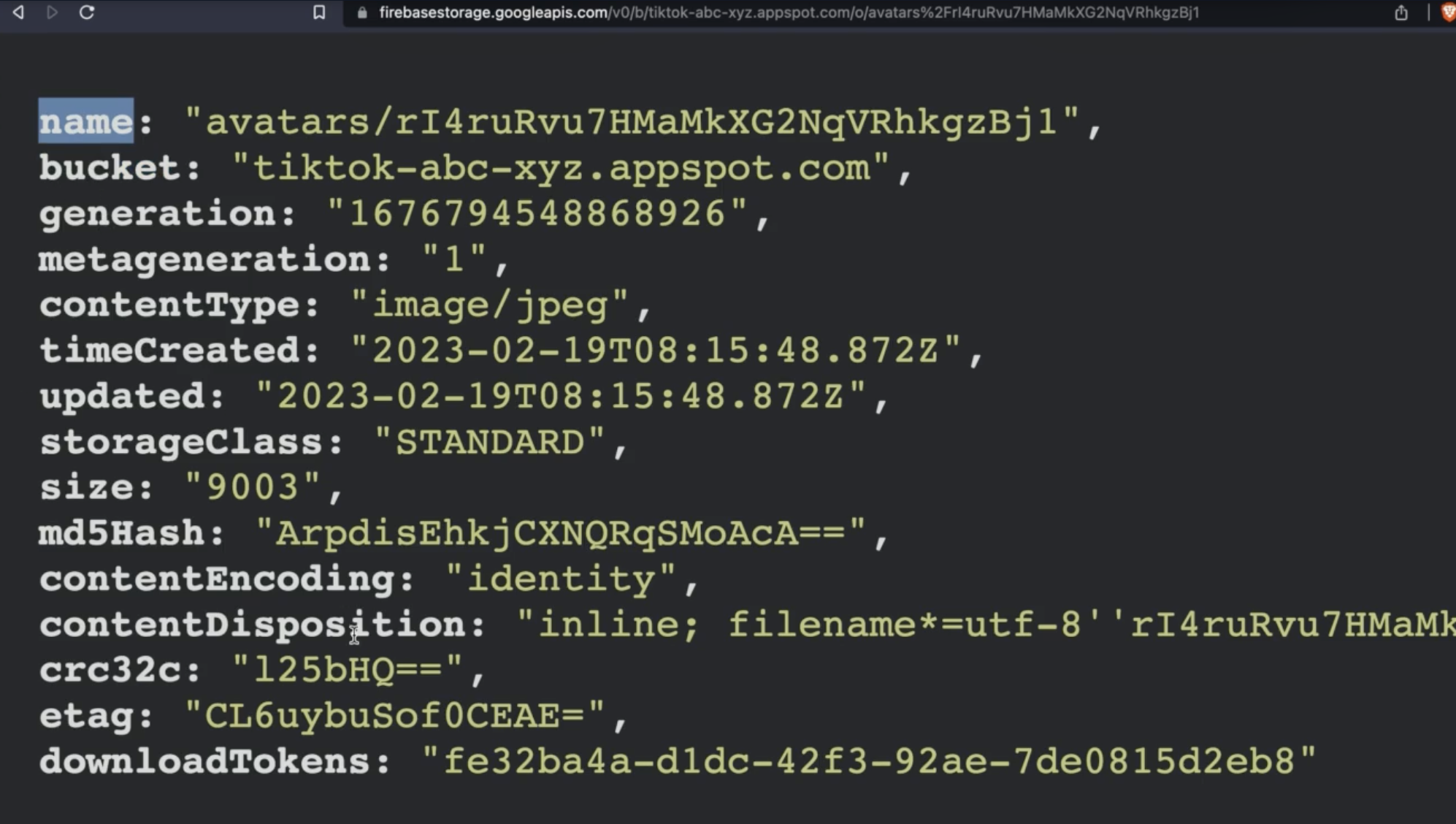
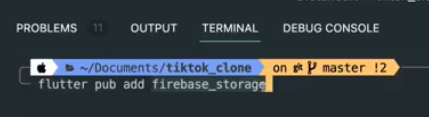


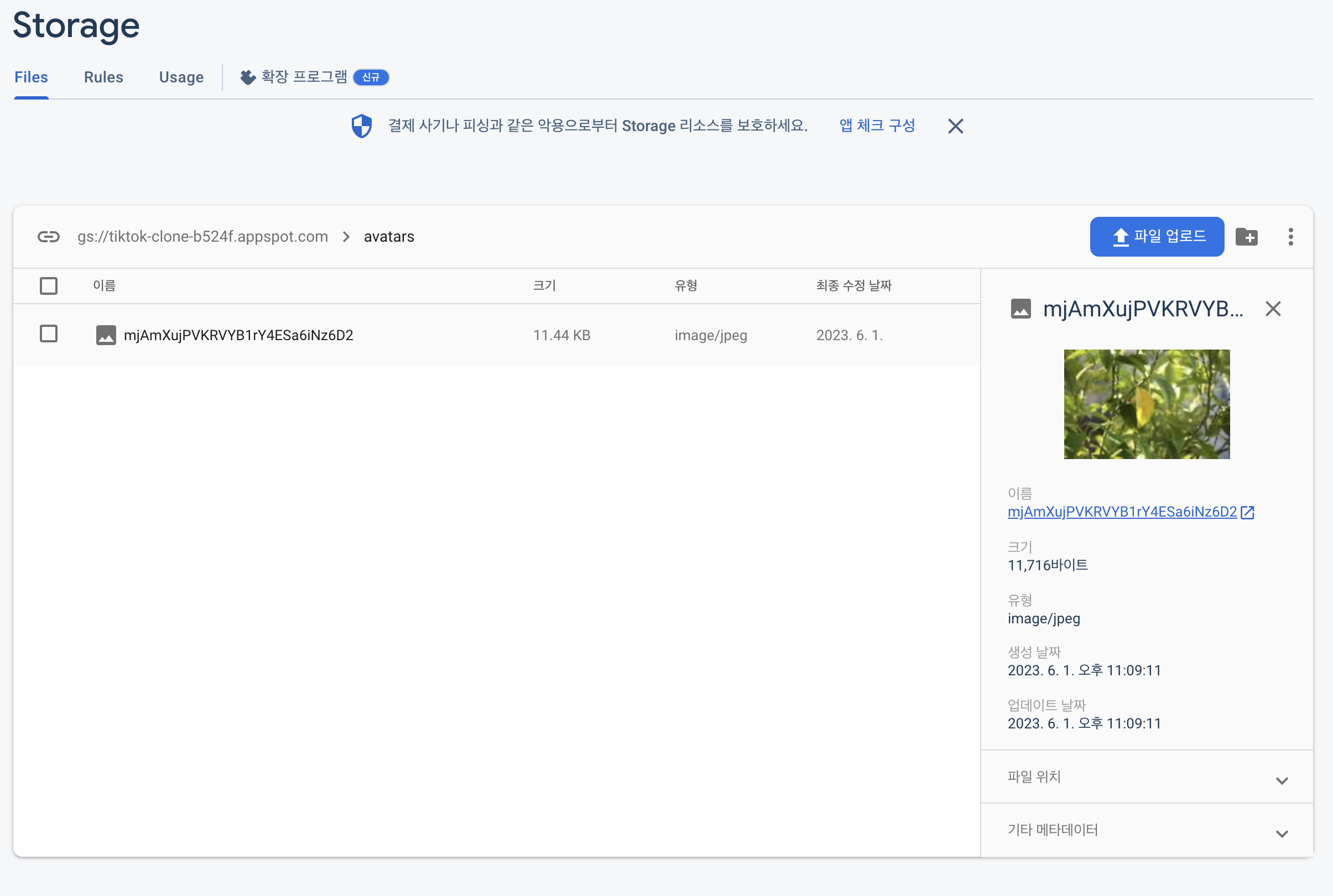
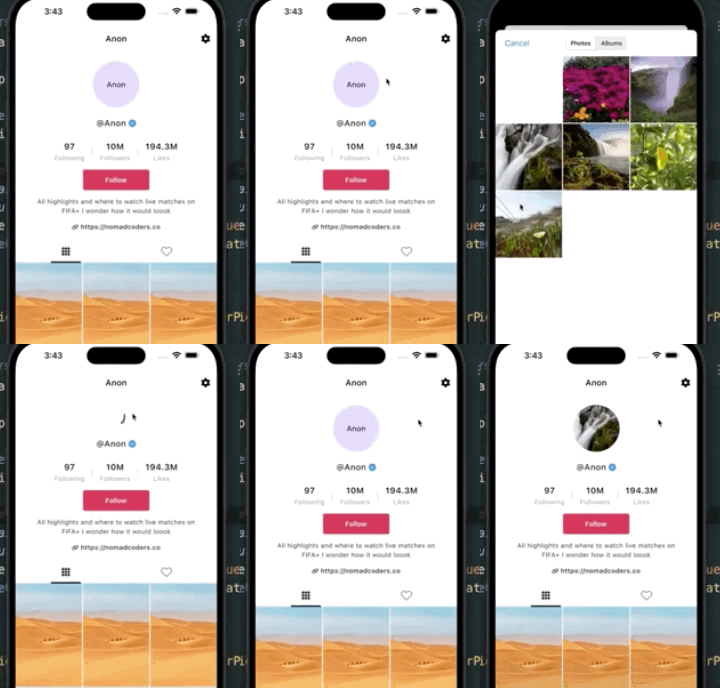
아바타에서 에뮬레이터에 있는 샘플 사진을 올리면 이런식으로 사진이 업로드 된다.
이제 에뮬레이터에 있는 아바타를 위 사진으로 바꿔주는 작업

                        child: Column(
                          children: [
                            Gaps.v20,
                            //Avatar(name: data.name),

                            //(25.6)
                            ----------------------------
                            Avatar(
                              uid: data.uid,
                              name: data.name,
                              hasAvatar: data.hasAvatar,
                            ),
                                                        ----------------------------

                            Gaps.v20,
                            Row(
                              mainAxisAlignment: MainAxisAlignment.center,

    state = const AsyncValue.loading();
    final profile = UserProfileModel(

    --------------------
    //(25.6)
      hasAvatar: false,
          --------------------


      bio: "undefined",
      link: "undefined",
      email: credential.user!.email ?? "anon@anon.com",


    await _usersRepository.createProfile(profile);
    state = AsyncValue.data(profile);
  }


          --------------------
              //(25.6)여기에 아바타가 있다는 걸 알려줘야 이미지 처리를 해줌
  Future<void> onAvatarUpload() async {
    if (state.value == null) return;
    state = AsyncValue.data(state.value!.copyWith(hasAvatar: true));
    await _usersRepository.updateUser(state.value!.uid, {"hasAvatar": true});
  }
            --------------------

}

final usersProvider = AsyncNotifierProvider<UsersViewModel, UserProfileModel>(
copyWith는 원본 데이터는 그대로 냅두고 hasAvatar 값만 바꾸기 위함 입니다.
'copyWith'는 Flutter에서 사용하는 메소드 중 하나로, 기존 객체를 복제하고 일부 속성을 수정하여 새로운 객체를 생성하는 기능을 합니다. 일반적으로 객체의 속성을 변경할 때, 해당 객체를 직접 수정하는 방식으로 처리할 수 있습니다. 그러나, 이 방식은 객체의 불변성(immutability)을 보장하지 않기 때문에 예상치 못한 결과를 초래할 수 있습니다. 'copyWith'는 이러한 문제를 해결하기 위한 방법으로, 불변성을 보장하면서 객체의 일부 속성을 변경할 수 있도록 해줍니다. 이는 객체 지향 프로그래밍에서 매우 중요한 개념 중 하나로, 객체의 불변성을 유지하면서 객체를 다루는 것이 코드의 안정성과 가독성을 향상시키는 데 도움이 됩니다.

  final String name;
  final String bio;
  final String link;

  -------------
  //(25.6)
  final bool hasAvatar;
  -------------


  UserProfileModel({
    required this.uid,
    required this.email,
    required this.name,
    required this.bio,
    required this.link,


      -------------
        //(25.6)
    required this.hasAvatar,
      -------------
  });

  UserProfileModel.empty()
      : uid = "",
        email = "",
        name = "",
        bio = "",

              -------------
                //(25.6)
        link = "",
        hasAvatar = false;
              -------------

          UserProfileModel.fromJson(Map<String, dynamic> json)
      : uid = json["uid"],
        email = json["email"],
        name = json["name"],
        bio = json["bio"],

              -------------
                //(25.6)
        hasAvatar = json["hasAvatar"],
              -------------


        link = json["link"];

  Map<String, String> toJson() {


        "link": link,
    };
  }


      -------------
        //(25.6)
  UserProfileModel copyWith({
  //? nullable
    String? uid,
    String? email,
    String? name,
    String? bio,
    String? link,
    bool? hasAvatar,
  }) {
    return UserProfileModel(
    //?? or
      uid: uid ?? this.uid,
      email: email ?? this.email,
      name: name ?? this.name,
      bio: bio ?? this.bio,
      link: link ?? this.link,
      hasAvatar: hasAvatar ?? this.hasAvatar,
    );
  }
}
      -------------
    final fileRef = _storage.ref().child("avatars/$fileName");
    await fileRef.putFile(file);
  }


------------------
//(25.6)
  Future<void> updateUser(String uid, Map<String, dynamic> data) async {
    await _db.collection("users").doc(uid).update(data);
  }
}
------------------


final userRepo = Provider(
UID 위의 일련의 과정을 거쳐

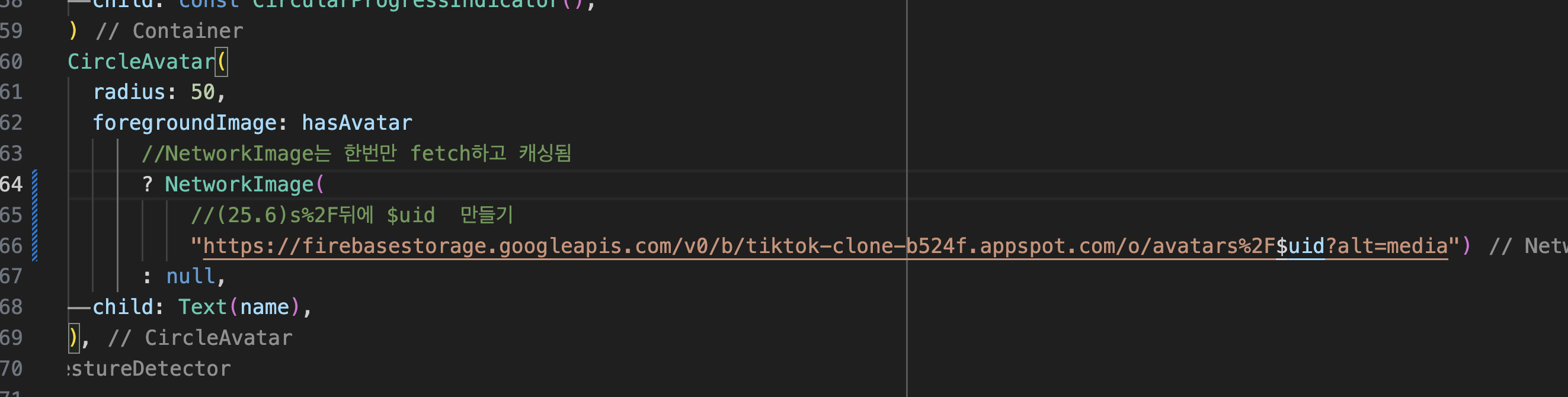
주소창에서 이렇게 처리됨
파이어 베이스에는 이미지는 하나만 올라가고 오버라이드 된다.

25.7 Recap
버그픽싱
    );
    if (xfile != null) {
      final file = File(xfile.path);
      //await ref.read(avatarProvider.notifier).uploadAvatar(file);

      -------------------
      //(25.7)
      ref.read(avatarProvider.notifier).uploadAvatar(file);
            -------------------
    }
  }


              radius: 50,
              foregroundImage: hasAvatar
                  ? NetworkImage(
                                                      -------------------

                 //(25.6)s%2F$    uid?  만들기
                      "https://media.licdn.com/dms/image/C4D03AQEfaXwimUdjmw/profile-displayphoto-shrink_100_100/0/1517469163893?e=1689811200&v=beta&t=0i37nt-0uT5JvkQGUUzQlZtA5fUFFYUVinTFDTyo0iQ")
                  // "https://firebasestorage.googleapis.com/v0/b/tiktok-clone-b524f.appspot.com/o/avatars%2F$uid?alt=media")

                                             -------------------
                                                               -------------------
                                 //(25.7)
                      //"https://firebasestorage.googleapis.com/v0/b/tiktok-clone-b524f.appspot.com/o/avatars%2F$uid?alt=media")

                      "https://firebasestorage.googleapis.com/v0/b/tiktok-clone-b524f.appspot.com/o/avatars%2F$uid?alt=media&haha=${DateTime.now().toString()}")
                              -------------------


                  : null,
              child: Text(name),
            ),
?alt=media 뒤에
&haha=${DateTime.now().toString()} 추가
27.1에서 수정한대로 하면 될지도??


